1 / 8 · Click to enlarge
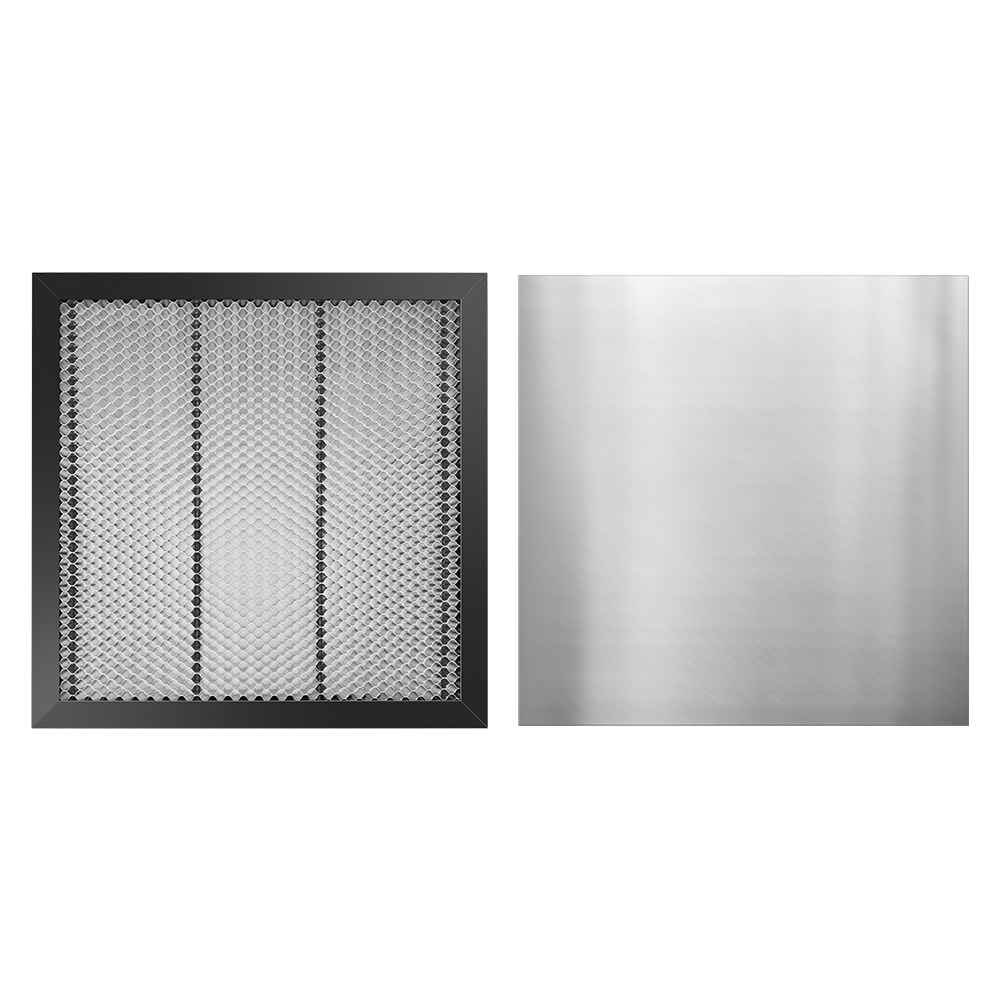
TWOTREES® 400*400mm Laser Engraver Honeycomb Working Table Board Platform for Laser Engraving Cutting Machine 400x400x22mm
5.034 ratingsThe TWOTREES® 400*400mm Laser Engraver Honeycomb Working Table Board Platform for Laser Engraving Cutting Machine 400x400x22mm by TWOTREES is a premium tools, industrial & scientific designed for DIY enthusiasts and makers. Customers praise its excellent build quality and fast and responsive. 100% of buyers rate it 4★ or above.
Available Offers
Free Delivery on this order. No minimum order value.
15-Day Easy Returns — hassle-free return & full refund.
Secure Payment — 100% safe checkout with UPI, Cards & Net Banking.
Available Offers
5% Cashback
Pay with UPI & get 5% cashback (up to ₹50) via Razorpay
No-Cost EMI
Available on select bank cards at checkout. 0% interest for 3 months.
Free Shipping
Free delivery on all orders. No minimum order value.
Cash on Delivery
COD available on orders up to ₹5,000 across India.
Ideal For
About This Product
The TWOTREES® 400*400mm Laser Engraver Honeycomb Working Table Board Platform for Laser Engraving Cutting Machine 400x400x22mm by TWOTREES is a premium tools, industrial & scientific designed for DIY enthusiasts and makers. Customers highlight its excellent build quality and fast and responsive.
Customer Verdict
100% of buyers rated this product 4 stars or above. The most appreciated qualities are: excellent build quality, fast and responsive, accurate and reliable.
Why Buy from Pricio?
Pricio sources this product directly, cutting out multiple middlemen. Every order includes free shipping, a 15-day return policy, and secure payment via Razorpay.
Main feature:
1. Necessary accessories for laser cutting: After using this laser cutting honeycomb table to cut wood, acrylic and other materials, the edges of the wood are neat and clean, not easy to be yellowed by smoke, and you can get a clean cutting work .
2. Cutting through observable design: honeycomb table contains a very convenient cutting and observation design. When the laser cuts through wood or acrylic, the metal plate at the bottom of the honeycomb will emit a bright light, which means that the cutting has penetrated. Solve the problem that ordinary engraving machine is difficult to judge whether cutting through.
3. Safe metal desktop protection board: honeycomb Board is equipped with a metal desktop protection board, which can protect the table from laser damage, which is very suitable for many different diode laser engravers.
4. Wide compatibility: The machine can be compatible with various mature laser engraving machines.
5. All-metal high flatness: processed by high-precision CNC, solid structure not easy to deform, and high flatness.
Material:high-strength steel
Product size:
400x400x22mm