

1 / 11 · Click to enlarge
RIDEN® RD6006/W RD6006P/W Digital Control Switch Adjustable Power Supply DC Stabilized Power Adapter Buck Module Monitoring Power Supply
5.013 ratingsThe RIDEN® RD6006/W RD6006P/W Digital Control Switch Adjustable Power Supply DC Stabilized Power Adapter Buck Module Monitoring Power Supply by RIDEN is a premium electronics designed for premium buyers. It features Output current range: 0-6.000A and Model: RD6006/. Customers praise its fast and responsive. 100% of buyers rate it 4★ or above.
Available Offers
Free Delivery on this order. No minimum order value.
15-Day Easy Returns — hassle-free return & full refund.
Secure Payment — 100% safe checkout with UPI, Cards & Net Banking.
Price: ₹10,447✓ In Stock
Available Offers
5% Cashback
Pay with UPI & get 5% cashback (up to ₹50) via Razorpay
No-Cost EMI
Available on select bank cards at checkout. 0% interest for 3 months.
Free Shipping
Free delivery on all orders. No minimum order value.
Cash on Delivery
COD available on orders up to ₹5,000 across India.
Quick Specs
Ideal For
About This Product
The RIDEN® RD6006/W RD6006P/W Digital Control Switch Adjustable Power Supply DC Stabilized Power Adapter Buck Module Monitoring Power Supply by RIDEN is a premium electronics designed for premium buyers. Customers highlight its fast and responsive.
Key Specifications
- Output current range: 0-6.000A — reliable connection even at a distance
- Model: RD6006/
- RD6006-W: RD6006P-W
- Suitable Shell: /
- Suitable power supply: ID: 1594324
- Input voltage range: 6-70.00V — reliable connection even at a distance
- Output voltage range: 0-60.00V — reliable connection even at a distance
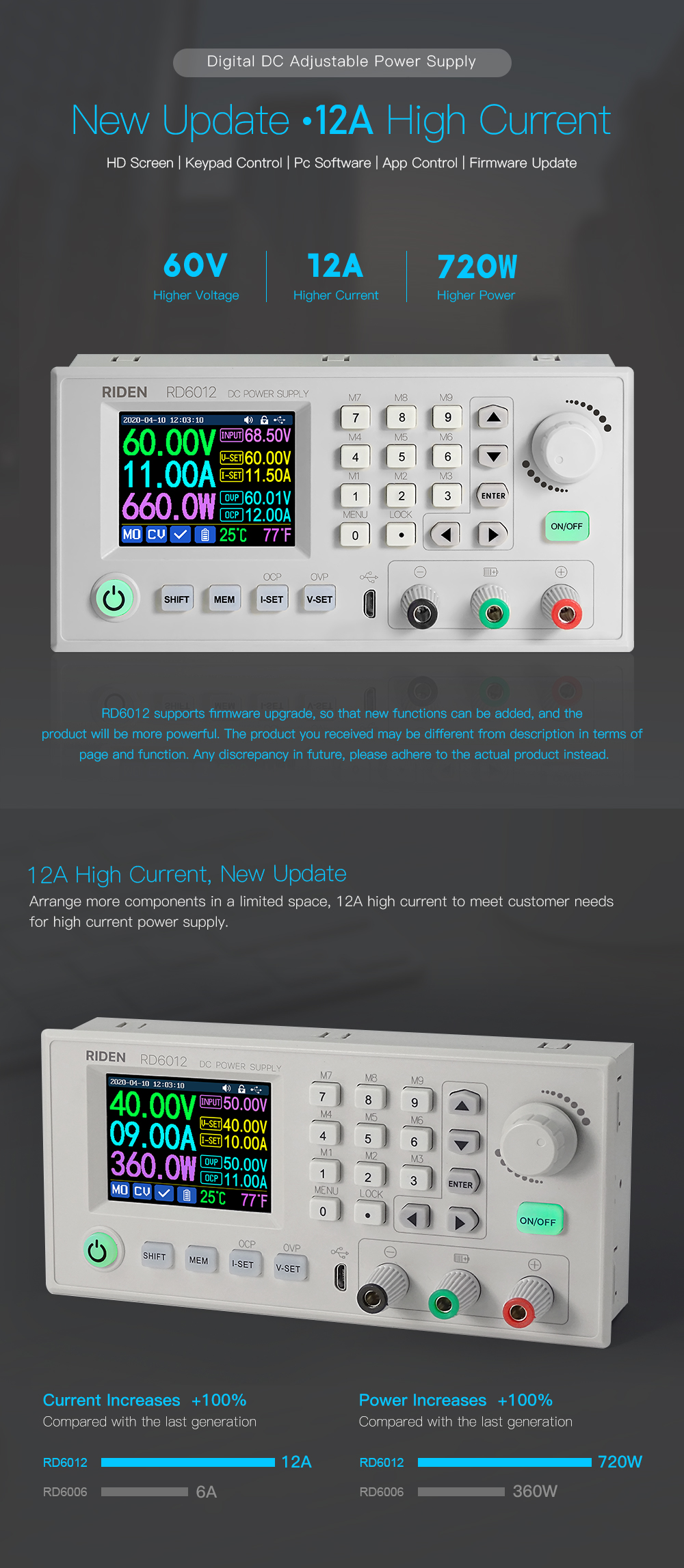
- Output power range: 0-360W — reliable connection even at a distance
Customer Verdict
100% of buyers rated this product 4 stars or above. The most appreciated qualities are: fast and responsive.
Why Buy from Pricio?
Pricio sources this product directly, cutting out multiple middlemen. Every order includes free shipping, a 15-day return policy, and secure payment via Razorpay.
Document download:
Instruction video:
a.section 1.4.2.1Battery Charging Function Introduction:https://youtu.be/irTbqfqtgU0
b.section 1.4.2.2Output Voltage and Output Current Setting:https://youtu.be/S6Kan66dNsk
c.section 1.4.2.3Data Group Quick Storage and Call out:https://youtu.be/eo5saPjOGpo
d.section 1.4.2.4Keypad lock and unlock:https://youtu.be/zxpmasJyQ6Y
e.section 1.4.2.5System Setting:https://youtu.be/Q9d3rIgIrOc
f.section 1.4.2.6Main Page Style Setting:https://youtu.be/f51VDiY2VHE
g:section 1.4.2.7Storage Data Setting:https://youtu.be/i1kTeurS13I
h:section 1.4.2.8System Information:https://youtu.be/Um4NQObeeJE
i:section 2.1.2IOS APP Download, Installation and Connection:https://youtu.be/nH2HYwop0TE
j:section 2.4.2IOS APP Operation:https://youtu.be/lXSw1CM9IY8
k:section 3.1.1/3.2.3.2Android APP Download, Installation and Connection:https://youtu.be/QwyBEUCnp9c
l:section 3.2.3.3Anroid APP Operation:https://youtu.be/hqrF4keTfbE
m:section 4.1/4.3.1PC Software Download and basic operation:https://youtu.be/mjt1RMaah1Y
o:section 4.3.2Firmware Upgrade:https://youtu.be/NOoLfDw0DiY
p:section 4.3.3Calibration:https://youtu.be/c9sn1wY2mjE
q:section 4.3.4Logo Update:https://youtu.be/vuVhBsohWts
r: RD6006 wifi connection Problem and solution:https://www.youtube.com/watch?v=7sTtc1kweJM







.jpg)
