
1 / 14 · Click to enlarge
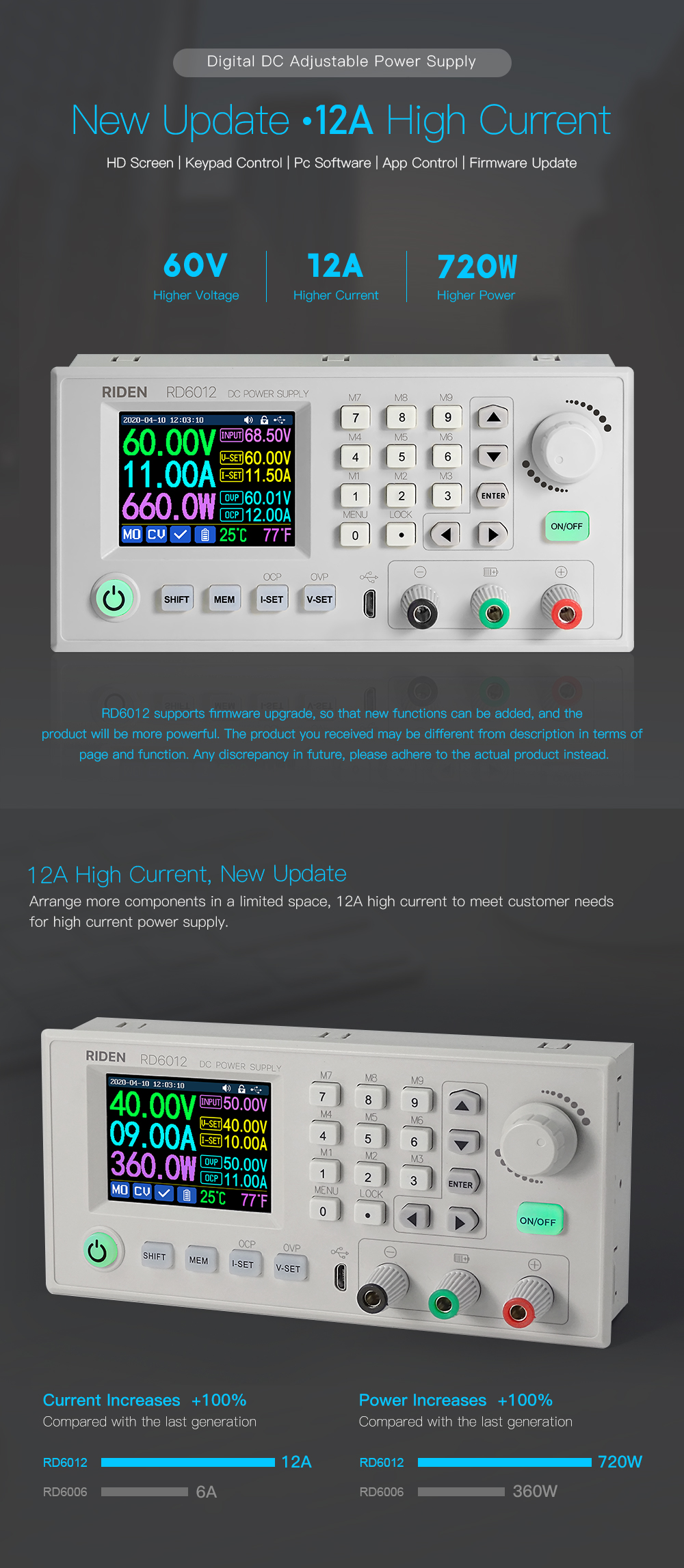
RIDEN® RD6012 RD6012W USB WiFi DC-DC Voltage Current Step Down Power Supply Module Buck Voltage Converter Voltmeter 60V 12A
5.0316 ratingsThe RIDEN® RD6012 RD6012W USB WiFi DC-DC Voltage Current Step Down Power Supply Module Buck Voltage Converter Voltmeter 60V 12A by RIDEN is a premium electronics designed for premium buyers. It features Model: RD6006 and Input voltage range: 6-70.00V. Customers praise its excellent build quality and great value for money. 100% of buyers rate it 4★ or above.
Available Offers
Free Delivery on this order. No minimum order value.
15-Day Easy Returns — hassle-free return & full refund.
Secure Payment — 100% safe checkout with UPI, Cards & Net Banking.
19% Off — you save ₹2,393 on this product!
Price: ₹10,106✓ In Stock
Available Offers
5% Cashback
Pay with UPI & get 5% cashback (up to ₹50) via Razorpay
No-Cost EMI
Available on select bank cards at checkout. 0% interest for 3 months.
Free Shipping
Free delivery on all orders. No minimum order value.
Cash on Delivery
COD available on orders up to ₹5,000 across India.
Quick Specs
Ideal For
About This Product
The RIDEN® RD6012 RD6012W USB WiFi DC-DC Voltage Current Step Down Power Supply Module Buck Voltage Converter Voltmeter 60V 12A by RIDEN is a premium electronics designed for premium buyers. Customers highlight its excellent build quality and great value for money.
Key Specifications
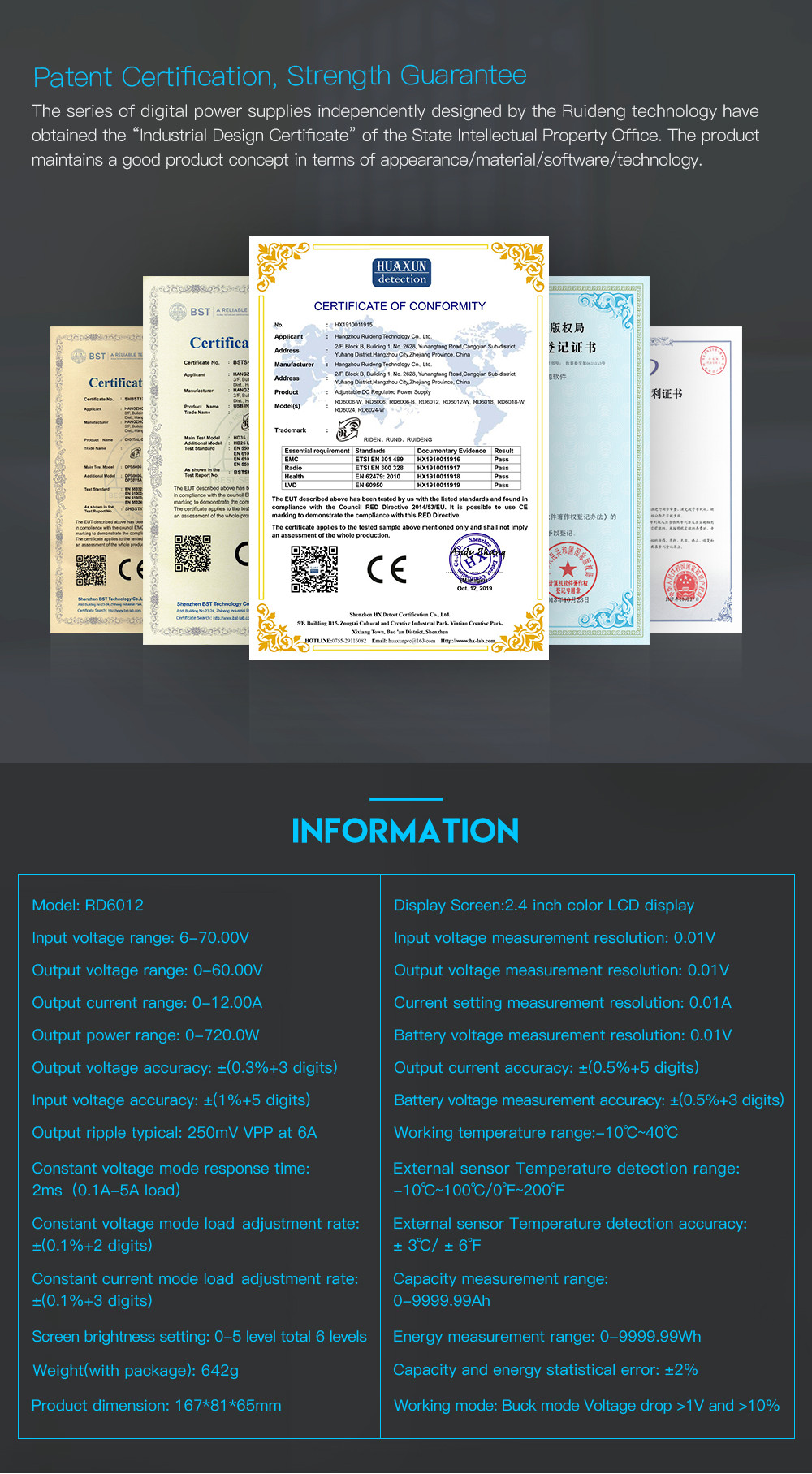
- Model: RD6006
- Input voltage range: 6-70.00V — reliable connection even at a distance
- Output voltage range: 0-60.00V — reliable connection even at a distance
- Output current range: 0-6.000A — reliable connection even at a distance
- Output power range: 0-360W — reliable connection even at a distance
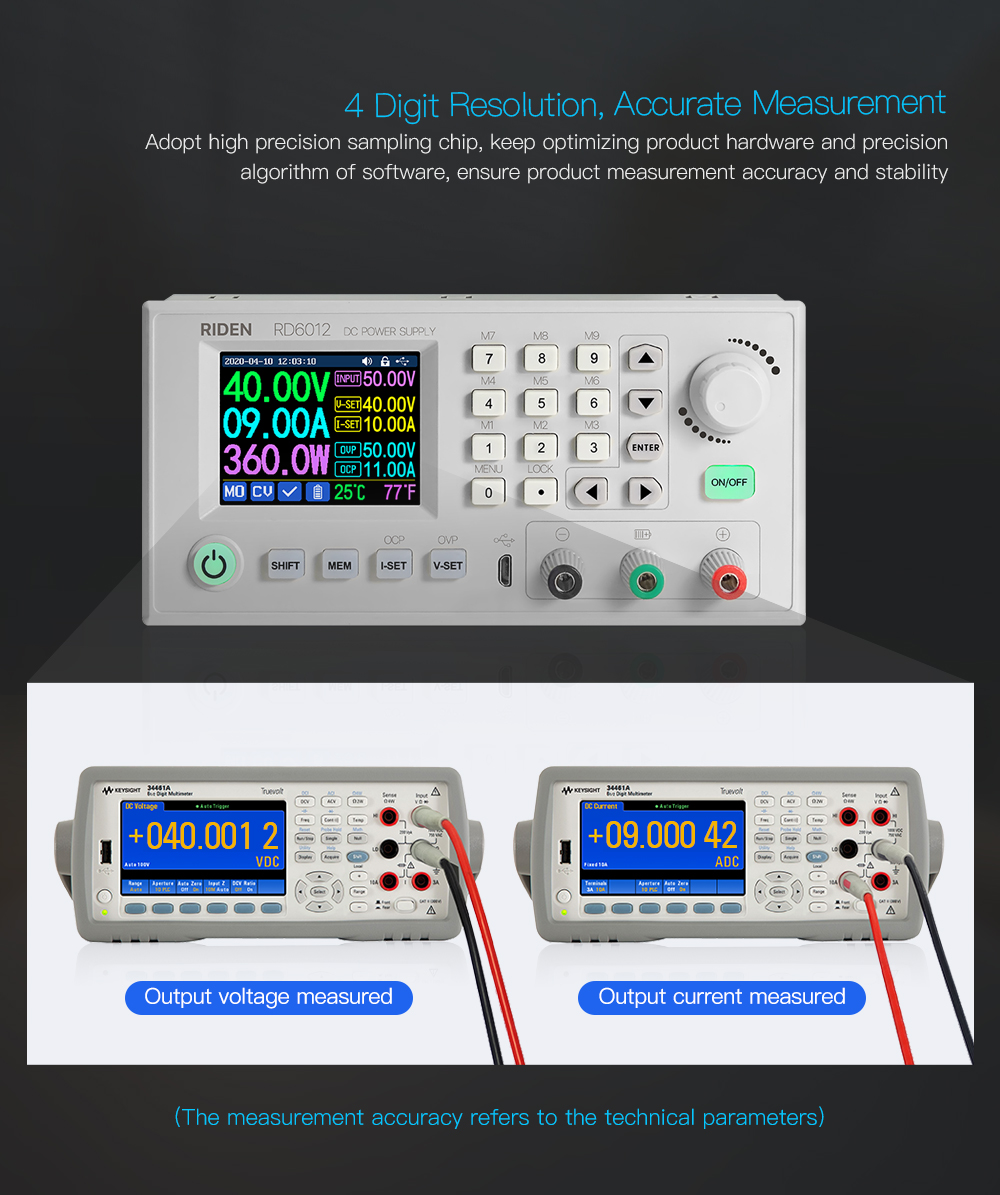
- Input voltage measurement resolution: 0.01V — works with standard household power
- Output voltage setting measurement resolution: 0.01V — works with standard household power
- Output current setting measurement resolution: 0.001A
Customer Verdict
100% of buyers rated this product 4 stars or above. The most appreciated qualities are: excellent build quality, great value for money, fast and responsive, compact and portable.
Why Buy from Pricio?
Pricio sources this product directly, cutting out multiple middlemen. Every order includes free shipping, a 15-day return policy, and secure payment via Razorpay.
Support Power Supply:
Support S800 Case:
Technical Parameter:
Package includes:
1 x Power module
Note before buying:
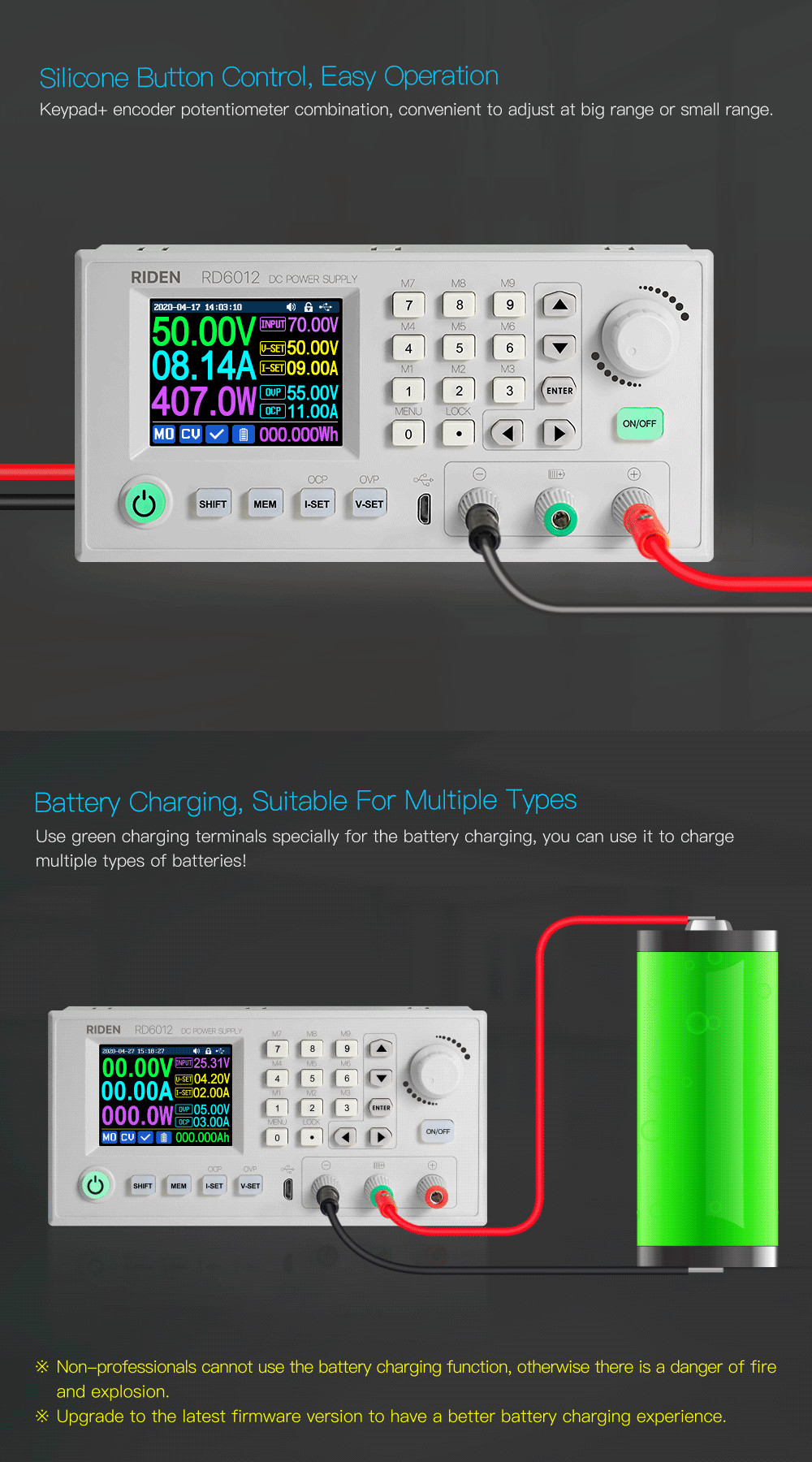
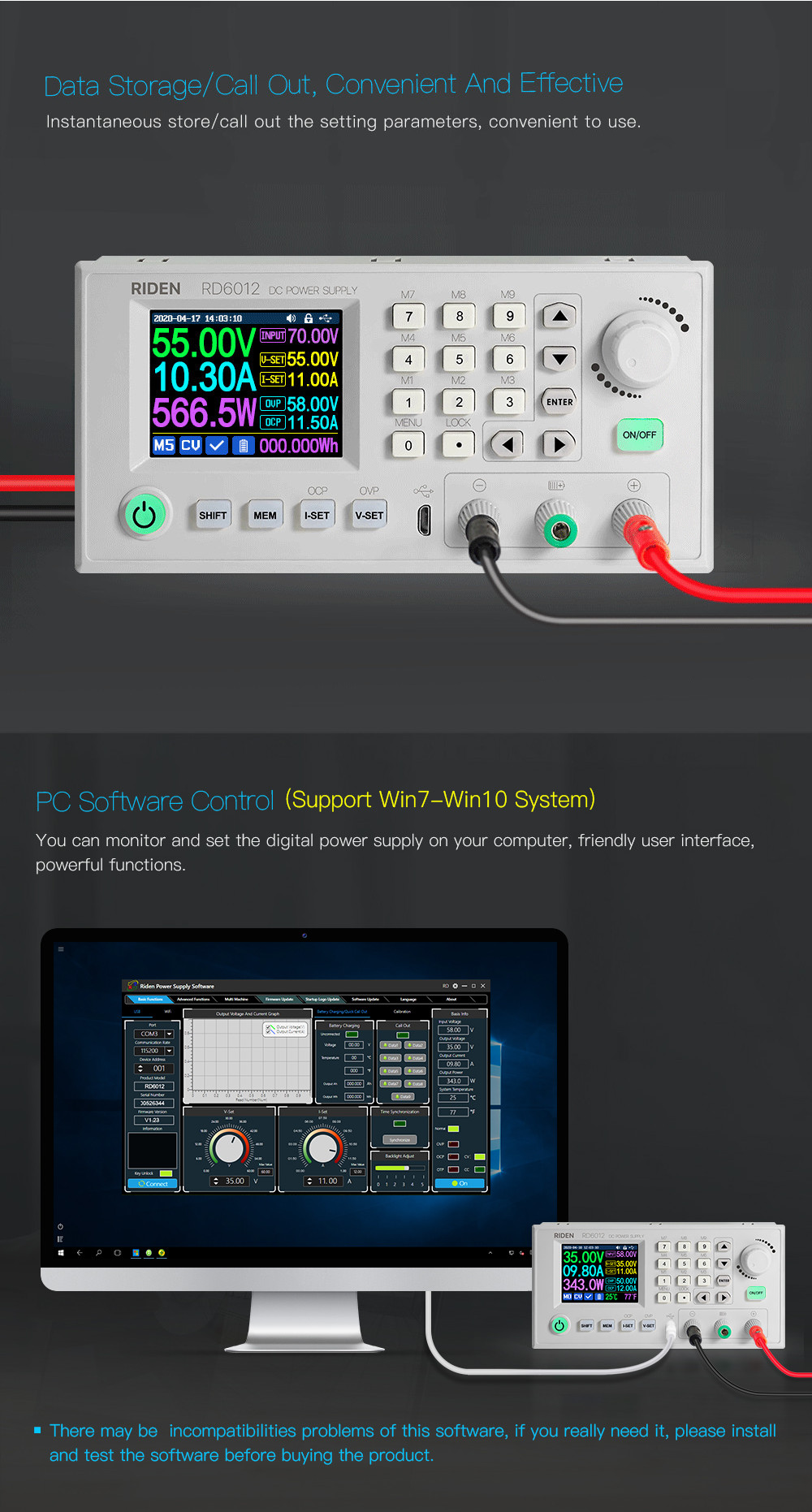
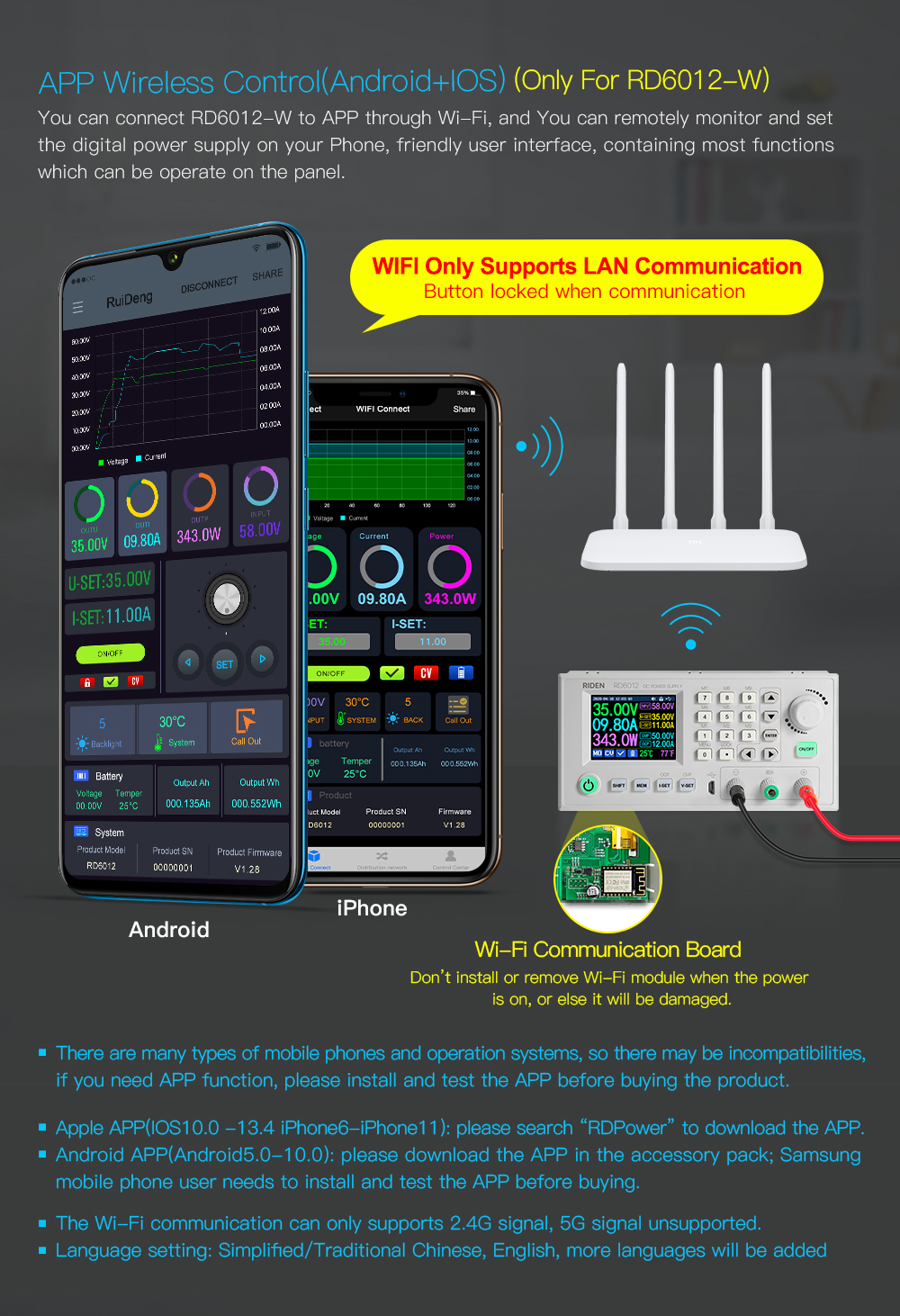
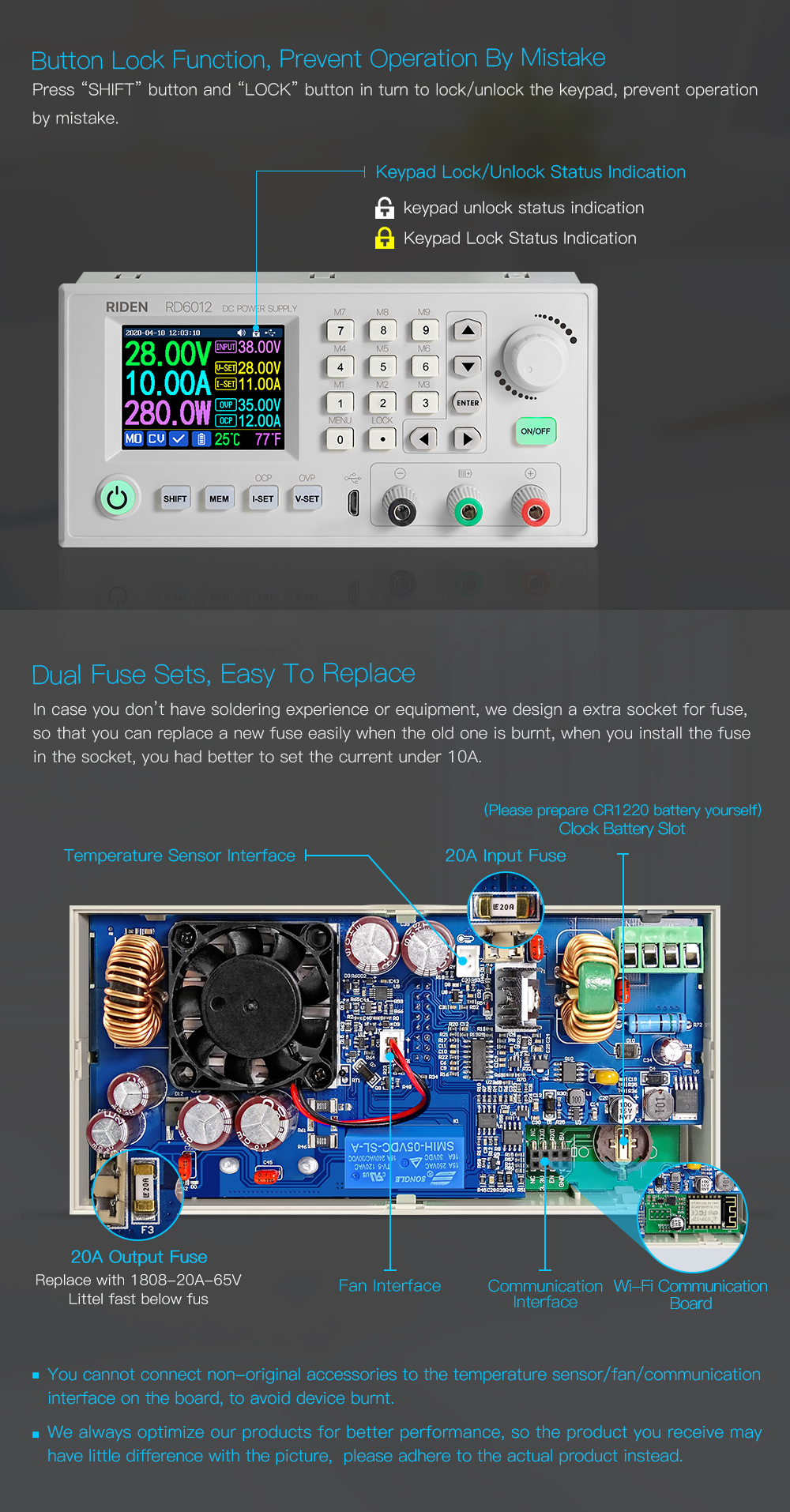
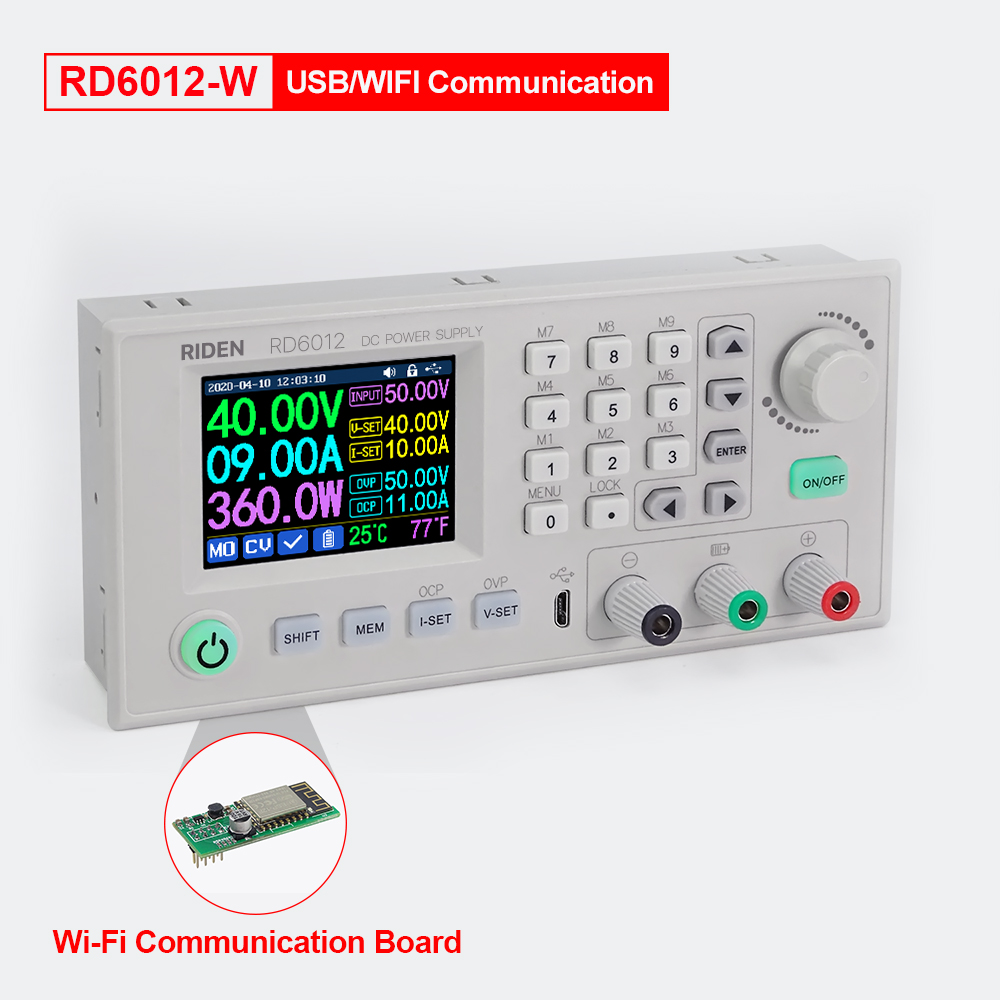
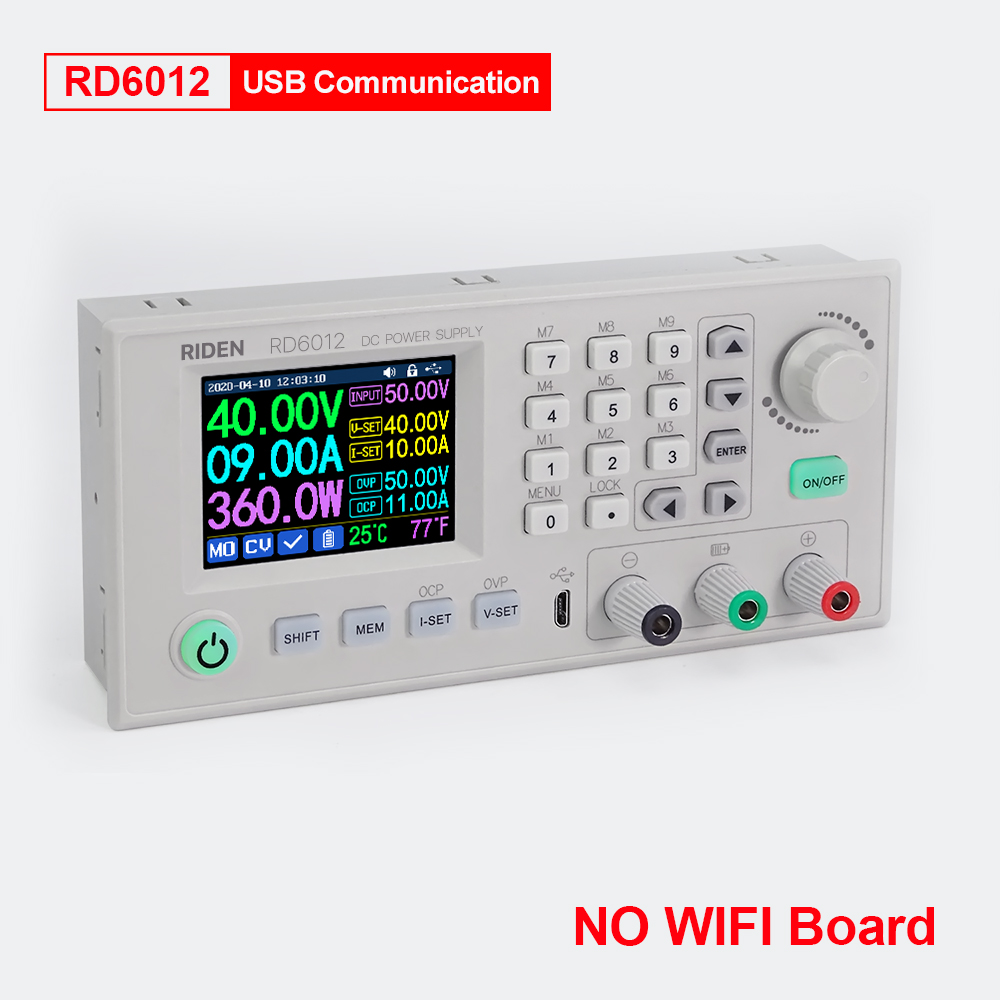
1. RD6012 series has two versions: RD6012 and RD6012-W, RD6012-W have WIFI board, RD6012 doesn't have. RD6012-W can use the WIFI board to connect APP, also use USB micro cable to connect PC software. RD6012 doesn't have a WIFI board, it only supports PC software by connecting with USB micro cable, no support APP. For wifi board to connect PC software, now it did not support.
Note: WiFi connection is a test function, due to poor compatibility of some computers, if you cannot connect PC software via WiFi, please ignore this function. For this function, we do not provide any guarantee and technical support, and we will decide whether to keep this function based on customer feedback.
2. For PC software, it only supports win 7 and above for now. For APP, it only supports Android 5.0 and above. For APP and PC software, because there may be incompatibilities problems, please download first before buying, if you can download and install, you can make the order, or else stop buying. If you don't test the PC software and APP function before buying and find that the products work fine except the PC software or APP, we refuse to refund.
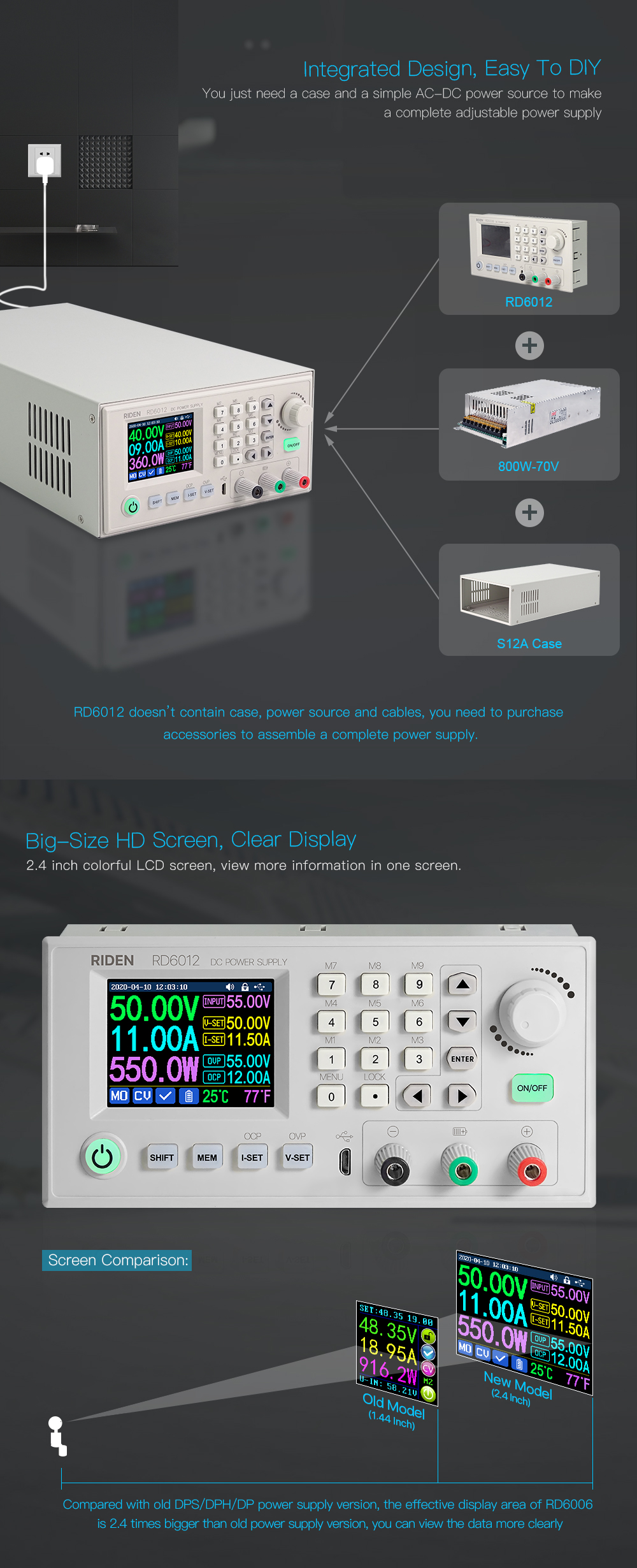
3. For the S12A case, not containing any power supply. some picture show installation finished by RD6012, switch power and case.
For the S12A case, it is just case, not containing any power supply, but it is suitable for RD6012/RD6012W and AC-DC 800w 70V switch power supply, you can buy them separately to assemble easy.
Assemble instruction in English: https://drive.google.com/drive/folders/1LNymuq8olL32XDJXZFeQow7xtbuP6bMI?usp=sharing
All RD6012/RD6021W instruction and case installation instruction download Link:
1. RD6012(W) operation instructon, PC software instruction , APP instruction ,APP and PC software download link:
A: Main download llink: https://drive.google.com/drive/folders/1LNymuq8olL32XDJXZFeQow7xtbuP6bMI?usp=sharing
B: Mediafire: http://www.mediafire.com/folder/k5q2ecp9hnvyd/RD6012
C: Back up download link: http://www.ruidengkeji.com/rdupdate/software/RidenPower/RidenPowerSupply_V1.0.0.6.rar
2. Android APP: download at file link https://drive.google.com/drive/folders/1LNymuq8olL32XDJXZFeQow7xtbuP6bMI?usp=sharing, Support android 5.0 -android 10.0
IOS APP download: Search RdPower to download, support IOS10.0-IOS13.4 System
3. RD6012/RD6012W Operation instruction video(similar to RD6006): https://youtu.be/fn6ROhGrLtI





.jpg)
