

1 / 9 · Click to enlarge
YS-XPSM 150Wx2 TDA7498E Stereo Treble Bass Adjustment bluetooth 5.0 Audio Power Amplifier Board Module Dual Channel Heat Sink APP Control
The YS-XPSM 150Wx2 TDA7498E Stereo Treble Bass Adjustment bluetooth 5.0 Audio Power Amplifier Board Module Dual Channel Heat Sink APP Control by Pricio is a mid-range amplifier board designed for everyday users.
Available Offers
Free Delivery on this order. No minimum order value.
15-Day Easy Returns — hassle-free return & full refund.
Secure Payment — 100% safe checkout with UPI, Cards & Net Banking.
Color: Black
Available Offers
5% Cashback
Pay with UPI & get 5% cashback (up to ₹50) via Razorpay
No-Cost EMI
Available on select bank cards at checkout. 0% interest for 3 months.
Free Shipping
Free delivery on all orders. No minimum order value.
Cash on Delivery
COD available on orders up to ₹5,000 across India.
Ideal For
About This Product
The YS-XPSM 150Wx2 TDA7498E Stereo Treble Bass Adjustment bluetooth 5.0 Audio Power Amplifier Board Module Dual Channel Heat Sink APP Control by Pricio is a mid-range amplifier board designed for everyday users. It delivers reliable performance at an accessible price.
Why Buy from Pricio?
Pricio sources this product directly, cutting out multiple middlemen. Every order includes free shipping, a 15-day return policy, and secure payment via Razorpay.
Product Name: 2.0 Channel bluetooth Audio Power Amplifier Module
bluetooth Version: 5.0 (Unobstructed, 15 meters)
Input Method: AUX + bluetooth
Number of Channels: 2.0 Channels (Left Channel + Right Channel)
Power Amplifier Chip: TDA7498E
Adapter Power Supply: DC 12~32V (Under voltage protection below 9V, 12V power supply supported)
Adapted Speakers: 30-200W, 4-8Ω
Output Power: Left and Right Channels ≤150W
Protection Mechanism: Anti-reverse connection, Under voltage, Overheating, Overcurrent, Short Circuit Protection
Product Size: 119 x 70 x 21mm
Product Weight: Net weight 135g, Including packaging 175g
Features:
1.Superior Sound Quality:
Equipped with the TDA7498E power amplifier chip, this module ensures crystal clear sound with minimal distortion, making it ideal for both music enthusiasts and audiophiles.
2.Advanced bluetooth 5.0 Connectivity:
Enjoy seamless wireless audio streaming with bluetooth 5.0, offering a long-range connection up to 15 meters without obstructions, ensuring stable and high-quality audio transmission.
3.Versatile Input Options:
Supports both AUX and bluetooth input methods, allowing you to connect multiple devices such as smartphones, tablets, and traditional stereo systems for a flexible audio experience.
4.Robust Safety Features:
Designed with multiple protection mechanisms including anti-reverse connection, under voltage, overheating, overcurrent, and short circuit protection, ensuring reliable and safe operation.
5.Compact and Lightweight Design:
With dimensions of 119 x 70 x 21mm and a net weight of just 135g, this module is easy to integrate into any setup, providing high power output in a compact form factor.
Package Included:
1 x 2.0 Channel bluetooth Audio Power Amplifier Module


Setup Guide
Cheaper Alternatives

30W LM1875 Audio Power Amplifier Board Mono Single Channel AMP Amplifiers DC12-32V Module Board

XH-A902 Audio Operational Preamplifier Board Module NE5532 Amplifier Front Panel Digital Tone Board Wide Voltage Module Board
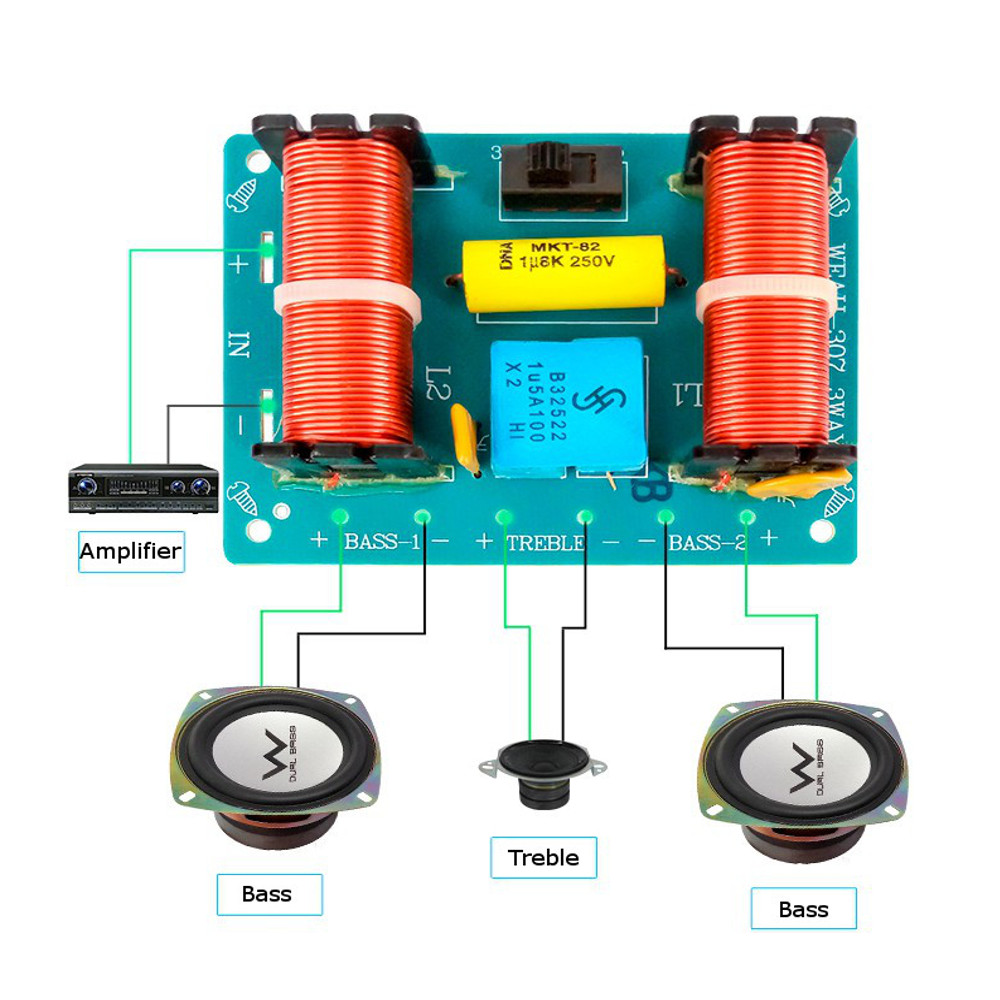
WEAH-307 3 Way Audio Speaker Crossover 100W Filter Treble Mediant Bass Frequency
Upgrade Options

ZK-ST21 2.1 Channel Bluetooth Amplifier Board 100W+100W+200W Subwoofer TPA3221 Support Bluetooth AUX U Disk Sound Card

PMX-13 2.0 Channel 300W+300W High Power Amplifier Board A1943/C5200 Chip Dual AC24-35V

ZK-ST21 bluetooth Digital Amplifier Board 2.1 Channel 100W+100W+200W Subwoofer Chip TPA3221 DC12-30V 10A





