
1 / 6 · Click to enlarge
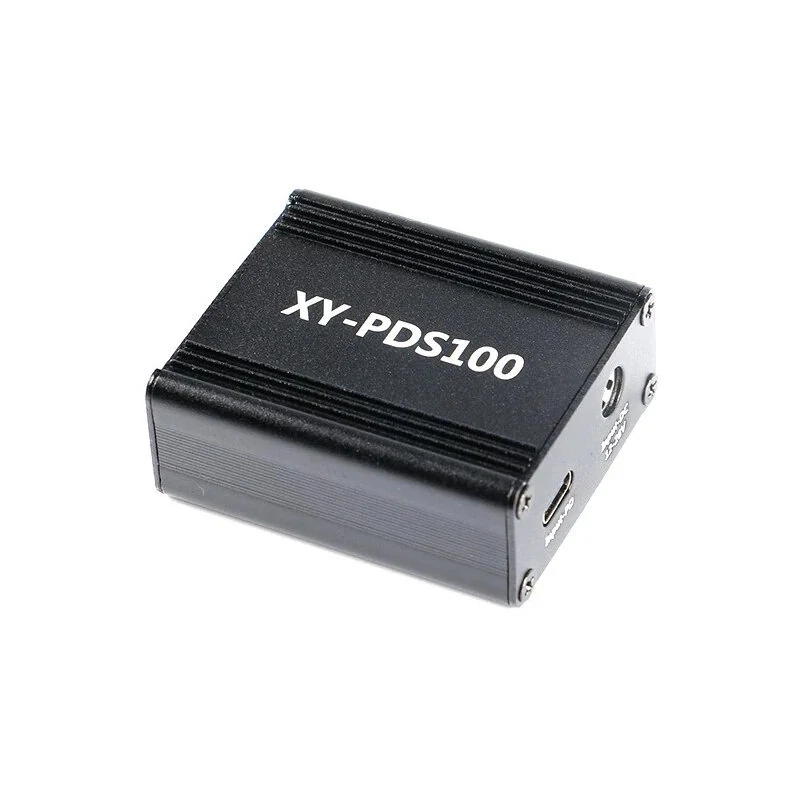
XY-PDS100 QC4.0 QC3.0 Type-C 100W Step Down Mobile Phone Quick Charger Module for Huawei SCP/FCP for Apple PD for MediaTek PE2.0
5.02 ratingsThe XY-PDS100 QC4.0 QC3.0 Type-C 100W Step Down Mobile Phone Quick Charger Module for Huawei SCP/FCP for Apple PD for MediaTek PE2.0 is a mid-range product designed for everyday users. Customers praise its excellent build quality.
Available Offers
Free Delivery on this order. No minimum order value.
15-Day Easy Returns — hassle-free return & full refund.
Secure Payment — 100% safe checkout with UPI, Cards & Net Banking.
27% Off — you save ₹580 on this product!
Available Offers
5% Cashback
Pay with UPI & get 5% cashback (up to ₹50) via Razorpay
No-Cost EMI
Available on select bank cards at checkout. 0% interest for 3 months.
Free Shipping
Free delivery on all orders. No minimum order value.
Cash on Delivery
COD available on orders up to ₹5,000 across India.
Ideal For
About This Product
The XY-PDS100 QC4.0 QC3.0 Type-C 100W Step Down Mobile Phone Quick Charger Module for Huawei SCP/FCP for Apple PD for MediaTek PE2.0 is a mid-range designed for everyday users. Customers highlight its excellent build quality.
Why Buy from Pricio?
Pricio sources this product directly, cutting out multiple middlemen. Every order includes free shipping, a 15-day return policy, and secure payment via Razorpay.
Features:
1. The maximum voltage of this product is 32 volts, it is recommended to use within 28 volts!
2. This module is a pure step-down module without boost function. If you want to use 20V output, you must use a DC power supply of more than 21V;
3. The product low voltage can reach 6V, but most of the fast charge will not be activated at 6V; 100W output power can be reached at PD output (PD20V, 5A).
4. For low voltage and high current fast charging, please use the original data cable. If you want to measure the charging voltage and current, you must use a low internal resistance USB meter! Otherwise it will affect the charging current!
USB port is required for OPPO and for OnePlus mobile phone charging!
5. QC4 + / QC4.0 / PD3.0 and other protocols have to use TYPE_C port!
6. When the USB port and TYPE_C port are plugged in at the same time, both ports are 5V output!
7. High compatibility: support the following fast charging protocols:
PD2.0 PD3.0 PPS for Qualcom QC4+/QC3.0 for Hua-wei SCP/FCP for OPPO VOOC for OnePlus DASH for App-le 2.4A for Sam-sung AFC for VIVO 9V2A Twin engine for MediaTek PE2.0 Item Type: Quick Charge Module Material: electronic components Size: 53 x 46 x 21mm/2.08 x 1.8 x 0.8inch Note: Please allow 0-1cm error due to manual measurement. pls make sure you do not mind before you bid. Due to the difference between different monitors, the picture may not reflect the actual color of the item. Thank you! Package Included: 1 x Quick Charge Module (other accessories demo in the picture are not included!)


