
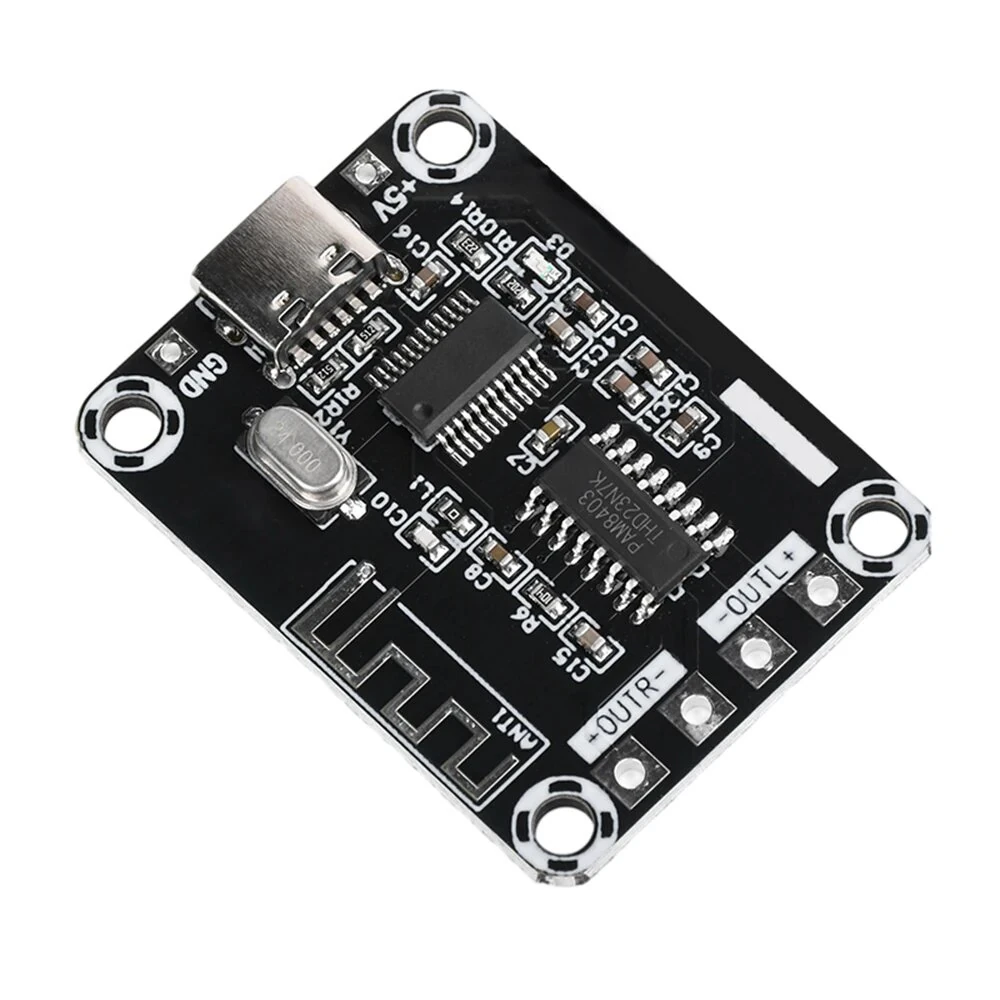
XH-A155 PAM8403 Mini Class D bluetooth Digital Power Amplifier Board 5W+5W DC5V TYPE-C Power Supply Audio Amplifier Module
The XH-A155 PAM8403 Mini Class D bluetooth Digital Power Amplifier Board 5W+5W DC5V TYPE-C Power Supply Audio Amplifier Module is a value-for-money product designed for everyday users.
Available Offers
Free Delivery on this order. No minimum order value.
15-Day Easy Returns — hassle-free return & full refund.
Secure Payment — 100% safe checkout with UPI, Cards & Net Banking.
36% Off — you save ₹484 on this product!
Available Offers
5% Cashback
Pay with UPI & get 5% cashback (up to ₹50) via Razorpay
No-Cost EMI
Available on select bank cards at checkout. 0% interest for 3 months.
Free Shipping
Free delivery on all orders. No minimum order value.
Cash on Delivery
COD available on orders up to ₹5,000 across India.
Ideal For
About This Product
The XH-A155 PAM8403 Mini Class D bluetooth Digital Power Amplifier Board 5W+5W DC5V TYPE-C Power Supply Audio Amplifier Module is a value-for-money designed for everyday users. It delivers reliable performance at an accessible price.
Why Buy from Pricio?
Pricio sources this product directly, cutting out multiple middlemen. Every order includes free shipping, a 15-day return policy, and secure payment via Razorpay.
Product Name: bluetooth Digital Power Amplifier Board
bluetooth Version: 5.0
Wireless Distance: 20 meters in an open space
Signal Input: bluetooth only
Power Amplifier Chip: PAM8403
Power Input: TYPE-C (DC 5V)
Matching Speaker: >=4Ω
Short Circuit Protection: None
Appearance Size: 40 x 30 mm
Mounting Hole Distance: 34 x 24 mm
Features:
1. TYPE-C Power Supply Port: Equipped with a modern TYPE-C power supply port, this amplifier board supports dual 5W bluetooth amplification, ensuring reliable and efficient power delivery from various sources, including power banks and fast chargers.
2. Versatile Power Compatibility: Designed for ease of use, the amplifier board operates on a straightforward DC 5V power supply. It fully supports power banks as well as normal and fast charging options, providing flexibility and convenience for various power supply scenarios.
3. Wide Speaker Compatibility: The amplifier board supports 4-8Ω impedance and is compatible with 4-inch and larger speakers. This flexibility allows for easy matching with various speakers, and larger speakers enhance sound quality, making it ideal for different audio setups.
4. High-Performance Audio Amplification: Utilizing the PAM8403 stereo class D audio power amplifier chip, the board delivers high power amplification with low harmonic distortion and high efficiency. This enables the reproduction of high-quality sound with minimal interference.
5. High-Quality Components: Constructed with high-quality components, the amplifier board ensures low harmonic distortion and high efficiency. These features contribute to excellent sound reproduction, making it a reliable choice for audio enthusiasts seeking superior sound quality.
Package included:
1 x Power Amplifier Board


