
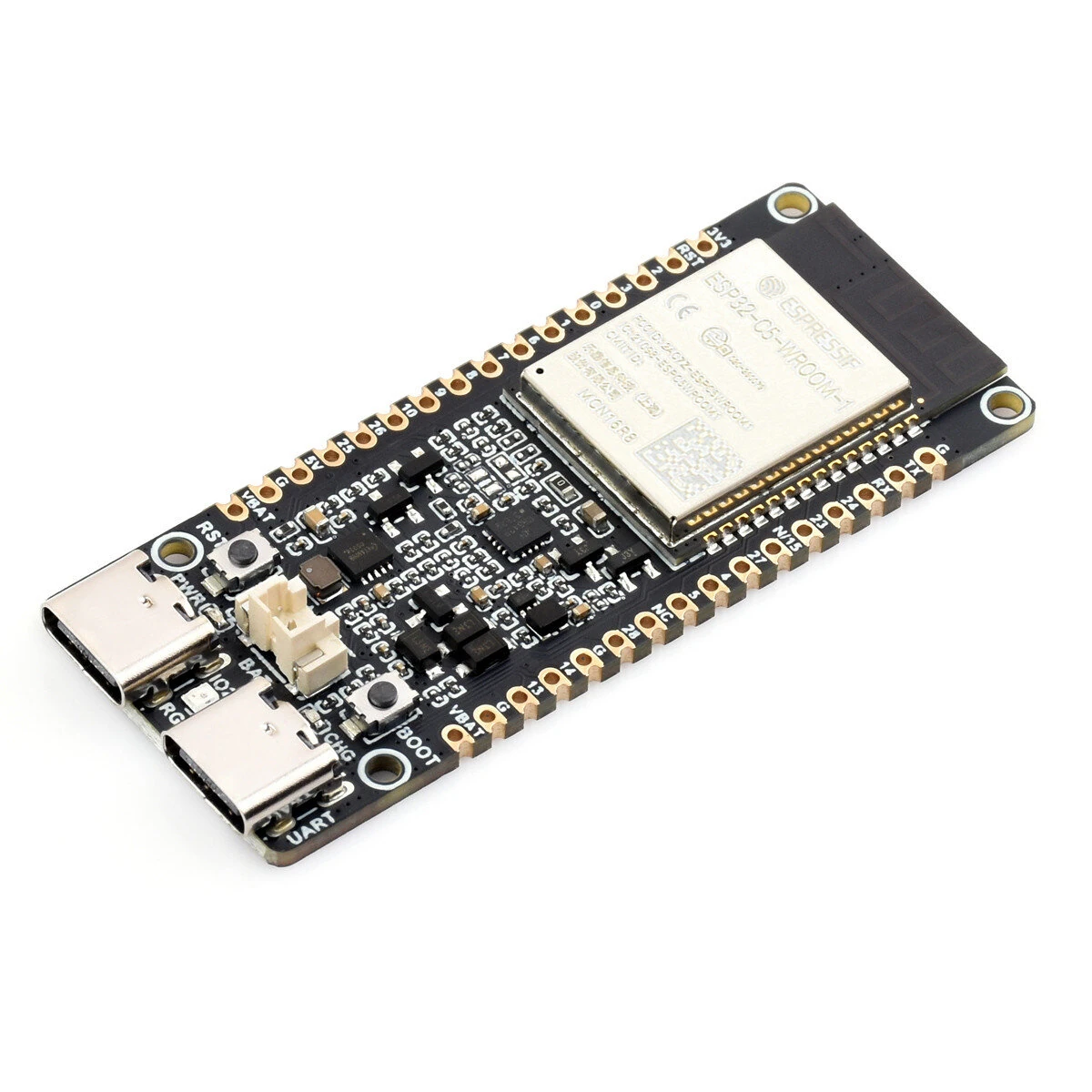
1 / 8 · Click to enlarge
Waveshare ESP32-C5 WROOM-1 Series Module Dual-Band Wi-Fi 6 Bluetooth 240MHz RISC-V Processor 8MB PSRAM Development Board
5.01 ratingThe Waveshare ESP32-C5 WROOM-1 Series Module Dual-Band Wi-Fi 6 Bluetooth 240MHz RISC-V Processor 8MB PSRAM Development Board is a mid-range product designed for everyday users.
Available Offers
Free Delivery on this order. No minimum order value.
15-Day Easy Returns — hassle-free return & full refund.
Secure Payment — 100% safe checkout with UPI, Cards & Net Banking.
33% Off — you save ₹937 on this product!
Type: No Pin Header
Available Offers
5% Cashback
Pay with UPI & get 5% cashback (up to ₹50) via Razorpay
No-Cost EMI
Available on select bank cards at checkout. 0% interest for 3 months.
Free Shipping
Free delivery on all orders. No minimum order value.
Cash on Delivery
COD available on orders up to ₹5,000 across India.
Ideal For
About This Product
The Waveshare ESP32-C5 WROOM-1 Series Module Dual-Band Wi-Fi 6 Bluetooth 240MHz RISC-V Processor 8MB PSRAM Development Board is a mid-range designed for everyday users. It delivers reliable performance at an accessible price.
Why Buy from Pricio?
Pricio sources this product directly, cutting out multiple middlemen. Every order includes free shipping, a 15-day return policy, and secure payment via Razorpay.
Specifications:
The ESP32-C5-WIFI6-KIT is a development board designed by Waveshare based on the ESP32-C5-WROOM-1 module for dual-band Wi-Fi and multi-protocol IoT gateway applications. The ESP32-C5 is a single-core RISC-V chip, supports dual-band Wi-Fi 6 (2.4GHz and 5GHz), and integrates BLE 5, Zigbee3.0, and Thread protocols for flexible use as a smart home hub or cross-protocol communication gateway.
Equipped with 240 MHz RISC-V processor, 384 KB Static RAM, 16 MB Flash, and provides 8 MB PSRAM, enables stable handling the concurrent tasks of multiple protocol stacks and running medium-load applications. Developers can leverage mature development frameworks such as ESP-IDF and Arduinoplatform for rapid prototyping and product implementation, making it suitable for IoT scenarios such as smart gateways and multi-protocol device integration.
Key features include:
1. Adopts ESP32-C5-WROOM-1 series module with RISC-V 32-bit processor, up to 240MHz main frequency.
2. Integrated with 384KB Static RAM, 320KB ROM, and 16MB Flash, with 8MB PSRAM.
3. Integrated 2.4GHz and 5GHz dual-band Wi-Fi, Bluetooth 5 (LE), and IEEE 802.15.4 (Zigbee3.0 and Thread) wireless communications, with outstanding RF performance.
4. Onboard batt. recharge management module, with reserved 3.7V MX1.25 Lithium batt. header for external batt. power supply USB Type-C port, easier to use.
5. Castellated module allows soldering directly to carrier boards, with rich peripheral interfaces.
6. Supports multiple low-power operating modes, enabling flexible adjustment of the balance between communication range, data rate, and power consumption to meet the power requirements of various application scenarios
Package Includes:
1x ESP32-C5-WIFI6-KIT-N16R4 Development Board


