Free Delivery  ·  COD Available  ·  15-Day Returns
Pricio
WAFU HF-M3 Tuya Smart Fingerprint Lock Drawer Lock Intelligent Electronic Furniture Locker Lock suitable for Thickness 14-21mm — image 1
Hover to zoom

1 / 5 · Click to enlarge

WAFU

WAFU HF-M3 Tuya Smart Fingerprint Lock Drawer Lock Intelligent Electronic Furniture Locker Lock suitable for Thickness 14-21mm

5.01 rating
AI Summary
Electronics for everyday users

The WAFU HF-M3 Tuya Smart Fingerprint Lock Drawer Lock Intelligent Electronic Furniture Locker Lock suitable for Thickness 14-21mm by WAFU is a mid-range electronics designed for everyday users. It features Brand: WAFU and Color: Black.

₹3,487
Free Shipping💵 COD Available

Available Offers

Free Delivery on this order. No minimum order value.

15-Day Easy Returns — hassle-free return & full refund.

Secure Payment — 100% safe checkout with UPI, Cards & Net Banking.

Total: ₹3,487
Buying tip: A quality investment for dependable performance and premium build quality.
Estimated delivery: 4 Aug18 Aug
Free Shipping
Pan India delivery
15-Day Returns
Hassle-free policy
Secure Payment
Razorpay protected
Quality Assured
Vetted products only

Available Offers

💳

5% Cashback

Pay with UPI & get 5% cashback (up to ₹50) via Razorpay

🏦

No-Cost EMI

Available on select bank cards at checkout. 0% interest for 3 months.

📦

Free Shipping

Free delivery on all orders. No minimum order value.

💵

Cash on Delivery

COD available on orders up to ₹5,000 across India.

Quick Specs

Brand: WAFU
Color: Black
Unlocked Ways: Fingerprint, App
App: Tuya Smart / Smart Life
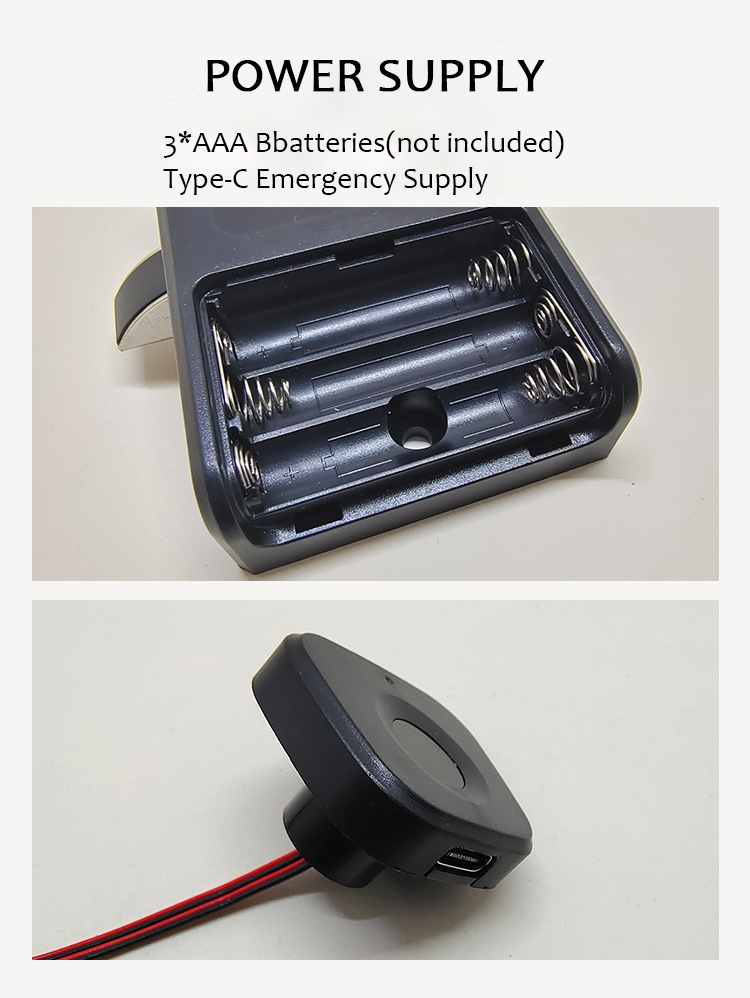
Power Supply: 3 AAA Batteries(not included)
Usage: Cabinets/Drawers/Lockers/Furniture/Wardrobe, etc.

Ideal For

Everyday convenience
Share:
SKU: bg-2002291Category: Electronics

About This Product

The WAFU HF-M3 Tuya Smart Fingerprint Lock Drawer Lock Intelligent Electronic Furniture Locker Lock suitable for Thickness 14-21mm by WAFU is a mid-range electronics designed for everyday users. It delivers reliable performance at an accessible price.

Key Specifications

  • Brand: WAFU
  • Color: Black
  • Unlocked Ways: Fingerprint, App
  • App: Tuya Smart / Smart Life
  • Power Supply: 3 AAA Batteries(not included)
  • Usage: Cabinets/Drawers/Lockers/Furniture/Wardrobe, etc.

Why Buy from Pricio?

Pricio sources this product directly, cutting out multiple middlemen. Every order includes free shipping, a 15-day return policy, and secure payment via Razorpay.

>>>><<<< 


Features:


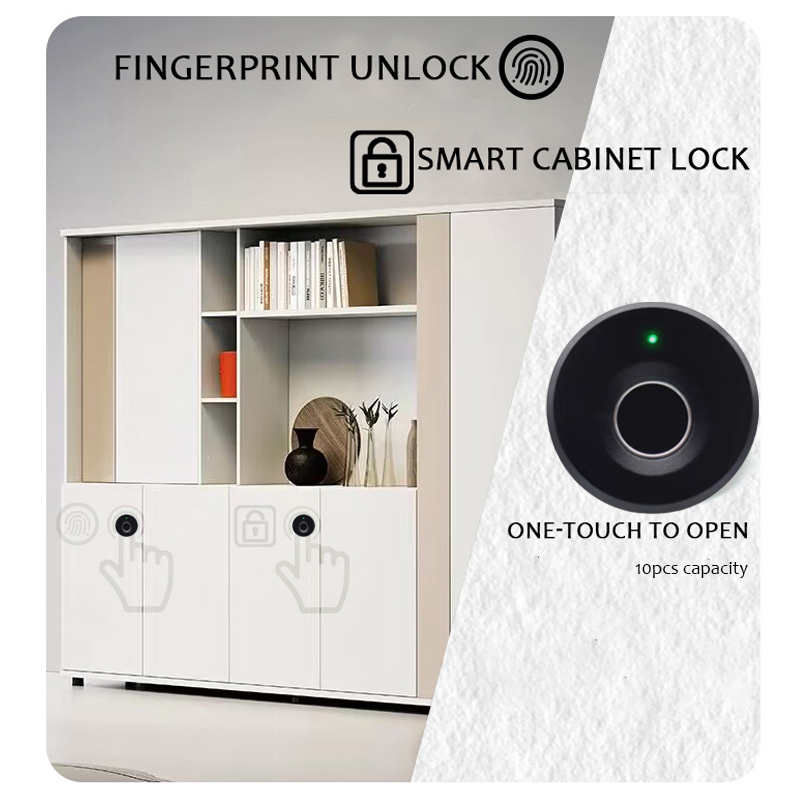
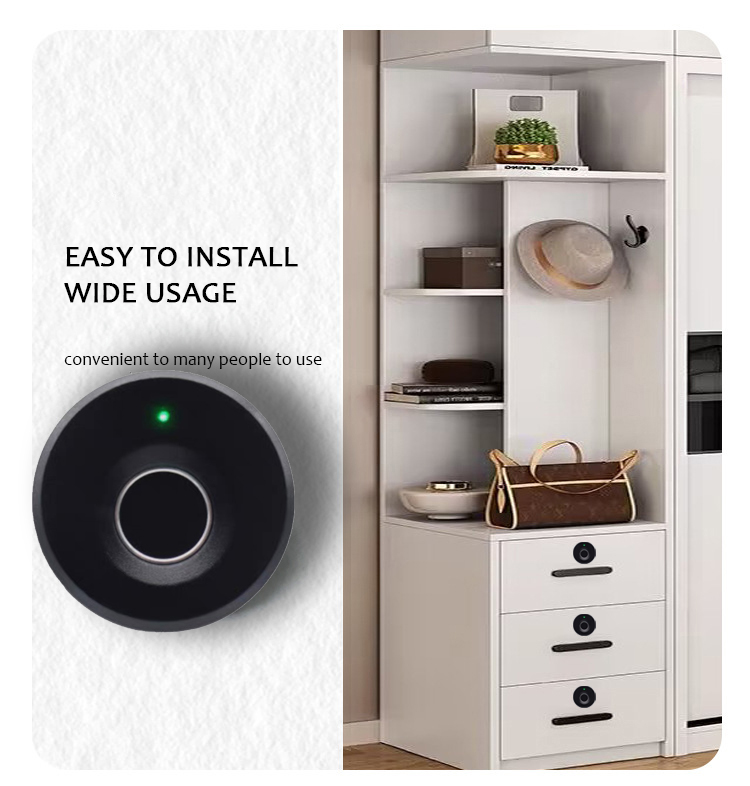
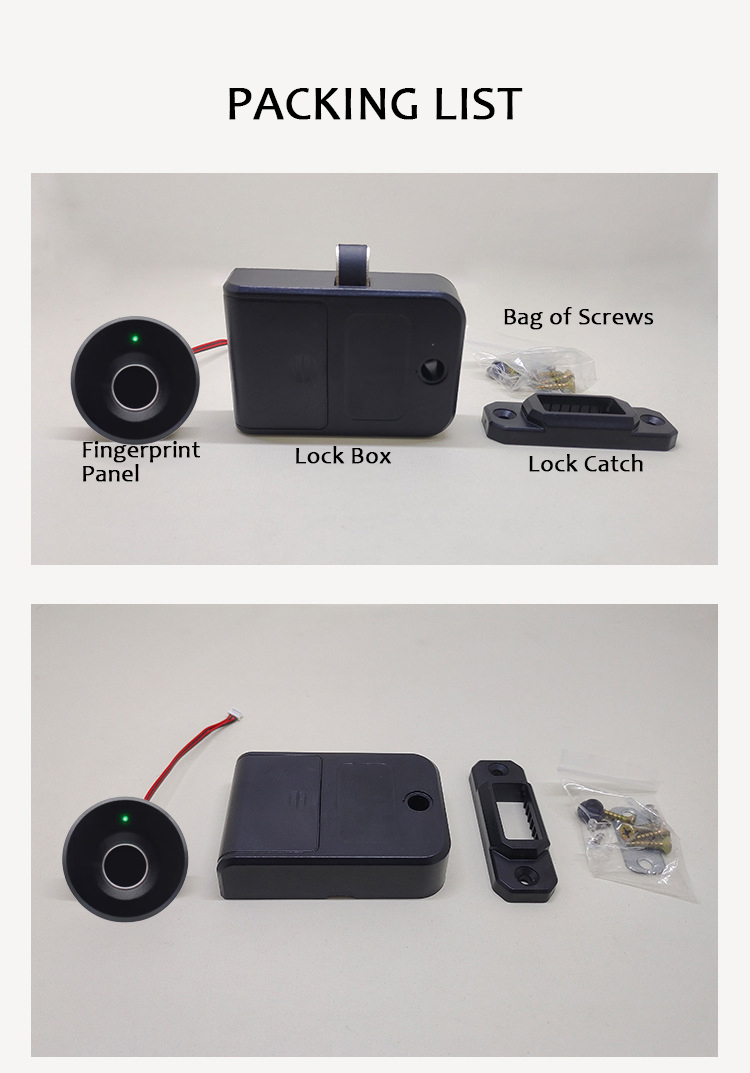
 【Smart Fingerprint Biometric】 The fingerprint cabinet lock is equipped with semiconductor biometric fingerprint reader, which translates to more than 98% recognition rate in 0.5 seconds. Faster and more convenient than using traditional key and more secure with your own unique biometric identification. 【Easy DIY Installation】 Fits standard cabinets, drawers, lockers, furniture, wardrobe etc.. The simple installation takes minutes with a screwdriver and with drilling a 16mm hole. Universally fits door thickness between 0.55in(14mm) to 0.83in (21mm). Kindly check your cabinet size before purchase. 【User Friendly Features】 We want our keyless entry cabinet lock to be worry free. Our locks with 2 unlocked ways: fingerprint+app, store 10 sets of fingerprints. The lock comes with Auto-lock function, so you don’t worry to lock your cabinets. 【Lower Power Consumption】 Our door lock used 3 AAA Alkaline batteries that last about 1 year. (3 *AAA batteries are not included) When the batteries are almost running out, the red LED will flash to remind you to change your batteries. In addition, there is a type-C USB as an emergency power supply to unlock the lock, just in case your power is totally flat. Package Size: Approx. 11.5*10.3*7cm Package Weight: Approx. 0.3kg Package Included: 1 x Front Panel 1 x Lock Box 1 x User Manual 1 x Screws Bag 1 x Lock Catch


Setup Guide

1
Power on the device
Connect to power or charge, then press the power button.
2
Download the companion app
Search for the app name listed in the manual (often on the product label or QR code) in Google Play or App Store.
3
Connect to Wi-Fi
Use the app to connect the device to your 2.4GHz home Wi-Fi network. Have your Wi-Fi password ready.
4
Follow in-app setup
Complete the guided setup in the app to configure preferences, schedules, and notifications.