
1 / 7 · Click to enlarge
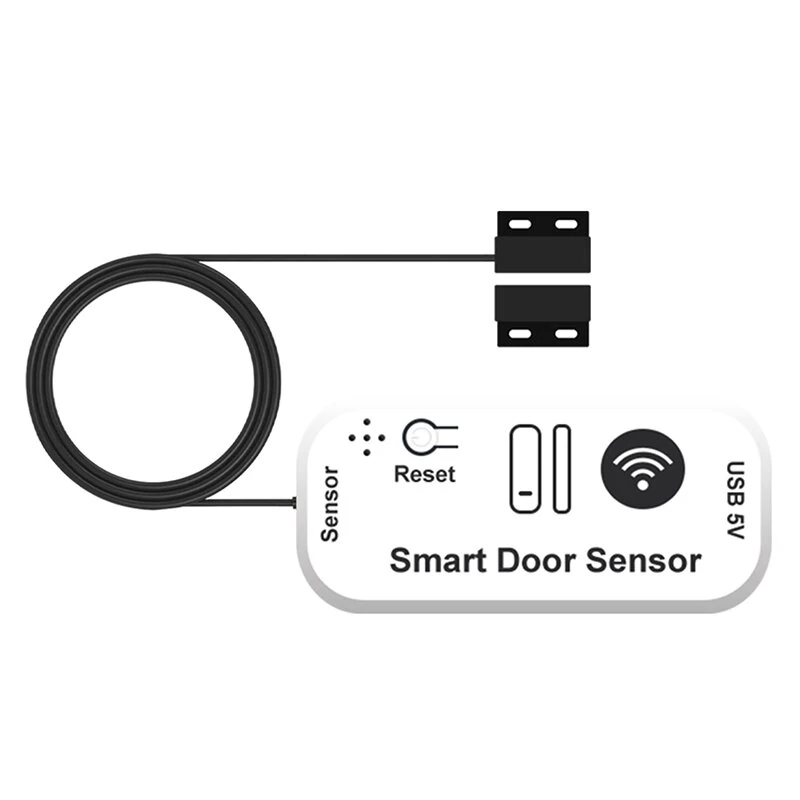
Tuya WiFi/Zigbee Smart Door Window Sensor with 5 Meter Wired Real Time Status Alert Remote Monitor Voice Control USB Powered with Alexa Google Home
The Tuya WiFi/Zigbee Smart Door Window Sensor with 5 Meter Wired Real Time Status Alert Remote Monitor Voice Control USB Powered with Alexa Google Home is a mid-range product designed for everyday users.
Available Offers
Free Delivery on this order. No minimum order value.
15-Day Easy Returns — hassle-free return & full refund.
Secure Payment — 100% safe checkout with UPI, Cards & Net Banking.
Price: ₹2,276
Available Offers
5% Cashback
Pay with UPI & get 5% cashback (up to ₹50) via Razorpay
No-Cost EMI
Available on select bank cards at checkout. 0% interest for 3 months.
Free Shipping
Free delivery on all orders. No minimum order value.
Cash on Delivery
COD available on orders up to ₹5,000 across India.
Ideal For
About This Product
The Tuya WiFi/Zigbee Smart Door Window Sensor with 5 Meter Wired Real Time Status Alert Remote Monitor Voice Control USB Powered with Alexa Google Home is a mid-range designed for everyday users. It delivers reliable performance at an accessible price.
Why Buy from Pricio?
Pricio sources this product directly, cutting out multiple middlemen. Every order includes free shipping, a 15-day return policy, and secure payment via Razorpay.
Specification:
Product Name: Smart Door/Window Sensor
Input Voltage: USB 5V/1A
Connection Port: Type-C
Wireless Standard: WiFi / Zigbe
Sensor Wire Length: 5 Meters
Main Body Size: 65mm * 15mm * 30mm
Operating Temperature: -10°C to 60°C
APP Support: Tuya Smart / Smart Life
Features:
1. APP Remote Monitoring: Keep an eye on your home's security from anywhere. Check the real-time open and closed status of doors and windows directly on the Tuya Smart or Smart Life app on your smartphone.
2. Instant Alarm Notifications: Receive immediate push notifications to your phone the moment a door or window is opened or closed, helping you stay informed and secure.
3. Constant USB Power: This device is powered by a USB connection, eliminating the need for batteries. You will not have to worry about power running out or changing batteries.
4. Smart Scene Automation: Connect the sensor with other smart devices in your home. For example, set up an automation to automatically turn on the lights when the front door opens.
5. Voice Control Integration: Works perfectly with Amazon Alexa and Google Assistant. Use simple voice commands like "Hey Google, is the front door closed?" for hands-free status checks.
6. Share Control with Family: Easily share device access with family members or trusted friends through the app, allowing multiple people to view the sensor's status.
Package Include:
1 x Smart Window Sensor
1 x Accessory Pack


