
1 / 9 · Click to enlarge
Tuya Wifi/Zigbee Smart Curtain Module Alexa Google Home Assistant Compatible with Remote App Control Timer Schedule Sharing Function Ideal for Smart Home Automation
5.03 ratingsThe Tuya Wifi/Zigbee Smart Curtain Module Alexa Google Home Assistant Compatible with Remote App Control Timer Schedule Sharing Function Ideal for Smart Home Automation is a value-for-money product designed for everyday users. Customers praise its easy to set up and use and great value for money.
Available Offers
Free Delivery on this order. No minimum order value.
15-Day Easy Returns — hassle-free return & full refund.
Secure Payment — 100% safe checkout with UPI, Cards & Net Banking.
27% Off — you save ₹508 on this product!
Price: ₹1,395
Available Offers
5% Cashback
Pay with UPI & get 5% cashback (up to ₹50) via Razorpay
No-Cost EMI
Available on select bank cards at checkout. 0% interest for 3 months.
Free Shipping
Free delivery on all orders. No minimum order value.
Cash on Delivery
COD available on orders up to ₹5,000 across India.
Ideal For
About This Product
The Tuya Wifi/Zigbee Smart Curtain Module Alexa Google Home Assistant Compatible with Remote App Control Timer Schedule Sharing Function Ideal for Smart Home Automation is a value-for-money designed for everyday users. Customers highlight its easy to set up and use and great value for money.
Why Buy from Pricio?
Pricio sources this product directly, cutting out multiple middlemen. Every order includes free shipping, a 15-day return policy, and secure payment via Razorpay.
Features:
1. App Remote Control: This curtain module can be controlled remotely via Smart Life or Tuya app, providing you a convenient smart life whether you're at home or on the go.
2. Voice Control Compatibility: The curtain module is compatible with leading voice control software such as Amazon Alexa, Google Home Assistant, and Alic, offering hands-free convenience.
3. Timer Schedule: The module features a timer scheduling function, allowing you to set a personalized schedule in line with your needs, thereby enhancing your smart home experience.
4. Sharing Function: The product offers a sharing feature which allows family members or friends to control the devices as well. This ensures a cooperative smart home environment for everyone.
5. Multi-protocol matching: The curtain switch module supports multi-protocol matching, making it easy and swift to pair with the Smart Life app via Bluetooth for more convenience.
- Product Type: WiFi/Zigbee Curtain Module
- App Compatibility: Smart Life, TuyaSmart
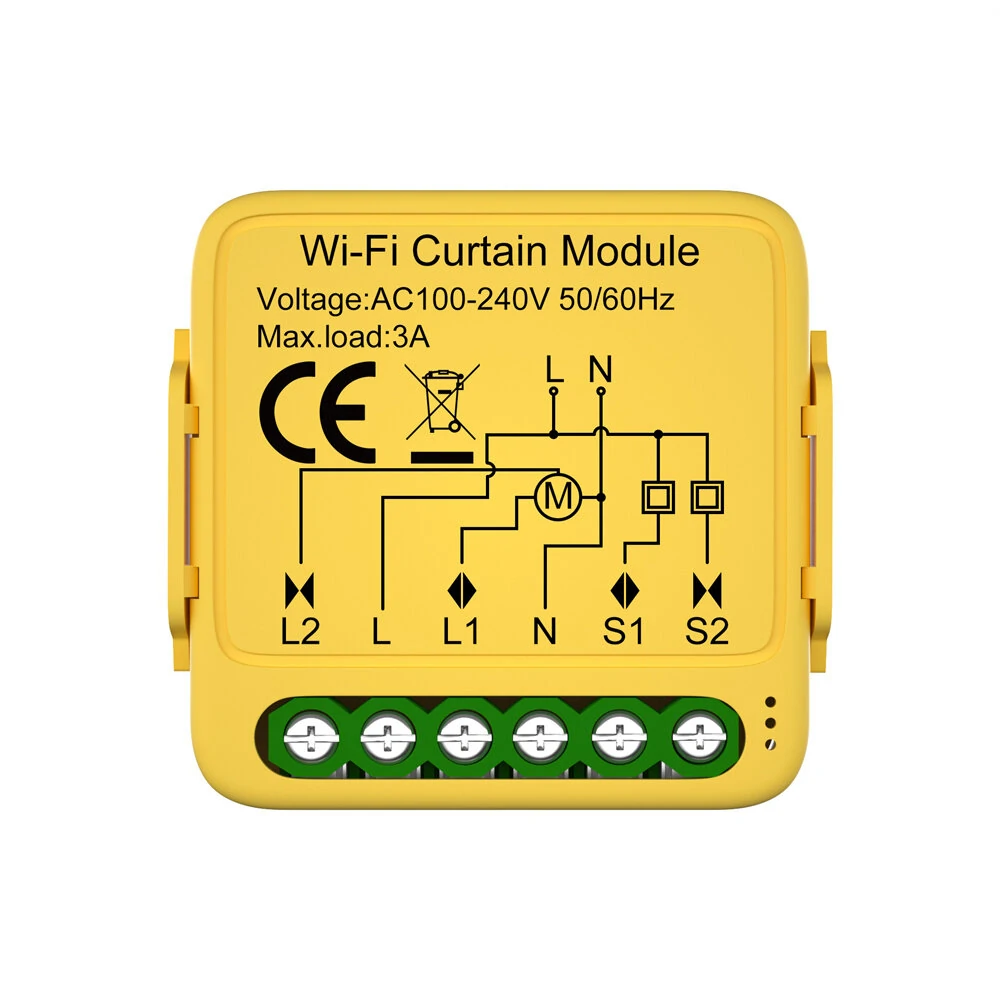
- Voltage: AC100-240V 50/60MHz
- Max Load: 3A
- Operation Frequency: 2.412GHz-2.484GHz
- Operation Temperature: -10℃~+40℃
- Protocol: WIFI IEEE 802.11b/g/n
- Dimensions: 39.2x39.2x18 mm
- IP Rating: IP20
- Voice Control: Amazon Alexa, Google Home Assistant, Alic
Package Included:
1 x Curtain Switch Module (Type As Your Choice)
1 x User Manual


