
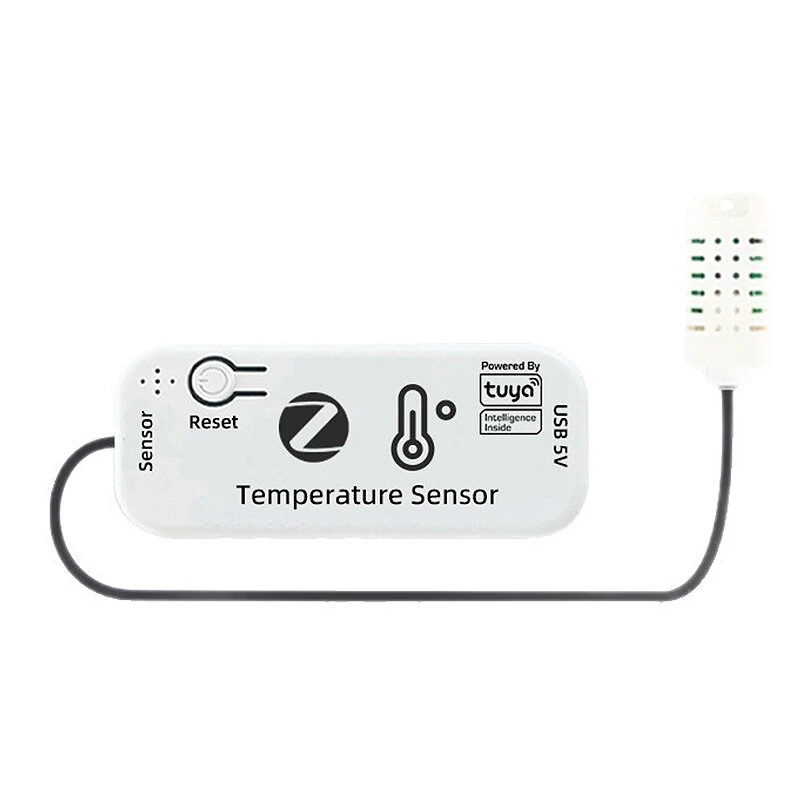
Tuya WiFi/Zigbe Smart Temperature Humidity Sensor APP Remote Monitoring Alert Probe Smart Scene Automation Works with Alexa Google Home
The Tuya WiFi/Zigbe Smart Temperature Humidity Sensor APP Remote Monitoring Alert Probe Smart Scene Automation Works with Alexa Google Home is a mid-range product designed for everyday users.
Available Offers
Free Delivery on this order. No minimum order value.
15-Day Easy Returns — hassle-free return & full refund.
Secure Payment — 100% safe checkout with UPI, Cards & Net Banking.
Available Offers
5% Cashback
Pay with UPI & get 5% cashback (up to ₹50) via Razorpay
No-Cost EMI
Available on select bank cards at checkout. 0% interest for 3 months.
Free Shipping
Free delivery on all orders. No minimum order value.
Cash on Delivery
COD available on orders up to ₹5,000 across India.
Ideal For
About This Product
The Tuya WiFi/Zigbe Smart Temperature Humidity Sensor APP Remote Monitoring Alert Probe Smart Scene Automation Works with Alexa Google Home is a mid-range designed for everyday users. It delivers reliable performance at an accessible price.
Why Buy from Pricio?
Pricio sources this product directly, cutting out multiple middlemen. Every order includes free shipping, a 15-day return policy, and secure payment via Razorpay.
Specifications:
Product Name: Tuya Smart Temperature & Humidity Sensor
Available Versions: WiFi Version, Zigbe Version
Input Power: DC 5V/1A
Input Interface: Micro USB
App Support: Tuya Smart / Smart Life
Wireless Protocol: 2.4GHz WiFi or Zigbe
Temperature Measurement Range: -20°C to 105°C
Temperature Accuracy: ±0.5°C
Probe Cable Length: 1 meter
Main Body Dimensions: 65 x 15 x 30 mm
Important Note: The WiFi version connects directly to a 2.4G WiFi network. The Zigbe version requires a Tuya Zigbe Gateway (not included) to operate.
Features:
1. APP Remote Monitoring: Check the temperature from anywhere at any time directly on your smartphone using the Tuya or Smart Life app.
2. High & Low Temperature Alarms: Set your desired temperature range and receive instant push notifications to your phone when the temperature exceeds your preset limits.
3. Smart Scene Linkage: Create smart automations by linking the sensor with other Tuya devices. For example, automatically turn on a heater if the temperature drops or switch on a fan if it gets too hot.
4. Waterproof External Probe: Features a split-type, water-resistant probe, perfect for accurately monitoring temperatures in a wide variety of environments including fish tanks, incubators, and cellars.
5. Historical Data Tracking: Access and review temperature records by day, month, or year through the app to observe trends and make informed decisions.
6. Family Share Function: Grant access to family members or staff, allowing multiple users to view the temperature data simultaneously from their own phones.
Package Include:
1 x Smart Temperature Sensor
1 x Temperature Probe(1M)
1 x Micro USB Cable
1 x 3M Adhesive Tape
1 x User Manual


