
Free Delivery  ·  COD Available  ·  15-Day Returns
Pricio
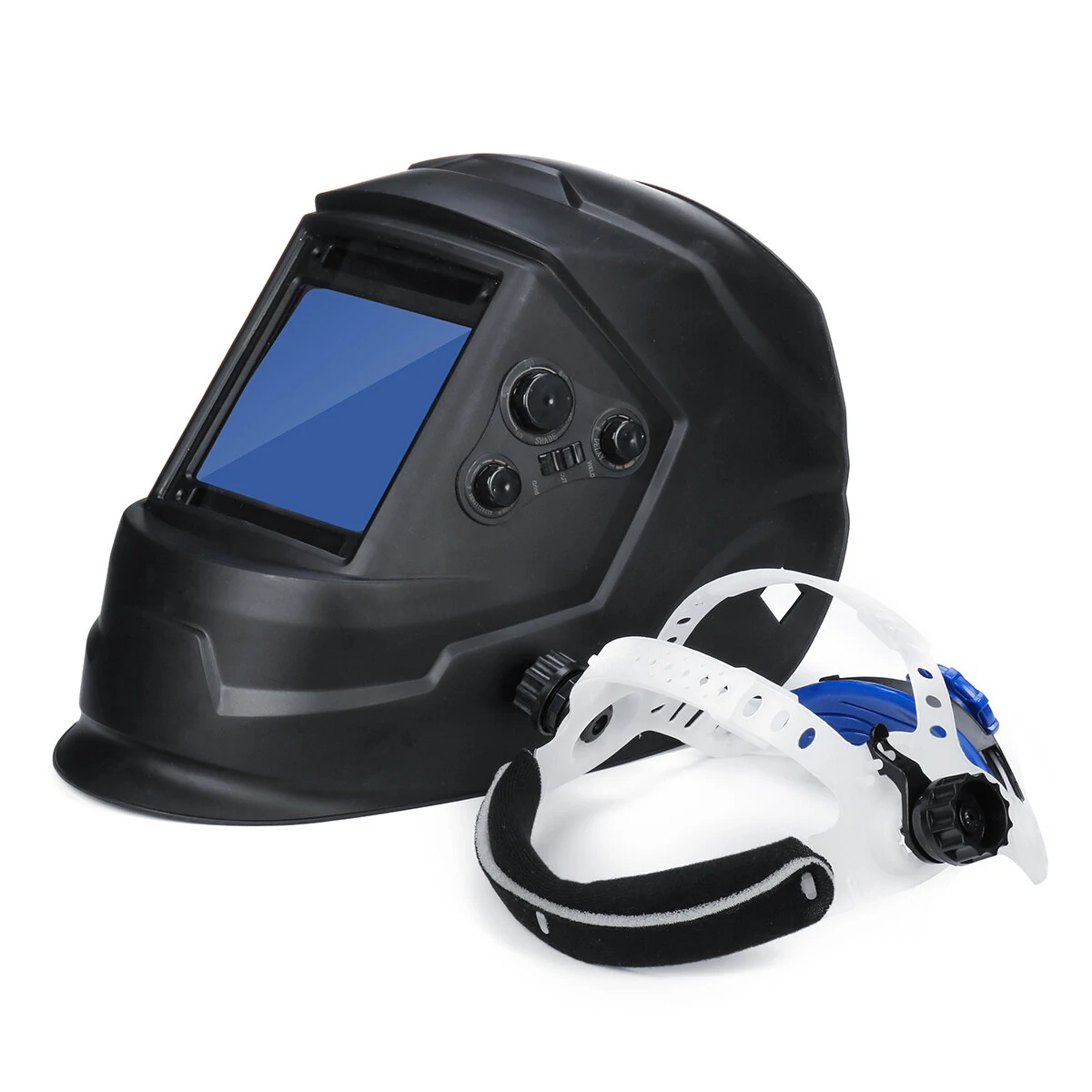
Solar Energy Automatic Dimming Welding Mask Auto Darkening Welding Helmet Big View Area 4 Sensors External Adjustment Arc Tig Mig DIN5-DIN13 — image 1
Hover to zoom

1 / 11 · Click to enlarge

Solar Energy Automatic Dimming Welding Mask Auto Darkening Welding Helmet Big View Area 4 Sensors External Adjustment Arc Tig Mig DIN5-DIN13

5.0122 ratings
1.7k+ bought in last month
AI Summary
product for premium buyers

The Solar Energy Automatic Dimming Welding Mask Auto Darkening Welding Helmet Big View Area 4 Sensors External Adjustment Arc Tig Mig DIN5-DIN13 is a premium product designed for premium buyers. Customers praise its excellent build quality and fast and responsive. 100% of buyers rate it 4★ or above.

excellent build qualityfast and responsive
₹7,244
Free Shipping💵 COD Available

Available Offers

Free Delivery on this order. No minimum order value.

15-Day Easy Returns — hassle-free return & full refund.

Secure Payment — 100% safe checkout with UPI, Cards & Net Banking.

Total: ₹7,244
Buying tip: A quality investment for dependable performance and premium build quality.
Estimated delivery: 26 Aug9 Sept
Free Shipping
Pan India delivery
15-Day Returns
Hassle-free policy
Secure Payment
Razorpay protected
Quality Assured
Vetted products only

Available Offers

💳

5% Cashback

Pay with UPI & get 5% cashback (up to ₹50) via Razorpay

🏦

No-Cost EMI

Available on select bank cards at checkout. 0% interest for 3 months.

📦

Free Shipping

Free delivery on all orders. No minimum order value.

💵

Cash on Delivery

COD available on orders up to ₹5,000 across India.

Ideal For

Hobbyist flyingOutdoor recreationKids entertainment
Share:
SKU: bg-1534647

About This Product

The Solar Energy Automatic Dimming Welding Mask Auto Darkening Welding Helmet Big View Area 4 Sensors External Adjustment Arc Tig Mig DIN5-DIN13 is a premium designed for premium buyers. Customers highlight its excellent build quality and fast and responsive.

Customer Verdict

100% of buyers rated this product 4 stars or above. The most appreciated qualities are: excellent build quality, fast and responsive.

Why Buy from Pricio?

Pricio sources this product directly, cutting out multiple middlemen. Every order includes free shipping, a 15-day return policy, and secure payment via Razorpay.

Features :

- Definition protective filter, you can see the welding conditions clearly when welding the goods. Welding luminosity is soft and comfortable.
- It works the moment you start work,this products adopts advanced circuit design.
- Striking the arc,the observing window darkens immediately.
- Permanent UV/IR protection.
- Fashion appearance. Ultra light designing ,wearing comfortable.
- High performance solar cells and lithium battery.
- Sensitivity and delay time can be adjustable.
- Grinding and welding mode can be chosen.
 
Specification :

Material: PA/PP
Filter Model: LY800H
Filter Size: 133 x 114 x 10mm
Viewable Size: 100 x 93mm
Product size: 300mm*260mm
Light State Levels: DIN4
Dark State Levels: DIN5-9/9-13
Way to shift Dark State: Outer,stepless shift
Switching Time: ≤1 / 10000S
Delay Time: 0.1S-0.8S
Sensitivity Adjustment: Stepless control
Power Supply: Solar + Replaceable lithium battery
Sensors to Weld Arc: 4
Protect Grade Against UVB: DIN16
Working temperature: -20℃ - 65℃
Grind: Yes
Cut: Yes
Low Battery: Yes
Test: Yes
 
Package includeds :

1 x Welding Helmet
1 x Adjustable Headband
 
Details pictures :


Product Safety Information

Setup Guide

1
Identify the pins
Locate VCC (power), GND (ground), and data pins (SDA/SCL for I2C, MOSI/MISO for SPI, or TX/RX for UART). Refer to the pinout diagram on the product page.
2
Wire to your microcontroller
Connect VCC to 3.3V or 5V (check the module spec), GND to GND, and data pins to the appropriate GPIO pins on your Arduino or Raspberry Pi.
3
Install libraries
In Arduino IDE, go to Sketch → Include Library → Manage Libraries and search for the sensor library. Install the recommended version.
4
Upload example sketch
Open File → Examples → [library name] → Basic Example. Upload to your board and open Serial Monitor to view output.
5
Calibrate if needed
Some sensors (temperature, humidity, distance) may need a short warm-up period or calibration. Run the calibration sketch if provided.