1 / 12 · Click to enlarge
The SEQURE S99 Soldering Iron Support PD by SEQURE is a premium tools, industrial & scientific designed for DIY enthusiasts and makers. It features Model: S99 and Maximum Voltage: 21V. Customers praise its fast and responsive and compact and portable. 100% of buyers rate it 4★ or above.
Available Offers
Free Delivery on this order. No minimum order value.
15-Day Easy Returns — hassle-free return & full refund.
Secure Payment — 100% safe checkout with UPI, Cards & Net Banking.
25% Off — you save ₹2,820 on this product!
Price: ₹8,254✓ In Stock
Available Offers
5% Cashback
Pay with UPI & get 5% cashback (up to ₹50) via Razorpay
No-Cost EMI
Available on select bank cards at checkout. 0% interest for 3 months.
Free Shipping
Free delivery on all orders. No minimum order value.
Cash on Delivery
COD available on orders up to ₹5,000 across India.
Quick Specs
Ideal For
About This Product
The SEQURE S99 Soldering Iron Support PD by SEQURE is a premium tools, industrial & scientific designed for DIY enthusiasts and makers. Customers highlight its fast and responsive and compact and portable.
Key Specifications
- Model: S99
- Maximum Voltage: 21V — works with standard household power
- Maximum Power: 150W(2.5Ω),75W(5.5Ω)
- Fastest Melting Tin Time: 2s(2.5Ω),5s(5.5Ω)
- Working Temperature: 50-500℃
- Screen Size: 128*32 OLED
- Interface Type: Type-C — compatible with modern devices
- Power Supply: PD,QC,DC,PPS
Customer Verdict
100% of buyers rated this product 4 stars or above. The most appreciated qualities are: fast and responsive, compact and portable.
Why Buy from Pricio?
Pricio sources this product directly, cutting out multiple middlemen. Every order includes free shipping, a 15-day return policy, and secure payment via Razorpay.
Features:
- Compatible with C245 series soldering iron tips, temperature adjustable range 50℃-500℃/122℉-932℉.
- Working power supply: support PD2.0/3.0, QC2.0/3.0, PPS, DC Max 21V.
- Intelligent temperature control algorithm, supports temperature compensation and temperature self-calibration.
- The shell is made of industrial special materials, which is extremely resistant to high temperature and has effective anti-static treatment.
- 128*32 OLED display, built-in buzzer for work reminder.
- Sensitivity can be set to reject interference from environmental factors.
- Support ℃/℉ switch, left and right hand screen flip, firmware upgrade.
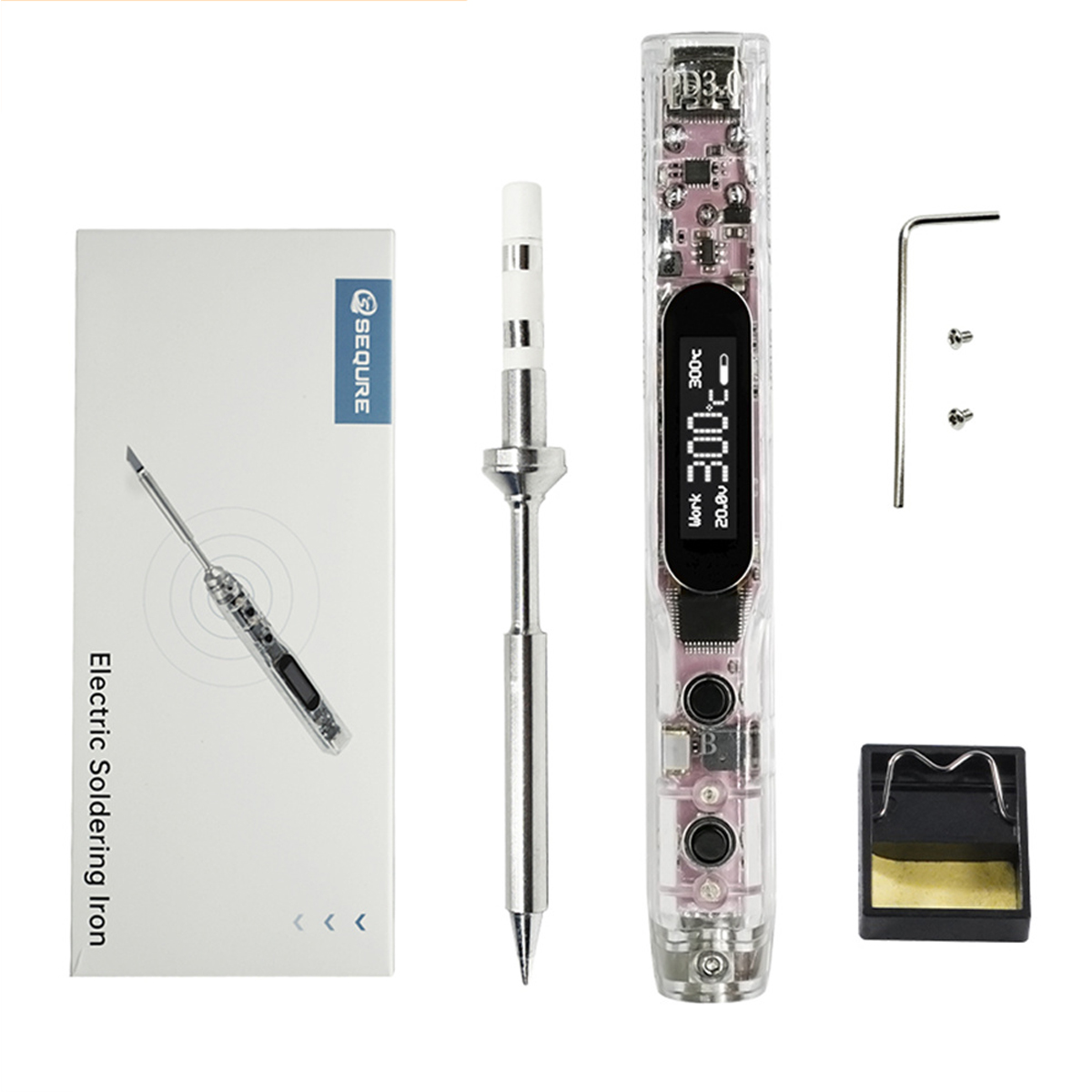
Package included:
1 x S99 Soldering Tip
1 x K Tip
or
1 x S99 Soldering Tip
4 x Tips (K+I+B1+BC2)
or
1 x S99 Soldering Tip
1 x K Tip
1 x Soldering Iron Stand
1 x XT60 to C Line
1 x Charging Cable
1 x Storage Bag
1 x Solder Wire
1 x Power Plug (US & EU)
or
1 x S99 Soldering Tip
4 x Tips (K+I+B1+BC2)
1 x Soldering Iron Stand
1 x XT60 to C Line
1 x Charging Cable
1 x Storage Bag
1 x Solder Wire
1 x Power Plug (US & EU)
Detail Pictures: