
1 / 7 · Click to enlarge
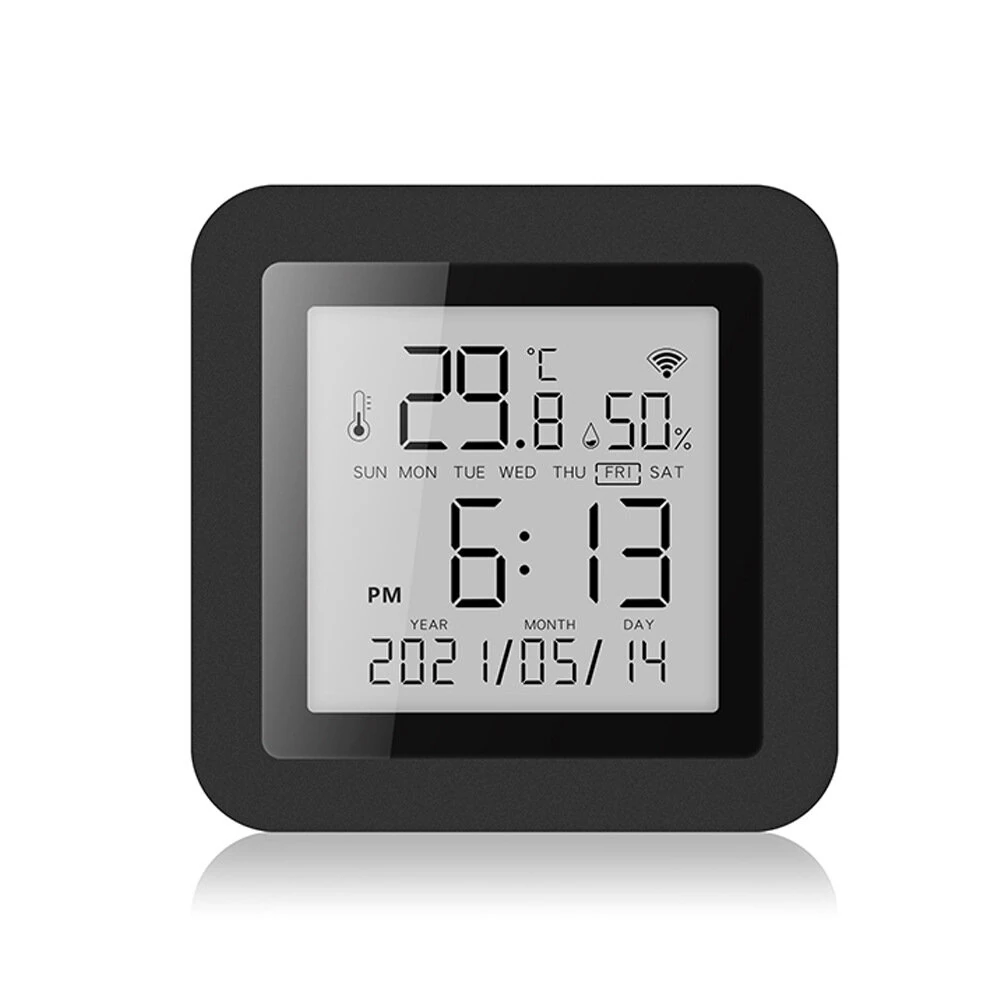
S09 Tuya Smart WiFi Universal IR Remote Temperature Humidity Sensor with Digital Display Screen for Air Conditioner TV AC Works with Alexa Google Home
The S09 Tuya Smart WiFi Universal IR Remote Temperature Humidity Sensor with Digital Display Screen for Air Conditioner TV AC Works with Alexa Google Home is a mid-range product designed for everyday users.
Available Offers
Free Delivery on this order. No minimum order value.
15-Day Easy Returns — hassle-free return & full refund.
Secure Payment — 100% safe checkout with UPI, Cards & Net Banking.
Available Offers
5% Cashback
Pay with UPI & get 5% cashback (up to ₹50) via Razorpay
No-Cost EMI
Available on select bank cards at checkout. 0% interest for 3 months.
Free Shipping
Free delivery on all orders. No minimum order value.
Cash on Delivery
COD available on orders up to ₹5,000 across India.
Ideal For
About This Product
The S09 Tuya Smart WiFi Universal IR Remote Temperature Humidity Sensor with Digital Display Screen for Air Conditioner TV AC Works with Alexa Google Home is a mid-range designed for everyday users. It delivers reliable performance at an accessible price.
Why Buy from Pricio?
Pricio sources this product directly, cutting out multiple middlemen. Every order includes free shipping, a 15-day return policy, and secure payment via Razorpay.
Specification:
Model: S09
Product Name: IR Remote Temperature Humidity Sensor
Functions: Universal IR Remote Control, Temperature & Humidity Monitoring
Display: Digital Display Screen
Compatibility: Works with Alexa, Google Home
Control Method: Mobile App (Tuya Smart / Smart Life)
Connectivity: WiFi 2.4GHz
Power Supply: Micro USB Powered
Room Coverage: 10 meters IR range
Size: 64X64X18mm
Working Temperature: -10~+55℃ 0~100%RH
Features:
1. Wide Compatibility: Supports over 4000 brands and 50000+ IR codes updated from the cloud, ensuring compatibility with most household appliances.
2. IR Learning Function: Customizable buttons within the Tuya Smart App for devices not in the database.
3. Integrated Sensors: Built-in temperature and humidity sensors with continuous monitoring.
4. Voice Control: Compatible with Amazon Alexa and Google Assistant for hands-free operation.
5. App Remote Control: Control household devices from anywhere using the mobile app.
6. Automation and Scene Setup: Create scenes and automation for multiple device control based on conditions like temperature, humidity, and time.
7. 24/7 Monitoring: Sends instant push notifications if temperature or humidity go beyond preset ranges.
Package Includes:
1x Temperature & Humidity Sensor
1x Instruction Manual
1x Data Cable
Notice:
- Not compatible with home appliances that use RF or bluetooth remote controls.
- This product is recognized as a universal remote control on Amazon Alexa and Google Home, and cannot be recognized as a temperature and humidity sensor.
- Our products will not be displayed on Amazon Alexa and Google Home, only appliances added to our products, and you can only control them by voice.
- Infrared rays cannot penetrate walls, so make sure there are no obstacles between the infrared remote control and the infrared device. So, if you want to control home appliances in different rooms, you need to install one in each room
- Need to use a USB cable to connect to the power supply, please check before ordering. (Micro USB cable only.)


