
1 / 7 · Click to enlarge
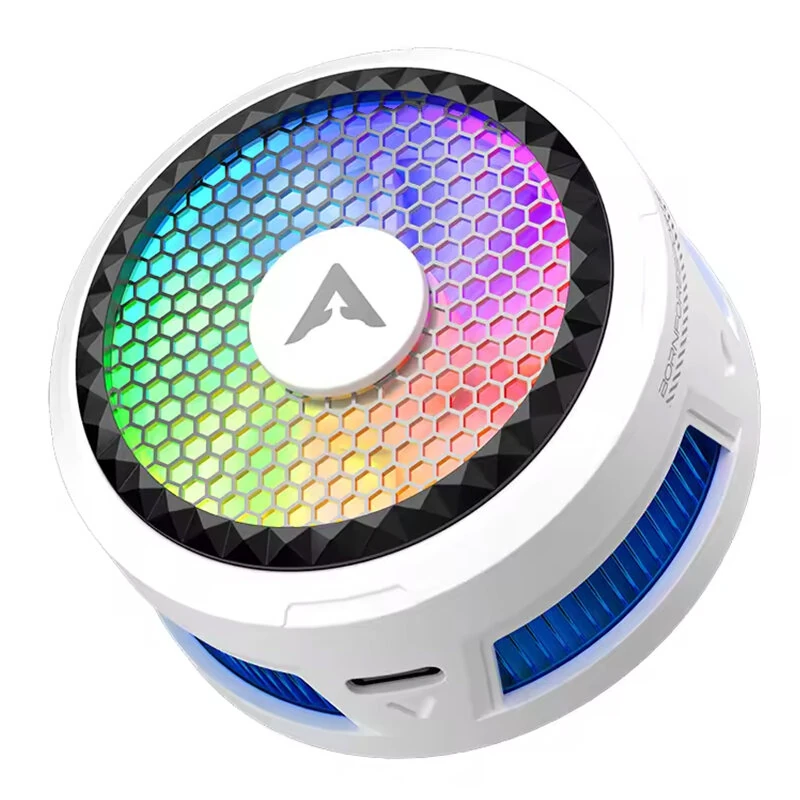
PIVA X30 Magnetic Phone Cooler 27W Semiconductor Suction Cooling 5500RPM Low Noise RGB Light for PUBG Gaming Phone Radiator
The PIVA X30 Magnetic Phone Cooler 27W Semiconductor Suction Cooling 5500RPM Low Noise RGB Light for PUBG Gaming Phone Radiator is a mid-range product designed for gamers and content creators.
Available Offers
Free Delivery on this order. No minimum order value.
15-Day Easy Returns — hassle-free return & full refund.
Secure Payment — 100% safe checkout with UPI, Cards & Net Banking.
Price: ₹3,389
Available Offers
5% Cashback
Pay with UPI & get 5% cashback (up to ₹50) via Razorpay
No-Cost EMI
Available on select bank cards at checkout. 0% interest for 3 months.
Free Shipping
Free delivery on all orders. No minimum order value.
Cash on Delivery
COD available on orders up to ₹5,000 across India.
Ideal For
About This Product
The PIVA X30 Magnetic Phone Cooler 27W Semiconductor Suction Cooling 5500RPM Low Noise RGB Light for PUBG Gaming Phone Radiator is a mid-range designed for gamers and content creators. It delivers reliable performance at an accessible price.
Why Buy from Pricio?
Pricio sources this product directly, cutting out multiple middlemen. Every order includes free shipping, a 15-day return policy, and secure payment via Razorpay.
Specifications:
Brand: PIVA
Model: X30
Product Name: Magnetic Phone Cooler
Material: 1060 Pure Aluminum CNC Anodized Fins
Mounting Method: Magnetic Attachment
Total Power: 27W
Effective Cooling Load: Up to 11W
Cooling Plate Size: 30 x 30mm
Cooling Area: 2290mm²
Fan Type: 4510 Micro-Axial 7-Blade Fan
Fan Speed: 5500RPM
Temperature Control: NTC Intelligent Temperature Protection
Cooling Levels: 4 Levels Adjustable
Noise Level: ≤35dB
Light Modes: RGB Flowing / Blue Breathing / Orange Breathing / Pink Breathing
Interface: USB Type-C
Weight: 85.5g
Features:
1. Advanced suction cooling design:
Four-side air intake and rear air outlet help pull heat away from the phone for faster heat transfer.
2. 27W high-power cooling performance:
Peak power reaches 27W, with effective cooling load up to 11W, suitable for gaming, livestreaming, and long-time use.
3. Large 30 x 30mm semiconductor cooling plate:
Wide cooling contact area covers heat source more evenly for better temperature reduction.
4. 4510 7-blade fan with low noise operation:
Equipped with a large micro-axial fan running up to 5500RPM while keeping operating noise at 35dB or below.
5. 1060 aluminum heat sink with CNC processing:
High thermal conductivity aluminum structure improves heat dissipation efficiency and cooling stability.
6. NTC intelligent temperature protection:
Built-in smart temperature control helps prevent overcooling, supports safer operation, and reduces condensation risk.
Package Includes:
1 x PIVA X30 Phone Cooler
1 x 1.2m USB-C to USB-C Cable
1 x Magnetic Ring
1 x User Manual
1 x Package Box


