
1 / 11 · Click to enlarge
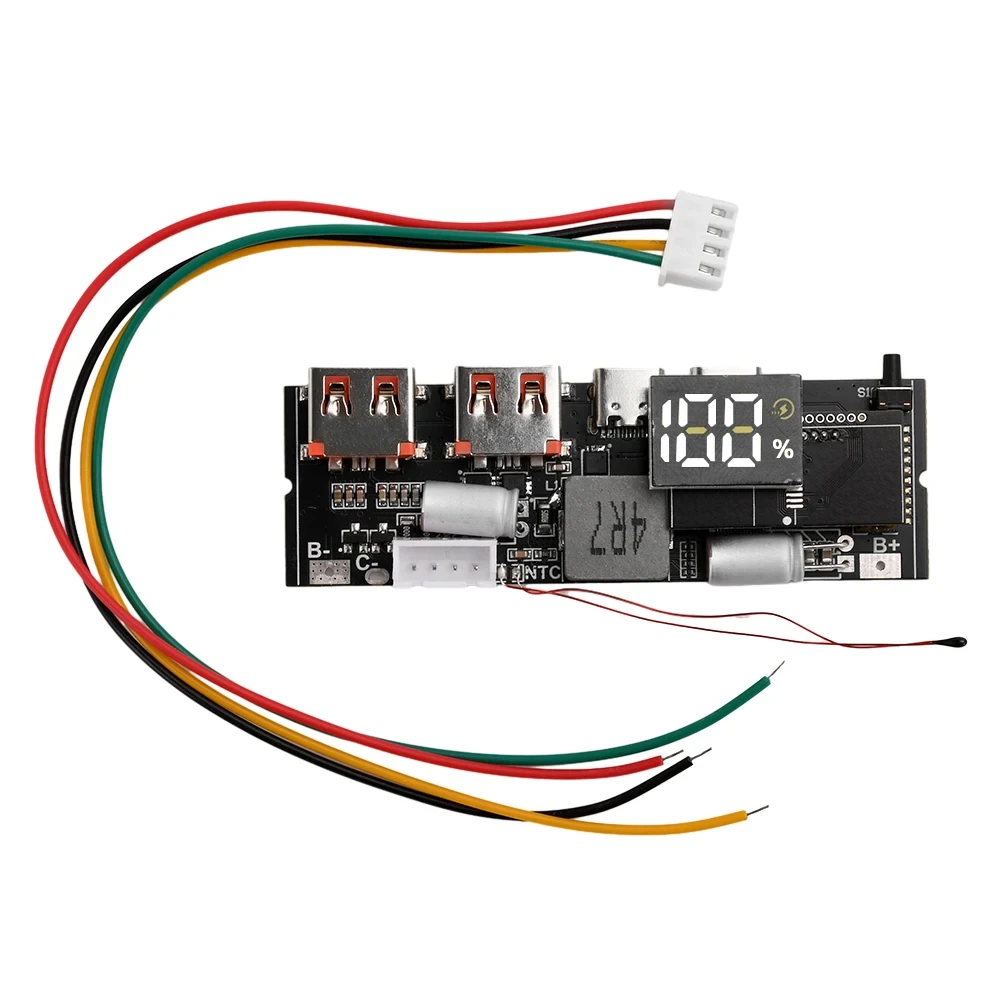
PD 65W 100W Fast Charging Module Mobile Power Supply Board Dual Way Charge 6-Port QC PD PPS SCP VOOC USB Type-C Solar Panel Compatible
The PD 65W 100W Fast Charging Module Mobile Power Supply Board Dual Way Charge 6-Port QC PD PPS SCP VOOC USB Type-C Solar Panel Compatible is a mid-range product designed for everyday users.
Available Offers
Free Delivery on this order. No minimum order value.
15-Day Easy Returns — hassle-free return & full refund.
Secure Payment — 100% safe checkout with UPI, Cards & Net Banking.
36% Off — you save ₹921 on this product!
Price: ₹1,616
Available Offers
5% Cashback
Pay with UPI & get 5% cashback (up to ₹50) via Razorpay
No-Cost EMI
Available on select bank cards at checkout. 0% interest for 3 months.
Free Shipping
Free delivery on all orders. No minimum order value.
Cash on Delivery
COD available on orders up to ₹5,000 across India.
Ideal For
About This Product
The PD 65W 100W Fast Charging Module Mobile Power Supply Board Dual Way Charge 6-Port QC PD PPS SCP VOOC USB Type-C Solar Panel Compatible is a mid-range designed for everyday users. It delivers reliable performance at an accessible price.
Why Buy from Pricio?
Pricio sources this product directly, cutting out multiple middlemen. Every order includes free shipping, a 15-day return policy, and secure payment via Razorpay.
Product Name: 6-Port PD 65W/100W Two-Way Fast Charge Mobile Power Module
Model Options: ① 3S 65W ② 4S 100W ③ 5S 100W
Power Output: Up to 65W (3S) / 100W (4S & 5S)
Dimensions: 72mm x 27mm x 6mm
Supported Fast Charge Protocols: QC, PD, PPS, SCP, VOOC, AFC, FCP, SFC
Input Voltage: Type-C input supporting PPS and PD protocols (PD3.1, PD2.0, PPS)
Output Voltage Regulation: Low ripple output (C port Vpp < 6-9mV)
Protection Mechanisms: Short circuit, over-voltage, over-current, over-temperature protection
Features:
1. Universal Compatibility with Fast Charging Protocols
Supports a wide range of popular protocols, including QC, PD, PPS, SCP, and VOOC, ensuring seamless charging for diverse electronic devices.
2. Dual-Functionality: Two-Way Fast Charging
Allows both fast charging for connected devices and rapid self-charging, cutting downtime and enhancing convenience.
3. Multi-Level Protection for Safer Usage
Equipped with safeguards such as short circuit protection, over-voltage prevention, and temperature regulation to ensure secure operation.
4. Solar Panel Connectivity via MPPT Support
Facilitates compatibility with solar panel charging systems, providing an eco-friendly power source for long-term use.
5. Compact Design with Advanced Stability
Features solid capacitor filtration, low ripple output (<9mV), and efficient voltage control for reliable performance in minimal space.
Package Included:
1 x Mobile Power Module
1 x Wire Connector


