
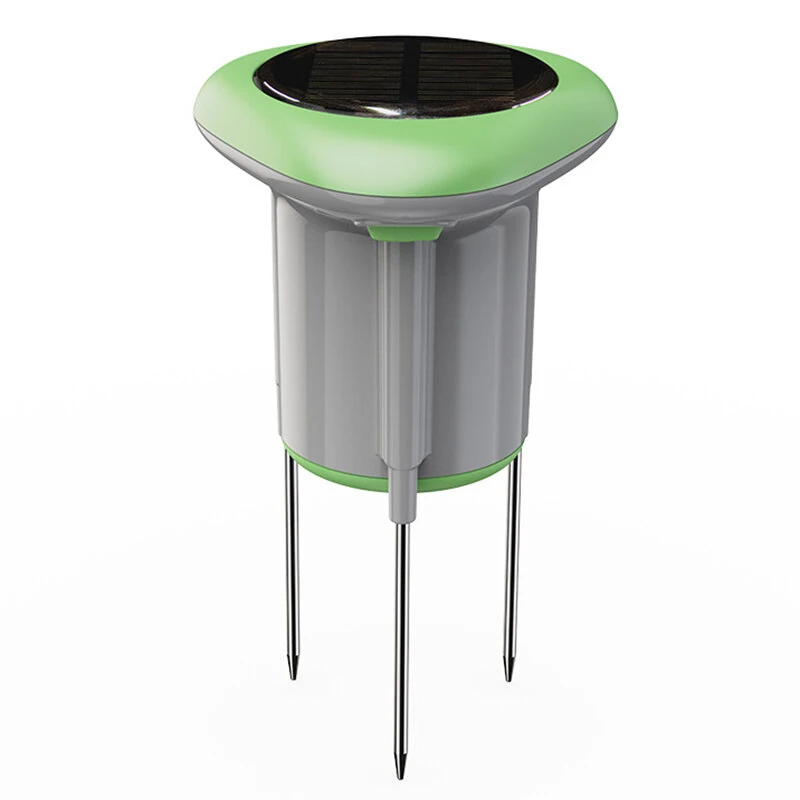
NEO Tuya Smart WiFi Soil Sensor Solar Powered Planting Temperature and Humidity Meter IP66 Wireless Soil Tester Turf Gardening
5.02 ratingsThe NEO Tuya Smart WiFi Soil Sensor Solar Powered Planting Temperature and Humidity Meter IP66 Wireless Soil Tester Turf Gardening is a mid-range product designed for everyday users. Customers praise its excellent build quality and fast and responsive.
Available Offers
Free Delivery on this order. No minimum order value.
15-Day Easy Returns — hassle-free return & full refund.
Secure Payment — 100% safe checkout with UPI, Cards & Net Banking.
21% Off — you save ₹1,102 on this product!
Available Offers
5% Cashback
Pay with UPI & get 5% cashback (up to ₹50) via Razorpay
No-Cost EMI
Available on select bank cards at checkout. 0% interest for 3 months.
Free Shipping
Free delivery on all orders. No minimum order value.
Cash on Delivery
COD available on orders up to ₹5,000 across India.
Ideal For
About This Product
The NEO Tuya Smart WiFi Soil Sensor Solar Powered Planting Temperature and Humidity Meter IP66 Wireless Soil Tester Turf Gardening is a mid-range designed for everyday users. Customers highlight its excellent build quality and fast and responsive.
Why Buy from Pricio?
Pricio sources this product directly, cutting out multiple middlemen. Every order includes free shipping, a 15-day return policy, and secure payment via Razorpay.
Specifications:
Ni-MH Rechargeable Battery: (AA, 1.2V) × 3
Standby Current: 86 µA
Wireless Standard: IEEE 802.11b/g/n
Wireless Frequency: 2.4 GHz
Wireless Distance: 45 Meters
bluetooth Version: bluetooth 5.0
Waterproof Level: IP66
Temperature Detection Range: -10℃ ~ 60℃ (14℉ ~ 140℉)
Temperature Detection Accuracy: 0.5°C(Adjustable)
Humidity Detection Range: 0 ~ 100% RH (Non-Condensing)
Humidity Detection Accurac: 1%RH(Adjustable)
Conductivity Accuracy: 3% FS at 0.01 ms/cm
Maximum Range: 20 ms/cm
Temp. and Hum. Detection Interval: 5min(Adjustable)
Operating Temperature: -10-60°C(14-140°F)
Operating Humidity: 0-100%RH(Non-condensing)
Physical Dimensions: 86 mm × 86 mm × 146 mm
Features:
1. Support 2.4GHz Wi-Fi wireless connection
2. Support bluetooth quick network configuration
3. Support solar charging
4. Can detect soil conductivity value
5. Free IOS and Android applications
6. With temperature and humidity measurement function, can set temperature and humidity alarm, mobile phone can receive push notifications through APP
7. Can set temperature and humidity sensitivity, adjust temperature and humidity fluctuation range
8. Can set detection time, adjust reporting times
9. Can switch between Fahrenheit and Celsius
10. There is a curve chart to view historical temperature and humidity reporting records
11. The device can be shared with others, multiple people can modify the device and receive push notifications
12. Can link other devices
Package Include:
1x Smart WiFi Soil Sensor


