
1 / 8 · Click to enlarge
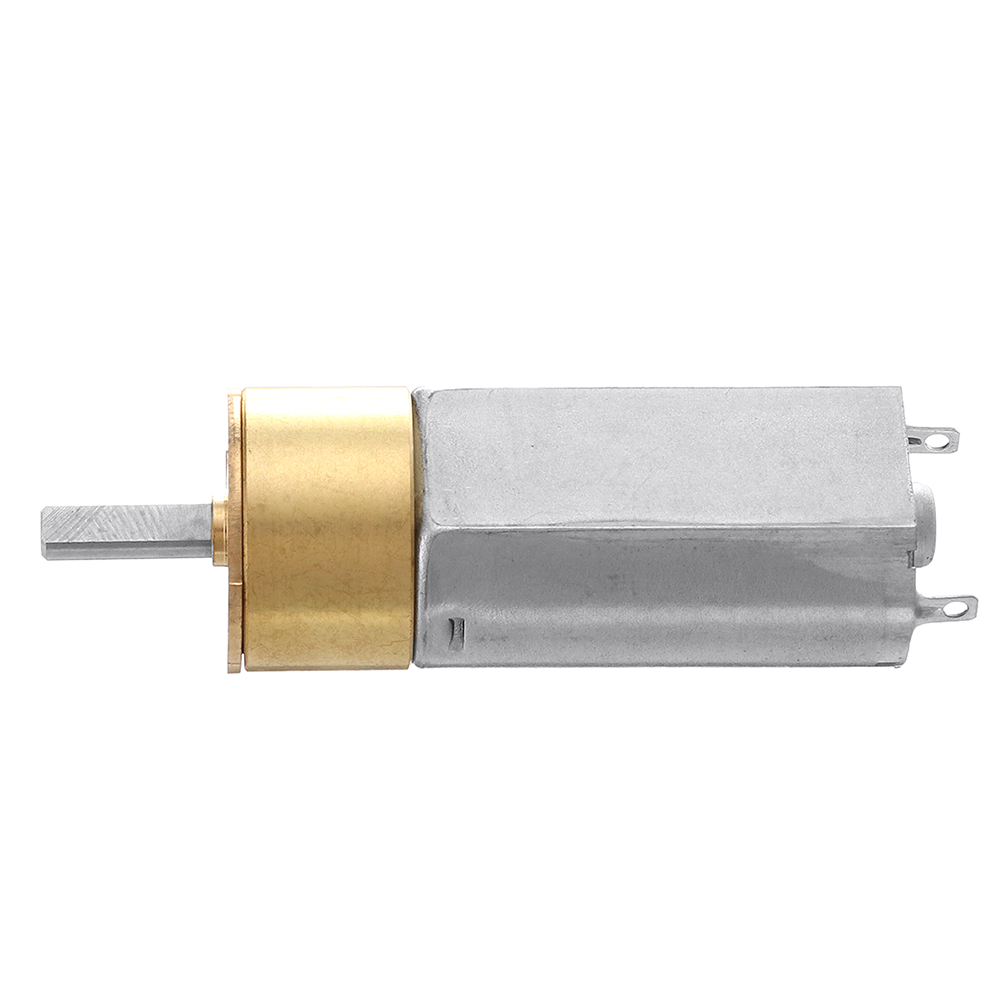
Machifit DC 12V 30-800rpm 16GA050 Reduction Gear Motor For Smart Door Locks Meters Security Cameras
5.031 ratingsThe Machifit DC 12V 30-800rpm 16GA050 Reduction Gear Motor For Smart Door Locks Meters Security Cameras by Machifit is a mid-range electronics designed for everyday users. It features Product Name: Reduction Gear Motor and Model Number: 16GA050. Customers praise its excellent build quality and great value for money. 100% of buyers rate it 4★ or above.
Available Offers
Free Delivery on this order. No minimum order value.
15-Day Easy Returns — hassle-free return & full refund.
Secure Payment — 100% safe checkout with UPI, Cards & Net Banking.
22% Off — you save ₹884 on this product!
Available Offers
5% Cashback
Pay with UPI & get 5% cashback (up to ₹50) via Razorpay
No-Cost EMI
Available on select bank cards at checkout. 0% interest for 3 months.
Free Shipping
Free delivery on all orders. No minimum order value.
Cash on Delivery
COD available on orders up to ₹5,000 across India.
Quick Specs
Ideal For
About This Product
The Machifit DC 12V 30-800rpm 16GA050 Reduction Gear Motor For Smart Door Locks Meters Security Cameras by Machifit is a mid-range electronics designed for everyday users. Customers highlight its excellent build quality and great value for money.
Key Specifications
- Product Name: Reduction Gear Motor
- Model Number: 16GA050
- Material: 304 Stainless Steel — built to last with a quality finish
- Color: Silver
- Rated Voltage: DC 12V — works with standard household power
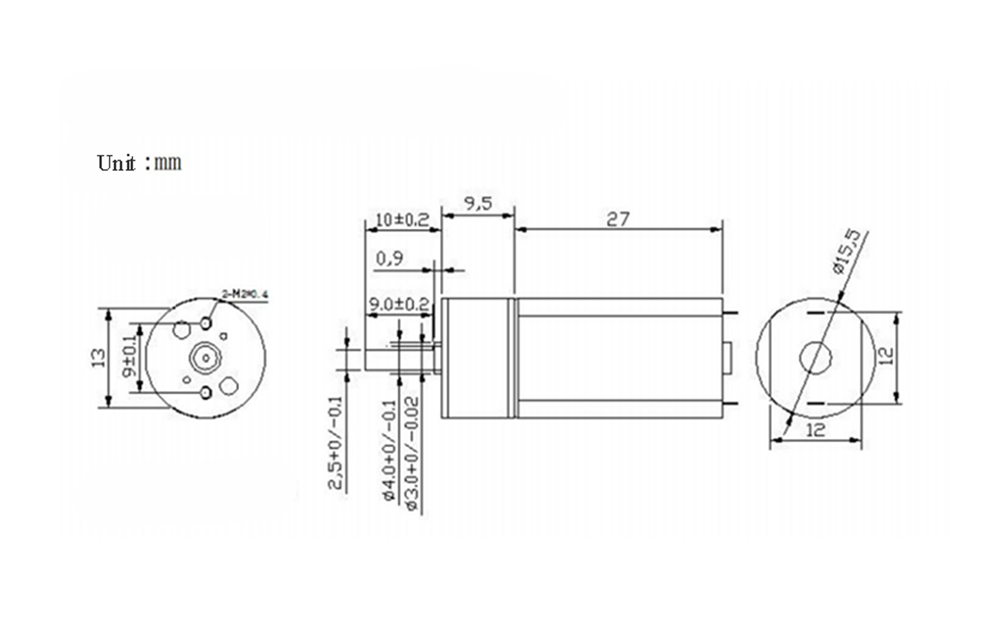
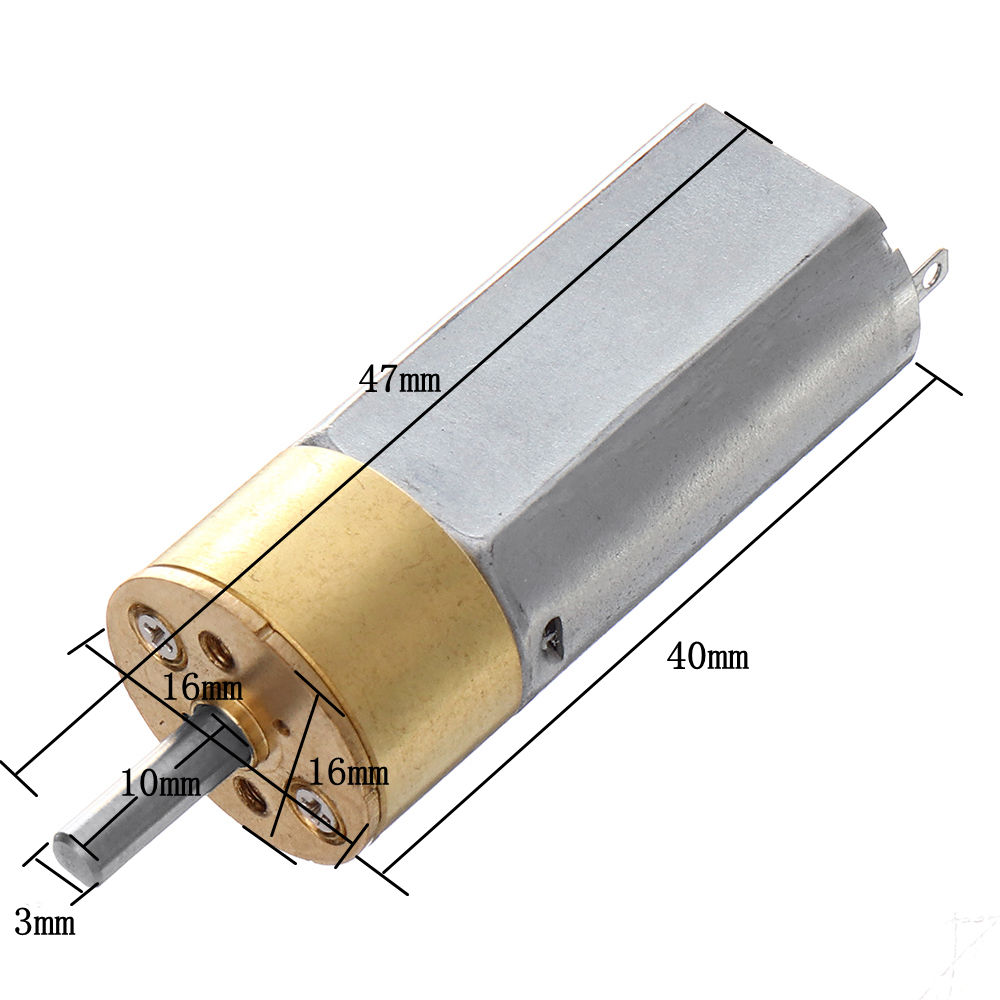
- Size: 16mm×16mm×40mm
- Total Length: 47mm
- Body Length: 40mm
Customer Verdict
100% of buyers rated this product 4 stars or above. The most appreciated qualities are: excellent build quality, great value for money, fast and responsive, compact and portable.
Why Buy from Pricio?
Pricio sources this product directly, cutting out multiple middlemen. Every order includes free shipping, a 15-day return policy, and secure payment via Razorpay.
Descriptions:
Machifit DC 12V 30-800rpm 16GA050 Reduction Gear Motor For Smart Door Locks Meters Security Cameras
Features:
- It can be used in door locks, meters, security cameras, micro robots, medical equipment, etc.
- It has the characteristics of high efficiency, low noise, good sensitivity and long life.
- Equipped with a precision gear reducer, it can be called the preferred actuator in various automatic adjustment, drive and control servo systems.
- Stable operation, small speed fluctuation.
- It has outstanding energy saving, control and drag characteristics.
Package Included:
1/3/5/10 (optional) x Reduction Gear Motor
More Details:








.jpg)
