
1 / 7 · Click to enlarge
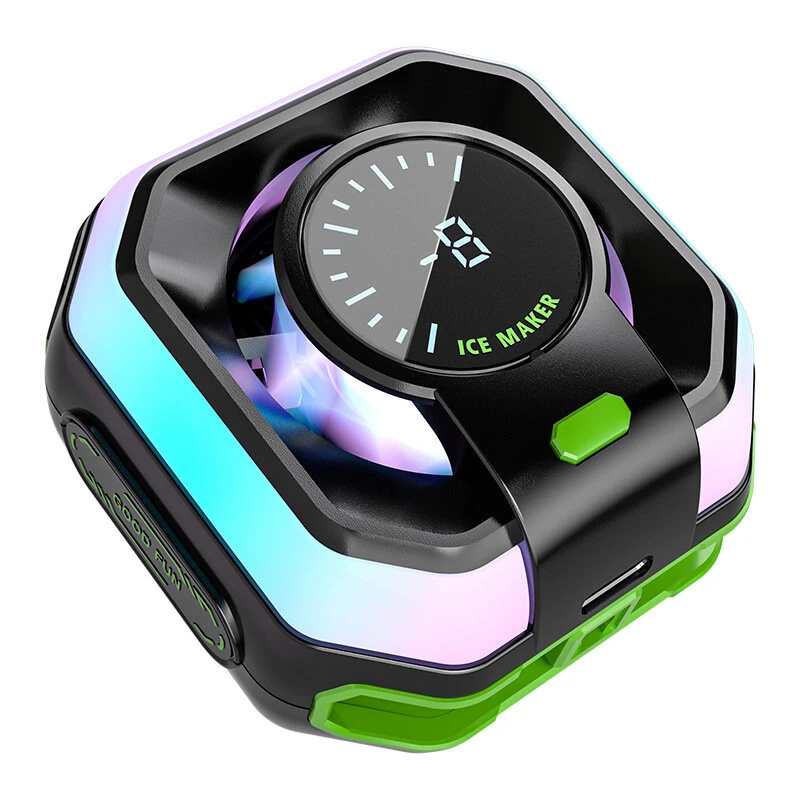
HK-5 Pro Semiconductor Phone Cooler Magnetic/Clip On AI Smart 3 Speed Cooling Real Time Temp Display RGB Light Gaming Radiator
The HK-5 Pro Semiconductor Phone Cooler Magnetic/Clip On AI Smart 3 Speed Cooling Real Time Temp Display RGB Light Gaming Radiator is a mid-range product designed for gamers and content creators.
Available Offers
Free Delivery on this order. No minimum order value.
15-Day Easy Returns — hassle-free return & full refund.
Secure Payment — 100% safe checkout with UPI, Cards & Net Banking.
37% Off — you save ₹1,395 on this product!
Color.: Black
Available Offers
5% Cashback
Pay with UPI & get 5% cashback (up to ₹50) via Razorpay
No-Cost EMI
Available on select bank cards at checkout. 0% interest for 3 months.
Free Shipping
Free delivery on all orders. No minimum order value.
Cash on Delivery
COD available on orders up to ₹5,000 across India.
Ideal For
About This Product
The HK-5 Pro Semiconductor Phone Cooler Magnetic/Clip On AI Smart 3 Speed Cooling Real Time Temp Display RGB Light Gaming Radiator is a mid-range designed for gamers and content creators. It delivers reliable performance at an accessible price.
Why Buy from Pricio?
Pricio sources this product directly, cutting out multiple middlemen. Every order includes free shipping, a 15-day return policy, and secure payment via Razorpay.
Specifications:
Model: HK-5 Pro
Product Name: Semiconductor Phone Cooler
Material: ABS + Metal
Color: Black
Dimensions: 61mm x 61mm x 30mm
Power Port: Type-C
RGB Lighting Modes: 3 Modes (Marquee, Breathing, Gradient)
Compatibility: Magnetic/Clip-on Attachment
Features:
1. Advanced Semiconductor Cooling: Utilizes a powerful TEC semiconductor chip for rapid and efficient temperature reduction, preventing your phone from overheating during intense gaming sessions.
2. Real-Time Temperature Display: Features a unique digital dial that shows the contact surface temperature in real-time, allowing you to visualize the cooling performance instantly.
3. Intelligent 3-Speed Control: Easily switch between three cooling modes (Ice Seal, Extreme Cold, and AI-Powered Intelligent Temperature Control) to match your phone's heat level and different usage scenarios.
4. Dual Mounting System (Magnetic & Clip-On): Offers ultimate versatility with a strong magnetic suction for MagSafe-compatible devices and a secure back clip for universal compatibility with all other phones.
5. Dynamic RGB Lighting: Enhance your gaming setup with 3 distinct RGB lighting effects. The cool, customizable lights create an immersive atmosphere and match your gaming style.
6. Whisper-Quiet Operation: Engineered with a 7-blade hydraulics bearing fan that operates at a low noise level (≤25dB), ensuring powerful cooling without distracting you from your game or voice chat.
Package Includes:
1 x HK-5 PRO Phone Cooler


