
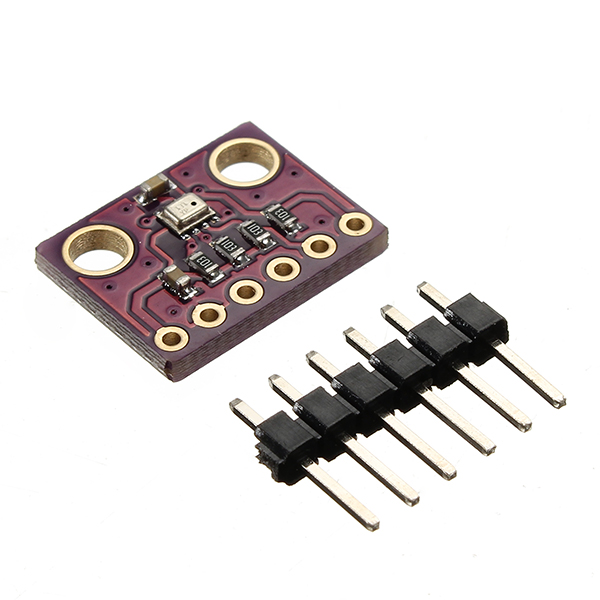
1 / 4 · Click to enlarge
GY-BMP280-3.3 High Precision Atmospheric Pressure Sensor Module Geekcreit for Ar
5.0633 ratingsThe GY-BMP280-3.3 High Precision Atmospheric Pressure Sensor Module Geekcreit for Ar by Pricio is a mid-range electronics designed for everyday users. Customers praise its great value for money and fast and responsive. 100% of buyers rate it 4★ or above.
Available Offers
Free Delivery on this order. No minimum order value.
15-Day Easy Returns — hassle-free return & full refund.
Secure Payment — 100% safe checkout with UPI, Cards & Net Banking.
Available Offers
5% Cashback
Pay with UPI & get 5% cashback (up to ₹50) via Razorpay
No-Cost EMI
Available on select bank cards at checkout. 0% interest for 3 months.
Free Shipping
Free delivery on all orders. No minimum order value.
Cash on Delivery
COD available on orders up to ₹5,000 across India.
Ideal For
About This Product
The GY-BMP280-3.3 High Precision Atmospheric Pressure Sensor Module Geekcreit for Ar by Pricio is a mid-range electronics designed for everyday users. Customers highlight its great value for money and fast and responsive.
Customer Verdict
100% of buyers rated this product 4 stars or above. The most appreciated qualities are: great value for money, fast and responsive, compact and portable, accurate and reliable.
Why Buy from Pricio?
Pricio sources this product directly, cutting out multiple middlemen. Every order includes free shipping, a 15-day return policy, and secure payment via Razorpay.
Has stepped up their game with their new BMP280 sensor, an environmental sensor with temperature,
barometric pressure that is the next generation upgrade to the BMP085/BMP180/BMP183. This sensor is great
for all sorts of weather sensing and can even be used in both I2C and SPI!
This sensor is the best low-cost, sensing solution for measuring barometric pressure
with ±1 hPa absolute accuracy, and temperature with ±1.0°C accuracy. Because pressure changes with altitude,
and the pressure measurements are so good, you can also use it as an altimeter with ±1 meter accuracy
Feature:
Model: GY-BMP280-3.3
Chip: BMP280
Power supply: 3V
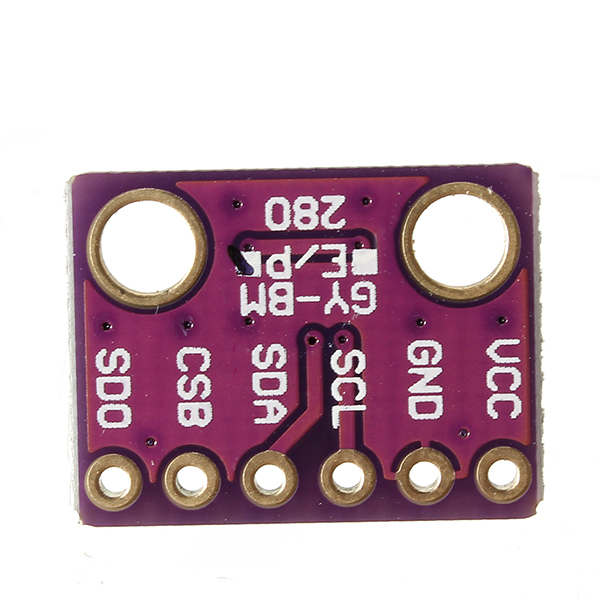
Communication method: Standard IIC/SPI communication protocol
Air pressure: 300-1100hPa
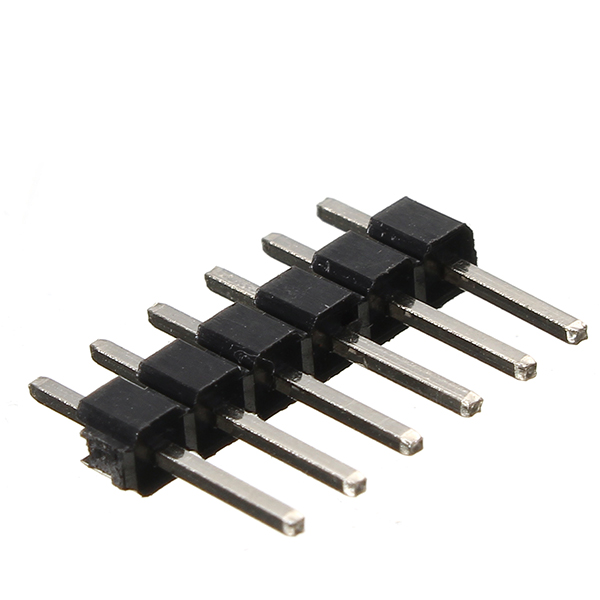
Pin: 2.54mm
Module size: 11.5mm*15mm
Typical application:
Enhancement of GPS navigation(e.g.time-to-first-fix improvement,dead-reckoning,slope detection)
Indoor navigation(floor detection,elevator detection)
Outdoor navigation,leisure and sports applications
Weather forecast
Health care application(e.g. sirometry)
Vertical speed indication(e.g. risk/sink speed)
Package Included:
1 x GY-BMP280-3.3 Atmospheric Pressure Sensor Module









.jpg)
