
1 / 8 · Click to enlarge
ESP-12F ESP8266 Infrared Transmitting and Receiving for NEC Command WiFi Transparent Transmission Module Board
The ESP-12F ESP8266 Infrared Transmitting and Receiving for NEC Command WiFi Transparent Transmission Module Board is a value-for-money product designed for everyday users.
Available Offers
Free Delivery on this order. No minimum order value.
15-Day Easy Returns — hassle-free return & full refund.
Secure Payment — 100% safe checkout with UPI, Cards & Net Banking.
25% Off — you save ₹341 on this product!
Type: Board Only
Available Offers
5% Cashback
Pay with UPI & get 5% cashback (up to ₹50) via Razorpay
No-Cost EMI
Available on select bank cards at checkout. 0% interest for 3 months.
Free Shipping
Free delivery on all orders. No minimum order value.
Cash on Delivery
COD available on orders up to ₹5,000 across India.
Ideal For
About This Product
The ESP-12F ESP8266 Infrared Transmitting and Receiving for NEC Command WiFi Transparent Transmission Module Board is a value-for-money designed for everyday users. It delivers reliable performance at an accessible price.
Why Buy from Pricio?
Pricio sources this product directly, cutting out multiple middlemen. Every order includes free shipping, a 15-day return policy, and secure payment via Razorpay.
Product Overview:
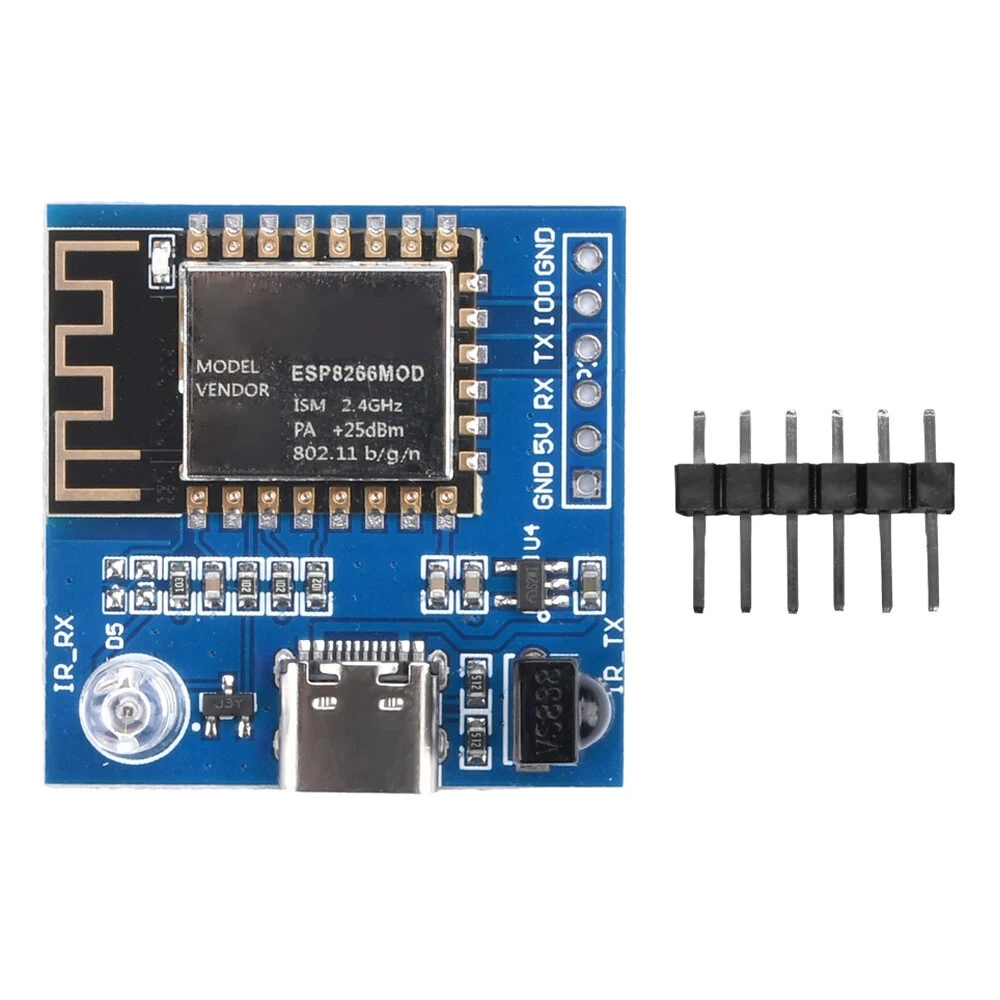
For NEC instruction WIFI transparent module, using the easy to develop ESP8266 module. Equipped with infrared emission and reception function. By using web distribution network, after connecting to WiFi, the received For NEC format remote control signal can be transmitted to another device through UDP, and then sent out by the other device, achieving the effect of infrared transmission across rooms.
Specifications:
Model: ESP-12F ESP8266
Interface: Type-C
Working Voltage: 5V
WiFi Protocol: 802.11b/g/n
Infrared Emission and Reception Distance: about 5 meters
Infrared Frequency: 38KHz
Colour:As Shown
Material:PC+Metal
Size: 33 * 33mm
Weight:7g
Features:
1. For NEC instruction WIFI transparent module, using the easy to develop ESP8266 module.
2. ESP8266 is a high-performance wireless SoC that provides maximum practicality at the lowest cost, offering unlimited possibilities for Wi Fi functionality to be integrated into other systems.
3. ESP-12F ESP8266 is a low-power WiFi module developed based on ESP8266, which can facilitate secondary development.
4. This module has infrared emission and reception function, with strong functionality.
5. The infrared emission and reception distance is about 5 meters. After connecting to WiFi, the received For NEC format remote control signal can be transmitted to another device through UDP, and then sent out by the other device, achieving the effect of infrared transmission across rooms.
Package includes:
1 x WiFi Transparent Transmission Module
1 x 6pin Single Row Pin


