
1 / 7 · Click to enlarge
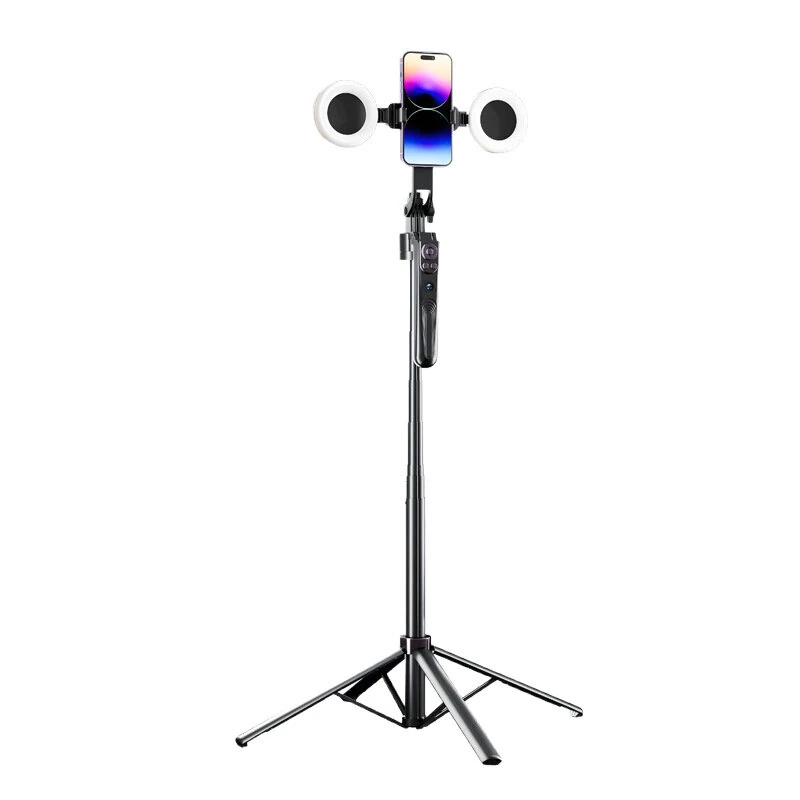
ES-B181 AI Auto Face Tracking Selfie Stick with 4 Leg Tripod 360° Rotation Dual Fill Light Anti Shake Gimbal Bluetooth Remote for Vlog Live Streaming TikTok
The ES-B181 AI Auto Face Tracking Selfie Stick with 4 Leg Tripod 360° Rotation Dual Fill Light Anti Shake Gimbal Bluetooth Remote for Vlog Live Streaming TikTok is a premium product designed for premium buyers.
Available Offers
Free Delivery on this order. No minimum order value.
15-Day Easy Returns — hassle-free return & full refund.
Secure Payment — 100% safe checkout with UPI, Cards & Net Banking.
Color: Black
Available Offers
5% Cashback
Pay with UPI & get 5% cashback (up to ₹50) via Razorpay
No-Cost EMI
Available on select bank cards at checkout. 0% interest for 3 months.
Free Shipping
Free delivery on all orders. No minimum order value.
Cash on Delivery
COD available on orders up to ₹5,000 across India.
Ideal For
About This Product
The ES-B181 AI Auto Face Tracking Selfie Stick with 4 Leg Tripod 360° Rotation Dual Fill Light Anti Shake Gimbal Bluetooth Remote for Vlog Live Streaming TikTok is a premium designed for premium buyers. It delivers reliable performance at an accessible price.
Why Buy from Pricio?
Pricio sources this product directly, cutting out multiple middlemen. Every order includes free shipping, a 15-day return policy, and secure payment via Razorpay.
Specification:
Product Model: ES-B181
Material: Aluminum Alloy + ABS
bluetooth Version: 5.0
Folded Length: 32cm
Maximum Extended Length: 180cm
Compatibility: Universal for iOS & Android smartphones
Mounting Interface: Standard 1/4 inch screw
Features:
1. AI-Powered Auto Tracking: Equipped with an independent AI camera and chip, it intelligently recognizes and follows your face and body movements without needing any special app. You are always the center of attention.
2. Advanced 4-Axis Anti-Shake: The integrated stabilizer with a high-performance motor compensates for movement, ensuring your videos are smooth and professional-looking, even while walking.
3. Dual Detachable Beauty Fill Lights: Two adjustable and removable fill lights provide bright, even lighting to enhance your appearance, perfect for live streaming, vlogging, and makeup tutorials.
4. Reinforced Quad-Pod Base: The innovative four-legged tripod structure offers superior stability on the ground, preventing tipping and allowing for steady, hands-free shots.
5. Smart Gesture & Remote Control: Use simple hand gestures ("OK" sign to start, "Palm" sign to stop) to control the tracking function. A detachable bluetooth remote is also included for easy photo and video capture from up to 10 meters away.
6. All-in-One Compact Design: This versatile tool combines a selfie stick, tripod, and gimbal into one portable unit. The integrated storage design makes it easy to fold up and carry anywhere.
Package Include:
1 x AI Smart Tracking Gimbal Selfie Stick


