
1 / 5 · Click to enlarge
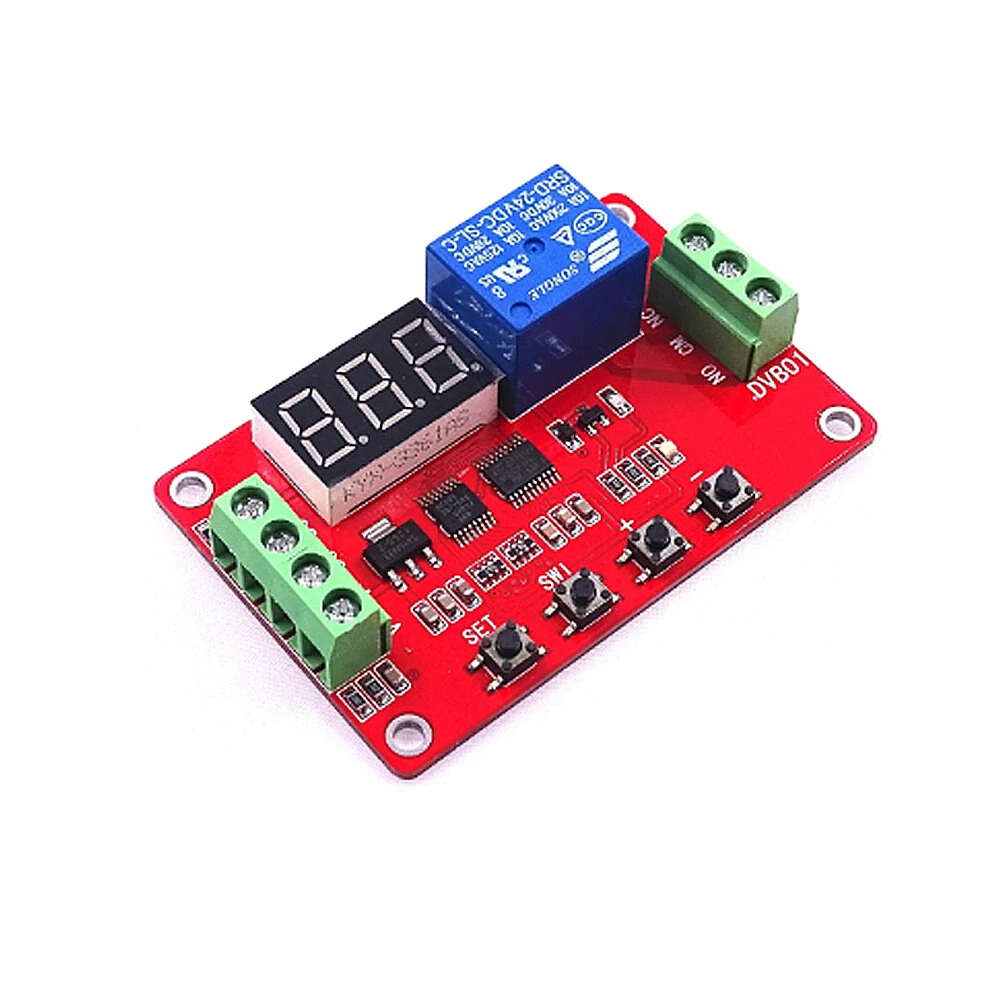
DVB01 DC 5V 12V 24V Digital Display Window Voltage Comparator Voltage Measurement Charge Discharge Overvoltage Undervoltage Over-limit Protection Module Board
5.02 ratingsThe DVB01 DC 5V 12V 24V Digital Display Window Voltage Comparator Voltage Measurement Charge Discharge Overvoltage Undervoltage Over-limit Protection Module Board is a value-for-money product designed for everyday users.
Available Offers
Free Delivery on this order. No minimum order value.
15-Day Easy Returns — hassle-free return & full refund.
Secure Payment — 100% safe checkout with UPI, Cards & Net Banking.
39% Off — you save ₹742 on this product!
Price: ₹1,137
Available Offers
5% Cashback
Pay with UPI & get 5% cashback (up to ₹50) via Razorpay
No-Cost EMI
Available on select bank cards at checkout. 0% interest for 3 months.
Free Shipping
Free delivery on all orders. No minimum order value.
Cash on Delivery
COD available on orders up to ₹5,000 across India.
Ideal For
About This Product
The DVB01 DC 5V 12V 24V Digital Display Window Voltage Comparator Voltage Measurement Charge Discharge Overvoltage Undervoltage Over-limit Protection Module Board is a value-for-money designed for everyday users. It delivers reliable performance at an accessible price.
Why Buy from Pricio?
Pricio sources this product directly, cutting out multiple middlemen. Every order includes free shipping, a 15-day return policy, and secure payment via Razorpay.
Color: Red
Material: plastic
Operating voltage: DC12V/24V(optional) (should not exceed the nominal voltage of +/- 10%)
Operating current:< 90mA at 5V (less than 12mA when relay is not active, less than 3mA for off display)
< 50mA at 12V(less than 12mA when the relay is not activated, turn off the display is less than 3mA)
< 35mA at 24V(less than 12mA when the relay is not activated, turn off the display is less than 3mA)
Operating temperature: Recommended -20~ 60℃(limit range -30~70℃)
Measuring range: 0-99.9V
Load capacity: relay normally open port Maximum load capacity: DC 0-30V / 10A, AC 0-250V / 10A
Relay normally closed port Maximum load capacity: DC 0-28V / 10A, AC 0-125V / 10A
Module size: 67*44*20mm
Weight: Approx.30g
Module interface:
Input end
1, DC +: positive DC power supply
2, DC-: DC power supply anode
3, V +: measuring voltage positive
4, V-: measuring the negative voltage
Relay load output:
1. NO: relay normally open interface, the relay pull before the open, after the suction with COM shorted
2. COM: relay common interface
3. NC: normally closed relay interface, the relay before the short circuit with the COM, pull after the vacant
Package include:
1×Digital window voltage comparator


