1 / 12 · Click to enlarge
Drillpro PTS200 T13 100W PD3.0 Smart Soldering Iron CNC metal Housing Software Upgradeable Programing Compatible with T12 TS101 PINE64
5.021 ratingsThe Drillpro PTS200 T13 100W PD3.0 Smart Soldering Iron CNC metal Housing Software Upgradeable Programing Compatible with T12 TS101 PINE64 by Drillpro is a premium tools, industrial & scientific designed for DIY enthusiasts and makers. Customers praise its easy to set up and use and excellent build quality. 100% of buyers rate it 4★ or above.
Available Offers
Free Delivery on this order. No minimum order value.
15-Day Easy Returns — hassle-free return & full refund.
Secure Payment — 100% safe checkout with UPI, Cards & Net Banking.
20% Off — you save ₹1,529 on this product!
Available Offers
5% Cashback
Pay with UPI & get 5% cashback (up to ₹50) via Razorpay
No-Cost EMI
Available on select bank cards at checkout. 0% interest for 3 months.
Free Shipping
Free delivery on all orders. No minimum order value.
Cash on Delivery
COD available on orders up to ₹5,000 across India.
Ideal For
About This Product
The Drillpro PTS200 T13 100W PD3.0 Smart Soldering Iron CNC metal Housing Software Upgradeable Programing Compatible with T12 TS101 PINE64 by Drillpro is a premium tools, industrial & scientific designed for DIY enthusiasts and makers. Customers highlight its easy to set up and use and excellent build quality.
Customer Verdict
100% of buyers rated this product 4 stars or above. The most appreciated qualities are: easy to set up and use, excellent build quality, great value for money, fast and responsive.
Why Buy from Pricio?
Pricio sources this product directly, cutting out multiple middlemen. Every order includes free shipping, a 15-day return policy, and secure payment via Razorpay.
Description:
PTS200 T13 100W ESP32 PD3.0 Smart Soldering Iron Software Upgradeable Open Source Compatible with T12 TS101 PINE64
Advantages:
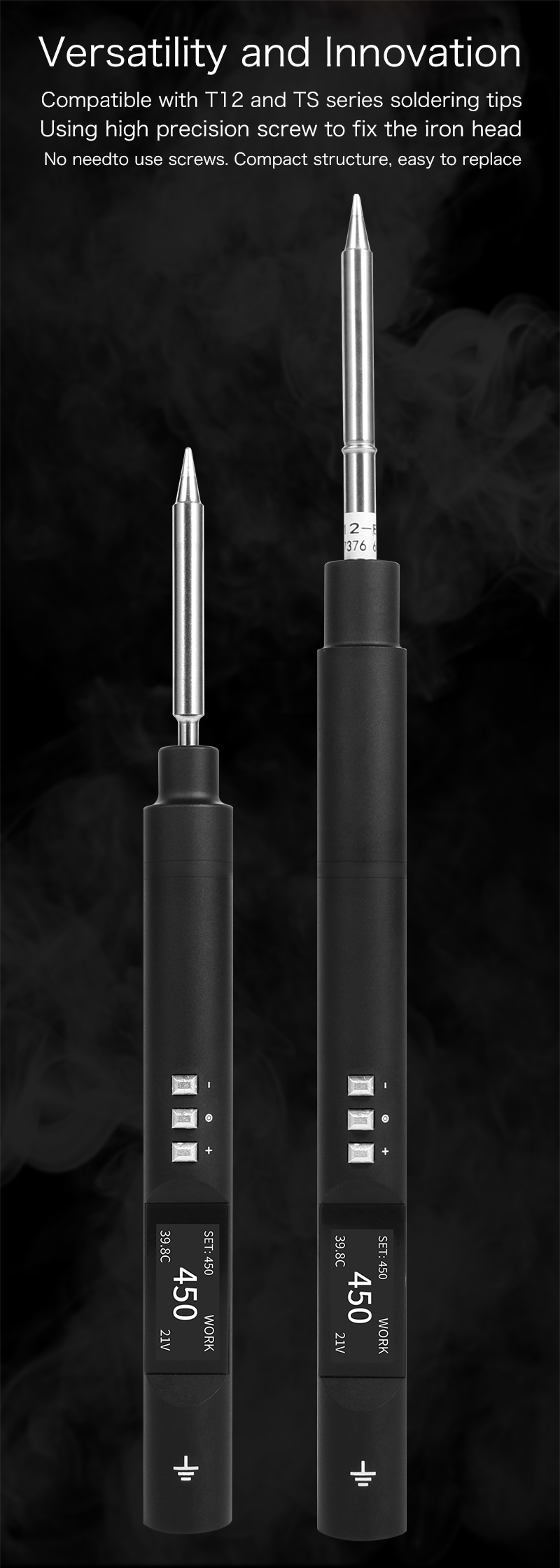
1. Ingenious structural design, so that it does not require complex operation, and it can be compatible with T12 and TS soldering heads only by using different metal sleeves.
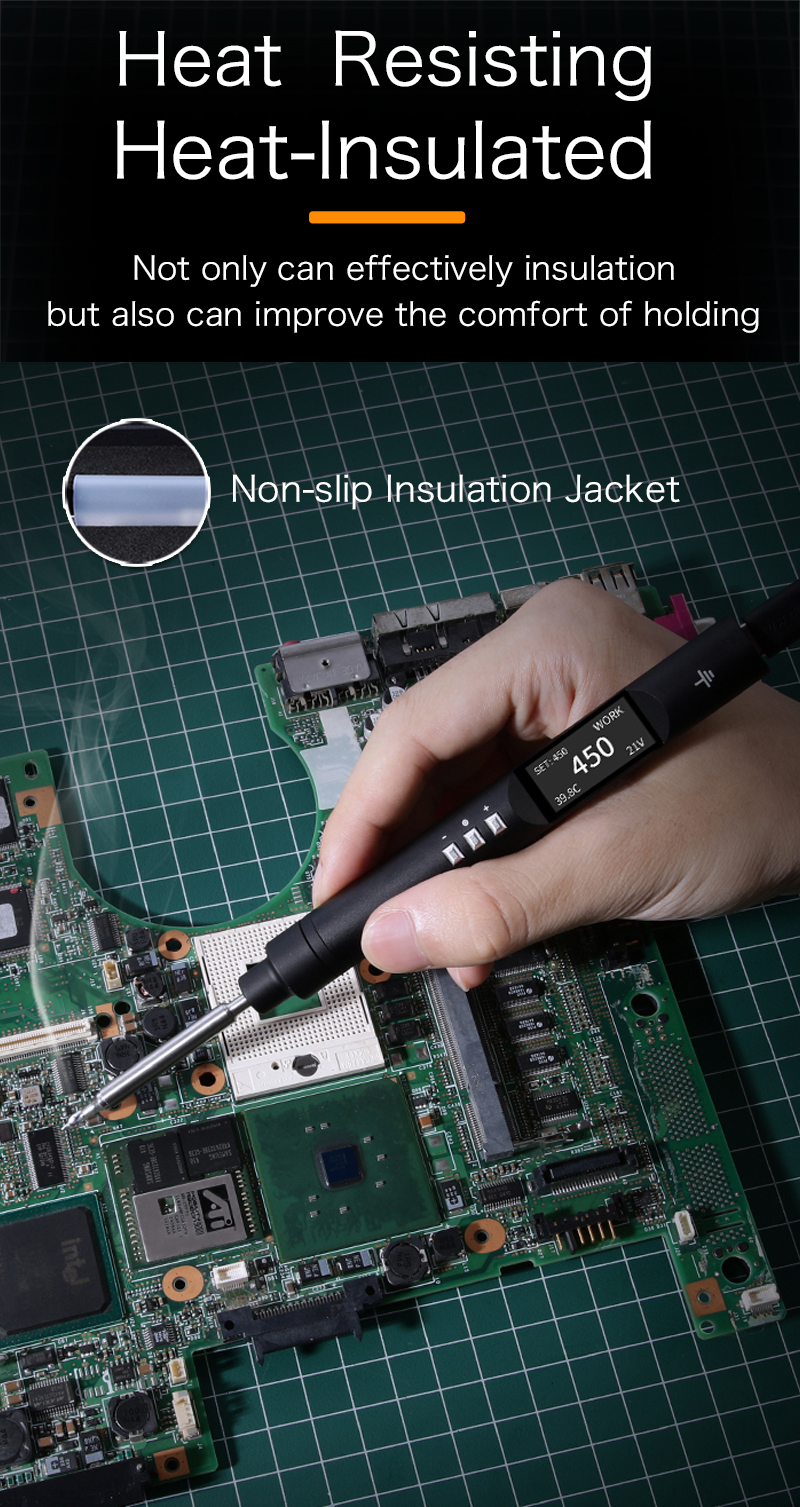
2. The all metal CNC body is anodized to provide users with excellent grip.
3. Support PD3.0, which can easily reach 65W -100W.
4. Uses ESP32-PICO-D4 SoC, open source.
Introduction:
PTS200 is an intelligent electric soldering iron powered by TYPE-C interface. It can be powered by 5V/12V/20V power supply/power bank. The maximum output power is 100W and the temperature is 50-450 controllable. The shell of the machine body is made of CNC metal and is fixed with high-precision threads without screws.
Compact structure, ergonomic and scientific.
Features:
1. The 0.96-inch OLED screen can display rich content
2. There are three built-in entity keys, namely+, - and OK. Confirm key: it is the start temperature key with one key temperature rise function
3. The machine body is equipped with a precision gyroscope, which cooperates with the software algorithm to achieve high sensitivity automatic sleep function
4. The soldering iron body is designed with all aluminum alloy. The body is solid and reliable with good heat dissipation
5. A variety of soldering tips can be replaced: T12, T13, TS soldering tips. (The default is TS soldering head)
6. The soldering iron is specially designed for the PD2.0/PD3.0 fast charging protocol and easily supports 65W-100W
7. Vibration sensing, automatic sleep and other functions
8. Support switching between Chinese and English.
9. Support USB upgrade firmware, and we will update it with more new and interesting functions in the future
10. Open Source: https://github.com/Eddddddddy/SolderingPen_FW」
Parameters:
Soc: ESP32-PICO-D4
Screen: 0.96 inch OLED
Power and data interface: TYPE-C
Overall length of TS soldering head: 184.21mm
Overall length for installing T12 soldering head: 188.21mm
Weight of TS soldering head: 136g
Weight of TS soldering head: 133g
Working power: 65W (100W max, but more than 100W power supply and customized soldering head are required)
Temperature control range: 50-450 degrees
Temperature stability value: ± 5%
Resistance of soldering iron head to ground: < 2 Ω
Input voltage: 5V/12V1.5A/20V3.25A/20V5A
How to use:
1. The three keys have short press and long press operations respectively. Short press the+and - keys for single step, long press for fast addition and subtraction. Short press the Enter key on the main interface to enter the fast temperature increase. The default increase is 50 degrees, and the time is 60 seconds. (Definition of quick temperature rise: when the temperature is 350 degrees, press the OK key to quickly increase the temperature by 50 degrees, and it will automatically recover after 60 seconds). Long press the OK key to enter the setting menu.
2. In the iron head setting, you can add a new iron head, switch the iron head, delete the iron head, rename the current iron head, and calibrate the temperature curve of the current iron head using the multi segment calibration function.
3. In the temperature setting, you can set the set temperature, sleep temperature and warming temperature respectively.
4. In the timing setting, you can specify the sleep time, warming time, and closing the heating time of the soldering head. Wake up threshold: the setting of sleep sensitivity. The smaller the value, the higher the sensitivity.
5. In the main screen setting, you can switch the display mode of large font or more information.
6. In the information option, the working condition of the soldering iron and the firmware version information can be displayed.
7. The soldering iron can be restored to the factory state in the process of restoring the default settings.
8. You can switch between Simplified Chinese, Traditional Chinese and English interfaces in Languages.
Note:
Although this electric iron is compatible with T12 and TS series iron heads, we only send TS electric iron heads to you. If you need T12 soldering head, please buy it yourself. The T12 tip shown in the picture is just to show that it is compatible with T12, which does not mean that we will send you a T12 tip.
Package Included:
1 x Host
1 x Fastener for TS Solder Tip
1 x Fastener for T12 Solder Tip
2 x Insulation Jacket
1 x TS-B2 soldering head(Send the TS soldering iron tip of your choice)
Detail Pictures: