
1 / 7 · Click to enlarge
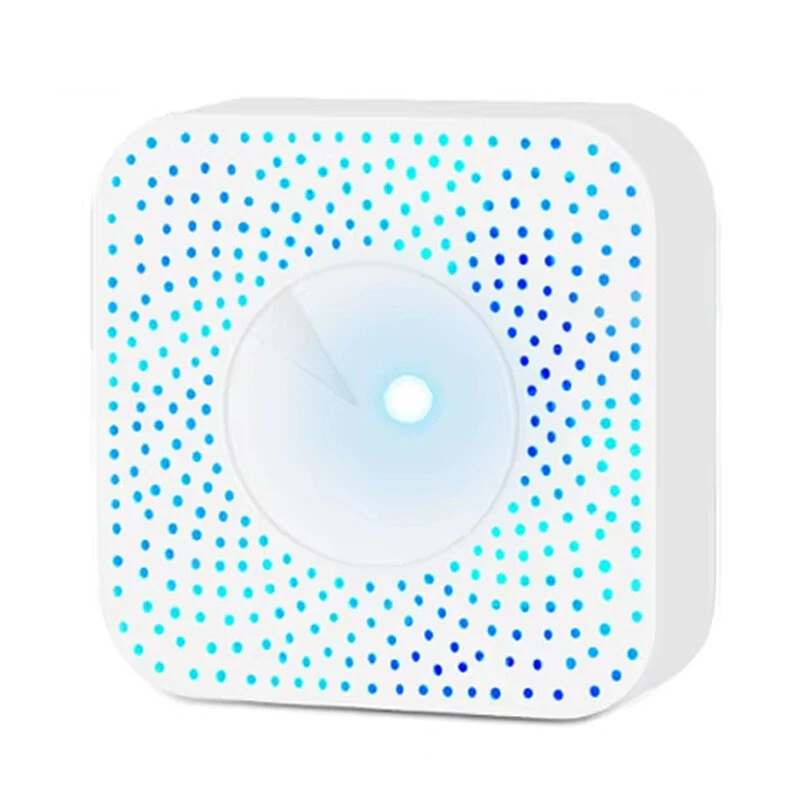
DCR-009 Tuya ZigBe/WiFi Air Quality Detector PM2.5 Formaldehyde VOC CO2 Temperature Humidity 6-in-1 Smart Air Box Sensor Via Alexa Google
5.01 ratingThe DCR-009 Tuya ZigBe/WiFi Air Quality Detector PM2.5 Formaldehyde VOC CO2 Temperature Humidity 6-in-1 Smart Air Box Sensor Via Alexa Google is a mid-range product designed for everyday users. Customers praise its excellent build quality and accurate and reliable.
Available Offers
Free Delivery on this order. No minimum order value.
15-Day Easy Returns — hassle-free return & full refund.
Secure Payment — 100% safe checkout with UPI, Cards & Net Banking.
25% Off — you save ₹1,210 on this product!
Price: ₹3,583
Available Offers
5% Cashback
Pay with UPI & get 5% cashback (up to ₹50) via Razorpay
No-Cost EMI
Available on select bank cards at checkout. 0% interest for 3 months.
Free Shipping
Free delivery on all orders. No minimum order value.
Cash on Delivery
COD available on orders up to ₹5,000 across India.
Ideal For
About This Product
The DCR-009 Tuya ZigBe/WiFi Air Quality Detector PM2.5 Formaldehyde VOC CO2 Temperature Humidity 6-in-1 Smart Air Box Sensor Via Alexa Google is a mid-range designed for everyday users. Customers highlight its excellent build quality and accurate and reliable.
Why Buy from Pricio?
Pricio sources this product directly, cutting out multiple middlemen. Every order includes free shipping, a 15-day return policy, and secure payment via Razorpay.
Specifications:
Model: DCR-009
Working Temperature: -20-85℃
Working Voltage (rated): 4.8~12V
Working Current: 10-496ma
Size: 100*100*40mm
Power Supply Mode: USB5V/1A
Communication Protocol: WIFI 2.4GHZ / Zigbee3.0
Color: White Shell
Material: ABS
Detection Range (formaldehyde): 0~10.00mg/m3
Detection Range (voc): 0~99.9ppm
Detection Range (Co2): 0~1000ppm
Detection Range (temperature): 0-60°C
Detection Range (humidity): 0~95%
Detection Range (PM2.5): 0-1000ug/m3
Features:
1. Monitors six air quality indicators (TVOC, PA, CO₂, PM2.5, Temperature, and Humidity) for a comprehensive view of indoor air status.
2. Real-time data reporting and visual display for immediate air quality insights.
3. Intelligent linkage with smart home devices to improve air environment seamlessly.
4. Mobile app compatibility (supports Tuya APP and Smart Life APP) for remote monitoring and control.
5. Multiple installation options such as wall-mounted, ceiling-mounted, or placed on a table.
6. Fast detection and high sensitivity equipped with independent sensors for precise performance.
Package Include:
1x Smart Air Box
1x User Manual
1x Package Box
Notes:
please do not put air box at lampblack is too big, strong convection air or in high concentration organic gas for a long time, otherwise it will damage the sensor.
This product needs to be used with ZigBee3.0 gateway!


