
1 / 5 · Click to enlarge
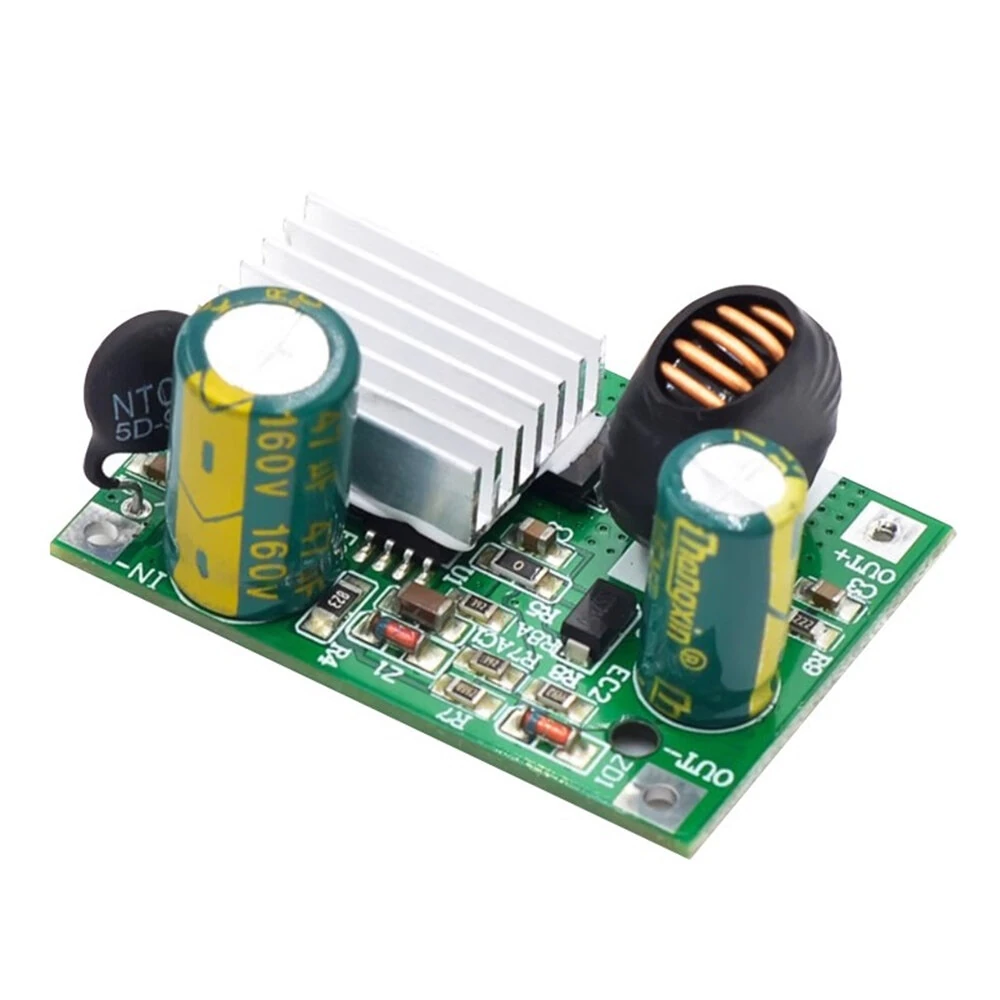
DC Buck Converter Step Down Power Supply Module to 5V12V Output 140kHz Industrial Overcurrent Short Circuit Protection
The DC Buck Converter Step Down Power Supply Module to 5V12V Output 140kHz Industrial Overcurrent Short Circuit Protection is a value-for-money product designed for professionals.
Available Offers
Free Delivery on this order. No minimum order value.
15-Day Easy Returns — hassle-free return & full refund.
Secure Payment — 100% safe checkout with UPI, Cards & Net Banking.
42% Off — you save ₹591 on this product!
Price: ₹818
Available Offers
5% Cashback
Pay with UPI & get 5% cashback (up to ₹50) via Razorpay
No-Cost EMI
Available on select bank cards at checkout. 0% interest for 3 months.
Free Shipping
Free delivery on all orders. No minimum order value.
Cash on Delivery
COD available on orders up to ₹5,000 across India.
Ideal For
About This Product
The DC Buck Converter Step Down Power Supply Module to 5V12V Output 140kHz Industrial Overcurrent Short Circuit Protection is a value-for-money designed for professionals. It delivers reliable performance at an accessible price.
Why Buy from Pricio?
Pricio sources this product directly, cutting out multiple middlemen. Every order includes free shipping, a 15-day return policy, and secure payment via Razorpay.
Model Optional:
Input 9-120V/Output 5V 3A
Input 16-120V/Output 12V 3A
Input 30-90V/Output 24V 2A
Input 30-120V/Output 24V 2A
Specification:
Typical Operating Frequency: 140KHz
Efficiency: 95% (lower voltage drop, higher efficiency)
Operating Temperature: Industrial grade (-40℃ to +85℃)
Module Size: 42*30*17mm
Features:
1. Light load frequency reduction for improved light load efficiency.
2. Low standby current.
3. Built-in over-temperature, over-current, and output short-circuit protection.
4. Built-in soft start.
5. Constant voltage and constant current output.
Usage Instructions:
Wiring: IN+ is the positive input terminal, IN- is the negative input terminal; OUT+ is the positive output terminal, OUT- is the negative output terminal.
Connect the module to the power supply first, then power on. Remember! Remember! (If the input terminals are live, arcing can easily occur, especially with high input voltage, which may even burn the module's solder pads.)
After selecting a suitable power supply and powering it on, use a multimeter or voltmeter to measure whether the module's output voltage matches the voltage required by the device.
Connect the electrical equipment or (load) to the module's output terminals.
Package Included:
1 x DC Step-Down Power Supply Module


