
1 / 8 · Click to enlarge
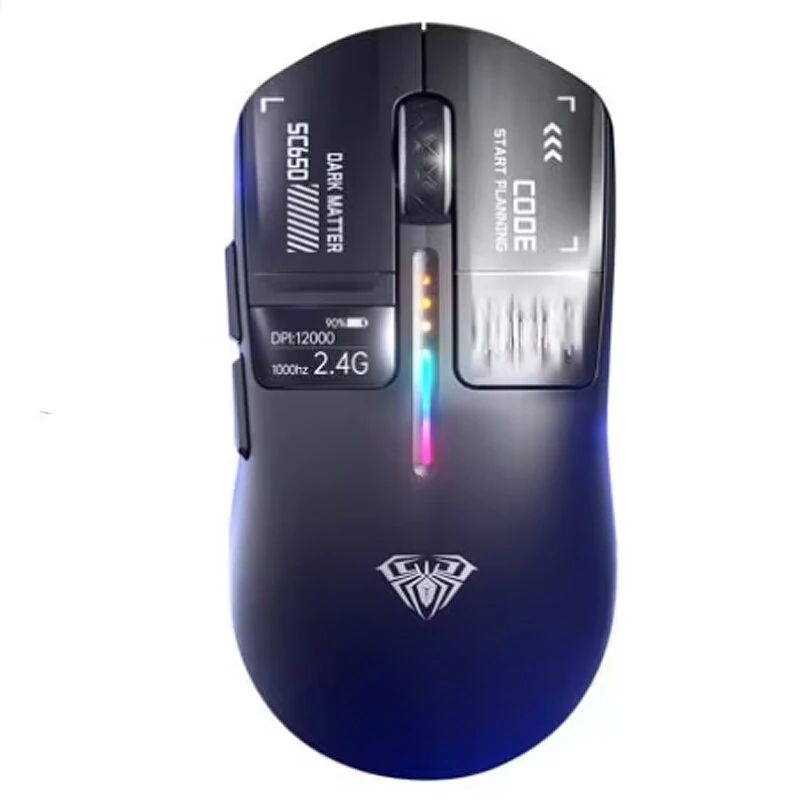
AULA SC650 Tri-mode Gaming Mouse with Smart Screen Display PAW3311 Sensor RGB Lighting 800-12000DPI 1000Hz 500mAh Battery Lightweight Design E-sports Gamer Mice for PC Laptop Computer
The AULA SC650 Tri-mode Gaming Mouse with Smart Screen Display PAW3311 Sensor RGB Lighting 800-12000DPI 1000Hz 500mAh Battery Lightweight Design E-sports Gamer Mice for PC Laptop Computer is a mid-range product designed for gamers and content creators.
Available Offers
Free Delivery on this order. No minimum order value.
15-Day Easy Returns — hassle-free return & full refund.
Secure Payment — 100% safe checkout with UPI, Cards & Net Banking.
Price: ₹3,914
Available Offers
5% Cashback
Pay with UPI & get 5% cashback (up to ₹50) via Razorpay
No-Cost EMI
Available on select bank cards at checkout. 0% interest for 3 months.
Free Shipping
Free delivery on all orders. No minimum order value.
Cash on Delivery
COD available on orders up to ₹5,000 across India.
Ideal For
About This Product
The AULA SC650 Tri-mode Gaming Mouse with Smart Screen Display PAW3311 Sensor RGB Lighting 800-12000DPI 1000Hz 500mAh Battery Lightweight Design E-sports Gamer Mice for PC Laptop Computer is a mid-range designed for gamers and content creators. It delivers reliable performance at an accessible price.
Why Buy from Pricio?
Pricio sources this product directly, cutting out multiple middlemen. Every order includes free shipping, a 15-day return policy, and secure payment via Razorpay.
Specifications:
Brand: AULA
Model: SC650
Connection Modes: 2.4G Wireless / Bluetooth 5.1 / USB Type-C Wired
Sensor: PAW3311
DPI Levels: 800 / 1600 / 2400 / 3200 / 6400 / 12000
Report Rate: 1000Hz
Battery Capacity: 500mAh
Number of Buttons: 6
Switch Lifespan: 50 Million Clicks
Compatibility: Windows, for macOS, Linux, Android
Weight: Approx. 58g
Dimensions: 118 x 61.8 x 37.8mm
Features:
1. Integrated Smart Display: Instantly check critical stats like DPI level, battery life, and connection mode at a glance on the built-in screen, giving you complete control.
2. Tri-Mode Connectivity: Seamlessly switch between ultra-low latency 2.4G for gaming, versatile Bluetooth for tablets and laptops, or a wired Type-C connection for charging and non-stop action.
3. Featherlight 58g Construction: The ultra-light frame allows for swift, effortless movements and quick reactions, reducing hand fatigue during long gaming sessions.
4. High-Precision Gaming Sensor: Equipped with the PAW3311 sensor, this mouse delivers exceptional tracking accuracy and speed up to 12000 DPI, ensuring your every move is pixel-perfect.
5. Extended Playtime: The high-capacity 500mAh battery, enhanced with NTC temperature control technology, provides long hours of uninterrupted gameplay on a single charge.
6. Customizable RGB Illumination: Personalize your gaming setup with vibrant, flowing RGB lighting. Easily cycle through 7 stunning preset effects to match your mood and style.
Package Include:
1 x AULA SC650 Gaming Mouse
1 x USB Receiver
1 x Data Cable
1 x User Manual


