
1 / 6 · Click to enlarge
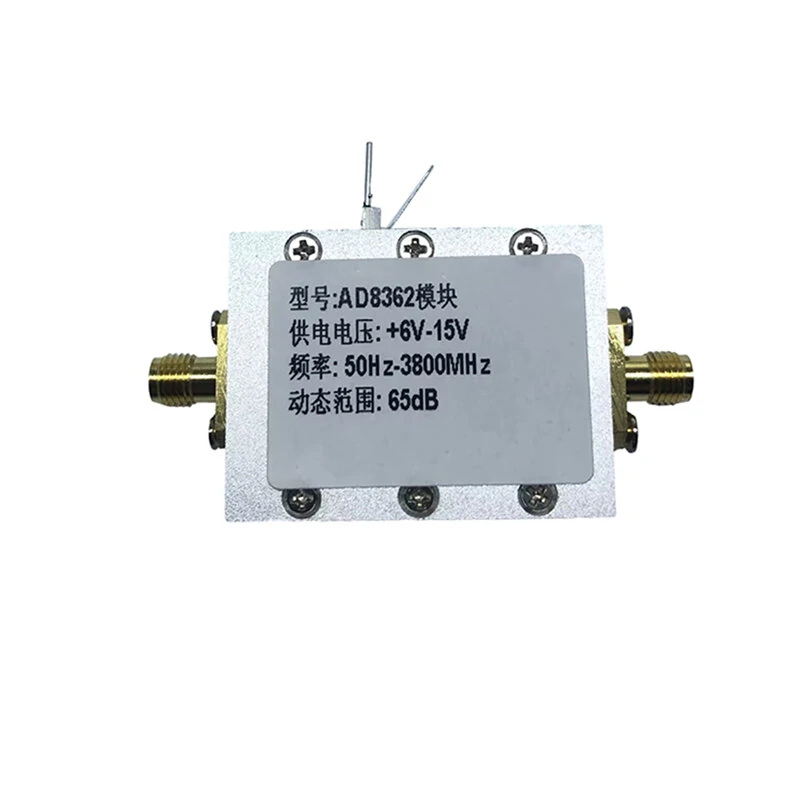
AD8362 RF Microwave True Power Tester Rate Input Logarithmic Test RF Amplifier Module
The AD8362 RF Microwave True Power Tester Rate Input Logarithmic Test RF Amplifier Module is a mid-range product designed for everyday users. It features Model: AD8362 module and Power supply voltage: +6V-15V.
Available Offers
Free Delivery on this order. No minimum order value.
15-Day Easy Returns — hassle-free return & full refund.
Secure Payment — 100% safe checkout with UPI, Cards & Net Banking.
18% Off — you save ₹329 on this product!
Available Offers
5% Cashback
Pay with UPI & get 5% cashback (up to ₹50) via Razorpay
No-Cost EMI
Available on select bank cards at checkout. 0% interest for 3 months.
Free Shipping
Free delivery on all orders. No minimum order value.
Cash on Delivery
COD available on orders up to ₹5,000 across India.
Quick Specs
Ideal For
About This Product
The AD8362 RF Microwave True Power Tester Rate Input Logarithmic Test RF Amplifier Module is a mid-range designed for everyday users. It delivers reliable performance at an accessible price.
Key Specifications
- Model: AD8362 module
- Power supply voltage: +6V-15V — works with standard household power
- Frequency car: 50Hz-3800MHz — smooth, flicker-free operation
- Dynamic range: 65dB — reliable connection even at a distance
Why Buy from Pricio?
Pricio sources this product directly, cutting out multiple middlemen. Every order includes free shipping, a 15-day return policy, and secure payment via Razorpay.
Features:
1. Wide Frequency Range: The AD8362 RF Amplifier module offers a wide frequency range of 50Hz to 3800MHz, making it suitable for a variety of applications. This range is ideal for amplifying signals across different frequency bands, including those used in wireless communications, radio, and television broadcasting.2. High Dynamic Range: With a dynamic range of 65dB, this RF amplifier can amplify weak signals while maintaining high fidelity and low distortion. This feature is particularly useful in applications where the input signal strength varies significantly, such as in radio astronomy, radar, and wireless communication systems.
3. Flexible Power Supply Voltage: The AD8362 module can operate on a power supply voltage of +6V-15V, making it versatile and adaptable to different power sources. This feature also makes it easy to integrate into existing systems, as it can work with a broad range of power sources.
4. Compact Size: The AD8362 RF Amplifier module is compact in size, making it easy to integrate into small electronic devices or systems. Its small form factor also makes it ideal for use in portable applications, where space is limited.
5. Easy to Use: The AD8362 module is easy to use, with simple connections and straightforward setup. It comes with a user manual that provides step-by-step instructions for installation and operation, making it accessible to both novice and experienced users. This feature saves time and effort, allowing users to focus on their applications' core aspects.
Package Include:
1× RF Amplifier


