
1 / 7 · Click to enlarge
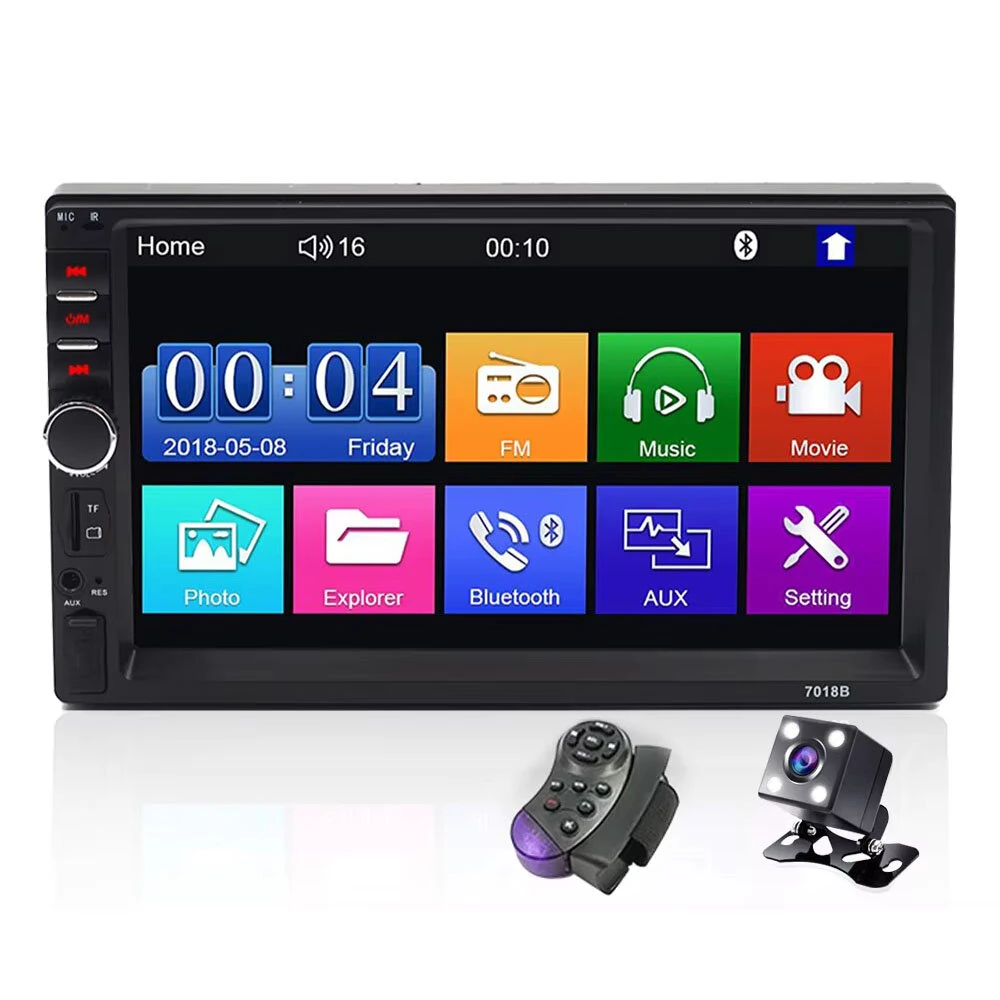
7018B Car Radio 7 Inch 2Din FM Modulator Stereo Receiver Support RearView Camera Audio Player Bluetooth Mirror Link MP5
The 7018B Car Radio 7 Inch 2Din FM Modulator Stereo Receiver Support RearView Camera Audio Player Bluetooth Mirror Link MP5 is a mid-range product designed for everyday users.
Available Offers
Free Delivery on this order. No minimum order value.
15-Day Easy Returns — hassle-free return & full refund.
Secure Payment — 100% safe checkout with UPI, Cards & Net Banking.
19% Off — you save ₹1,097 on this product!
Price: ₹4,542
Available Offers
5% Cashback
Pay with UPI & get 5% cashback (up to ₹50) via Razorpay
No-Cost EMI
Available on select bank cards at checkout. 0% interest for 3 months.
Free Shipping
Free delivery on all orders. No minimum order value.
Cash on Delivery
COD available on orders up to ₹5,000 across India.
Ideal For
About This Product
The 7018B Car Radio 7 Inch 2Din FM Modulator Stereo Receiver Support RearView Camera Audio Player Bluetooth Mirror Link MP5 is a mid-range designed for everyday users. It delivers reliable performance at an accessible price.
Why Buy from Pricio?
Pricio sources this product directly, cutting out multiple middlemen. Every order includes free shipping, a 15-day return policy, and secure payment via Razorpay.
Specification
Product Name: 7018B Car Radio 7 Inch 2Din FM Modulator Stereo Receiver Support RearView Camera Audio Player Bluetooth Mirror Link MP5
Screen Size: 7 inch
Touch Panel: Capacitive touch panel
Panel Type: HD brand new TFT panel
Resolution: 800 x 480 pixel
Bluetooth: Built-in bluetooth function, support phone call and music play
FM: Built-in FM function
Mirror Link: Support Android and IOS system mobile by USB cable
IOS Support: Support IOS 12.3.1 Vision, IOS 14.1 not support now
Android Support: Android mobile need to enable developer options
Video Input: One video input and one rearview camera video input
Video Output: Two video output function share screen with 2 car screen
Audio Output: One audio output function (RCA connector) and 4 ways speaker output
AUX: AUX input port
EQ: EQ adjust function
Storage: Built-in USB, TF card solt
Video Formats: RMVB / RM / FLV / 3GP / MPEG / DVIX / XVID / DTA / VOB / AVI
Audio Formats: MP3 / WMA / WMV / OGG / APE / ACC / FLAC
Image Formats: JPEG / BMP / GIF / TIF
Movie Support: Support 1080P movie
Body Size: 178 x 140 x 100 mm
Audio Output Power: 4 x 50W
Power Supply: DC12V
Remote Control Battery: CR2025 3V battery not included
Features
1) 7 inch capacitive touch screen, same like mobile, with HD 800 x 480 LED panel.
2) Support Android and IOS mirror link by USB cable; Android mobile need to enable developer options.
3) Car LOGO screen logo can be setting when screen on.
4) Built-in bluetooth supports phone call and music play, with built-in FM function.
5) One rearview camera video input, plus two video outputs to share screen with 2 car screens.
Package Included
1 x 7018B Car Radio Kit


