Free Delivery  ·  COD Available  ·  15-Day Returns
Pricio
6Pin FTDI FT232RL USB To Serial Adapter Module USB TO TTL RS232 Cable — image 1
Hover to zoom
Pricio

6Pin FTDI FT232RL USB To Serial Adapter Module USB TO TTL RS232 Cable

5.0116 ratings
AI Summary
Electronics for everyday users

The 6Pin FTDI FT232RL USB To Serial Adapter Module USB TO TTL RS232 Cable by Pricio is a mid-range electronics designed for everyday users. Customers praise its excellent build quality and great value for money. 100% of buyers rate it 4★ or above.

excellent build qualitygreat value for moneyfast and responsive
₹2,000
Free Shipping💵 COD Available

Available Offers

Free Delivery on this order. No minimum order value.

15-Day Easy Returns — hassle-free return & full refund.

Secure Payment — 100% safe checkout with UPI, Cards & Net Banking.

Total: ₹2,000
Buying tip: A well-rounded choice at a fair price. Recommended for most buyers.
Estimated delivery: 4 Aug18 Aug
Free Shipping
Pan India delivery
15-Day Returns
Hassle-free policy
Secure Payment
Razorpay protected
Quality Assured
Vetted products only

Available Offers

💳

5% Cashback

Pay with UPI & get 5% cashback (up to ₹50) via Razorpay

🏦

No-Cost EMI

Available on select bank cards at checkout. 0% interest for 3 months.

📦

Free Shipping

Free delivery on all orders. No minimum order value.

💵

Cash on Delivery

COD available on orders up to ₹5,000 across India.

Ideal For

Everyday convenience
Share:
SKU: bg-1035802Category: Electronics

About This Product

The 6Pin FTDI FT232RL USB To Serial Adapter Module USB TO TTL RS232 Cable by Pricio is a mid-range electronics designed for everyday users. Customers highlight its excellent build quality and great value for money.

Customer Verdict

100% of buyers rated this product 4 stars or above. The most appreciated qualities are: excellent build quality, great value for money, fast and responsive.

Why Buy from Pricio?

Pricio sources this product directly, cutting out multiple middlemen. Every order includes free shipping, a 15-day return policy, and secure payment via Razorpay.

Features:
 
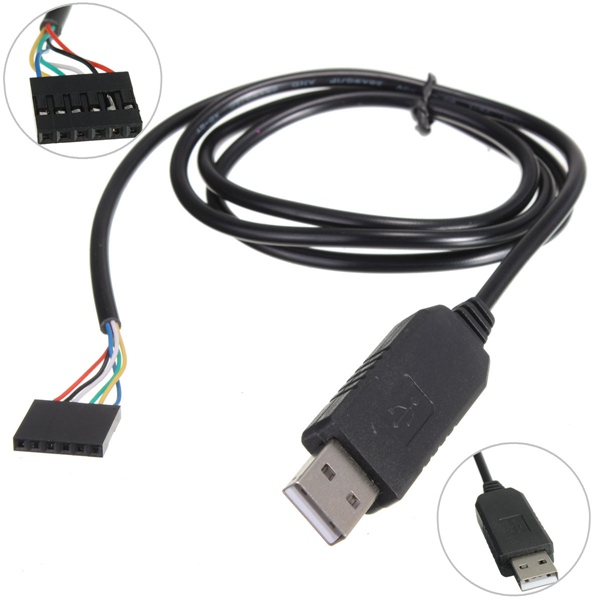
The cables provide a fast, simple way to connect devices with a TTL level serial interface to USB
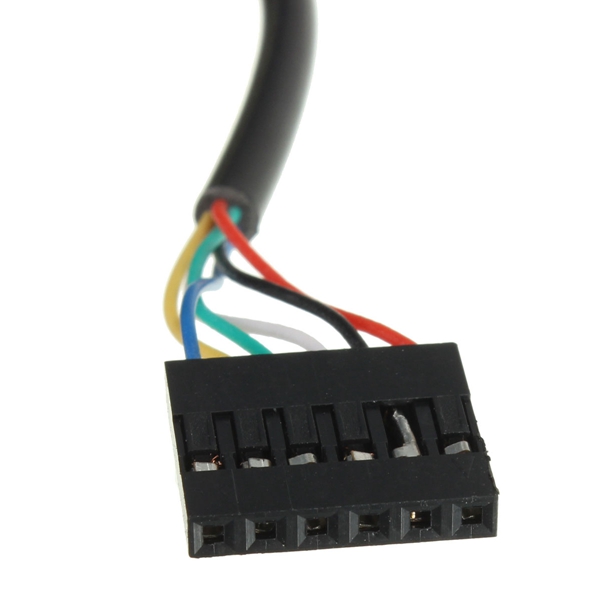
The cables are available with a 6-way SIL, 0.1" connector
TTL levels is 3.3V
The TTL-232R cables are a family of USB to TTL serial UART converter cables incorporating FTD's FT232RQ USB to Serial
UART interface IC device which handles all the USB signalling and protocols. The cables provide a fast, simple way to connect devices with a TTL level serial interface to USB
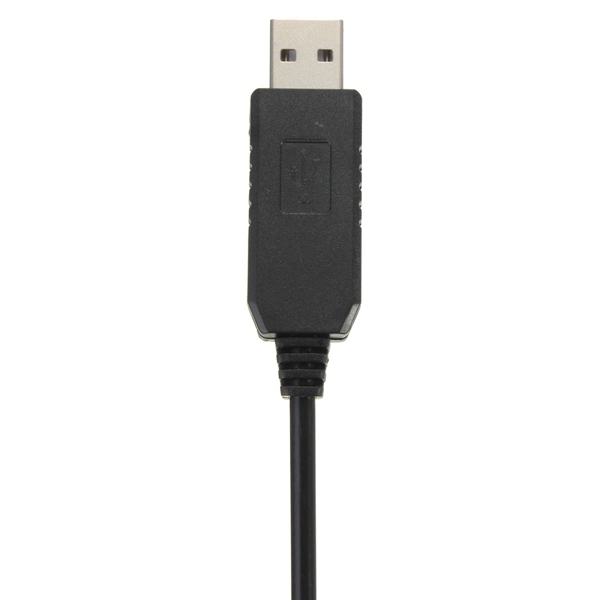
Each TTL-232R cable contains a small internal electronic circuit board, utilising the FT232R, which is encapsulated into the USB connector end of the cable
The other end of the cable comes with a selection of different connectors supporting various applications
Cables are FCC, CE, RoHS compliant and are available at TTL levels 3.3V
Cables are available with either a 6-way SIL, 0.1"pitch connector, a 3.5mm audio jac1k, an 8 way, keyed 2mmpitch connector (intended for use with VMUSIC2 or VDRIVE2) or bare, tinned wire ended connections
The USB side of the cable is USB powered and USB 2.0 full speed compatible
Each cable is 97cm(38.19") long and supports a data transfer rate up to 3 Mbaud
 
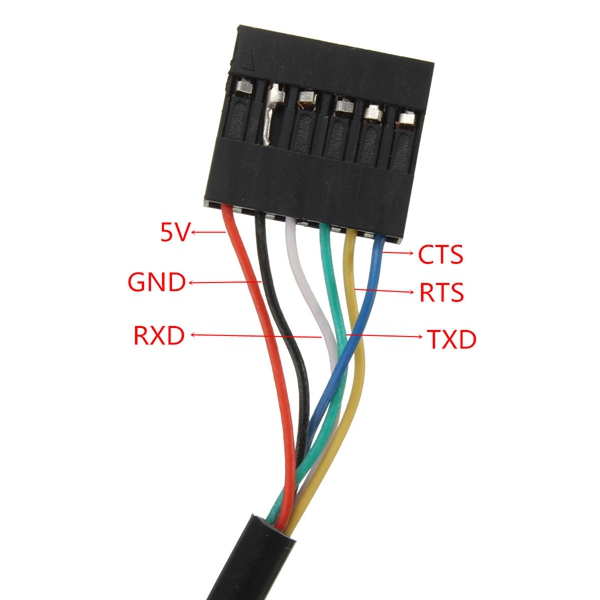
Red Wire: 5V
Black Wire: GND
White Wire: RXD
Green Wire: TXD
Yellow Wire: RTS
Blue Wire: CTS
 
Package Included:
 
1 x 6 Pin FT232RL USB to Serial Adapter Module TTL RS232 Cable

,,,
Product Safety Information

Setup Guide

1
Identify the pins
Locate VCC (power), GND (ground), and data pins (SDA/SCL for I2C, MOSI/MISO for SPI, or TX/RX for UART). Refer to the pinout diagram on the product page.
2
Wire to your microcontroller
Connect VCC to 3.3V or 5V (check the module spec), GND to GND, and data pins to the appropriate GPIO pins on your Arduino or Raspberry Pi.
3
Install libraries
In Arduino IDE, go to Sketch → Include Library → Manage Libraries and search for the sensor library. Install the recommended version.
4
Upload example sketch
Open File → Examples → [library name] → Basic Example. Upload to your board and open Serial Monitor to view output.
5
Calibrate if needed
Some sensors (temperature, humidity, distance) may need a short warm-up period or calibration. Run the calibration sketch if provided.