
1 / 7 · Click to enlarge
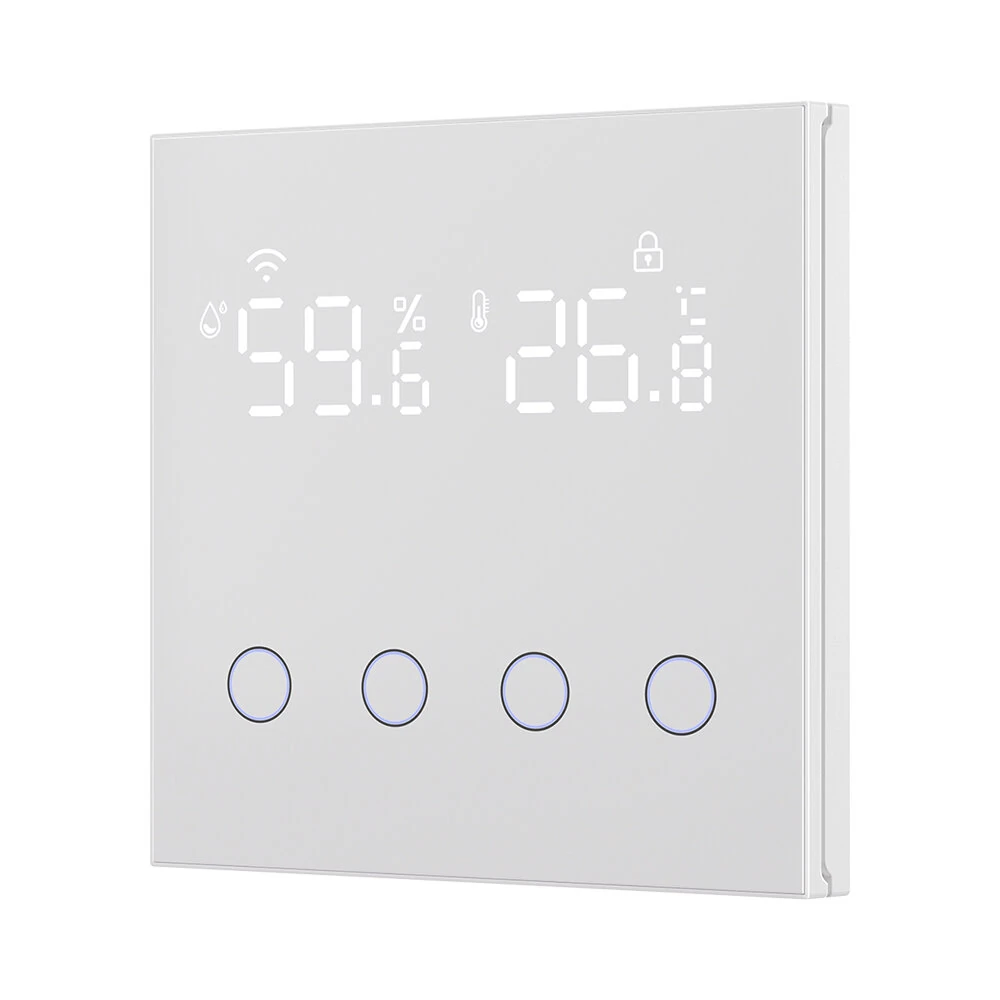
3 in 1 10A Tuya WiFi Smart Light Switch with Temperature Humidity Sensor LCD Display Scene Switch Timing Function APP & Voice Control with Alexa Google Home
The 3 in 1 10A Tuya WiFi Smart Light Switch with Temperature Humidity Sensor LCD Display Scene Switch Timing Function APP & Voice Control with Alexa Google Home is a mid-range product designed for everyday users.
Available Offers
Free Delivery on this order. No minimum order value.
15-Day Easy Returns — hassle-free return & full refund.
Secure Payment — 100% safe checkout with UPI, Cards & Net Banking.
Type: WIFI
Available Offers
5% Cashback
Pay with UPI & get 5% cashback (up to ₹50) via Razorpay
No-Cost EMI
Available on select bank cards at checkout. 0% interest for 3 months.
Free Shipping
Free delivery on all orders. No minimum order value.
Cash on Delivery
COD available on orders up to ₹5,000 across India.
Ideal For
About This Product
The 3 in 1 10A Tuya WiFi Smart Light Switch with Temperature Humidity Sensor LCD Display Scene Switch Timing Function APP & Voice Control with Alexa Google Home is a mid-range designed for everyday users. It delivers reliable performance at an accessible price.
Why Buy from Pricio?
Pricio sources this product directly, cutting out multiple middlemen. Every order includes free shipping, a 15-day return policy, and secure payment via Razorpay.
Specification:
Product Name: Smart WiFi Light Switch
Input Voltage: AC 110-240V 50/60Hz
Max. Load: 10A
Wi-Fi Standard: 2.4GHz IEEE 802.11 b/g/n
App Support: AVATTO&Smart Life APP
Voice Control: Amazon Alexa, Google Home
Dimensions: 86mm * 86mm * 36mm
Temperature Measurement Range: -20℃ to 60℃ (Accuracy: ±0.5℃)
Humidity Measurement Range: 0% to 100% RH (Accuracy: ±1% RH)
Wiring: Neutral Wire and Live Wire required.
Features:
1. 3-in-1 Smart Control Center: Integrates a 4-gang light switch, a programmable scene switch, and a high-precision temperature & humidity sensor into a single, elegant wall panel.
2. App & Voice Control: Remotely manage your lights from anywhere using the Tuya or Smart Life app. Enjoy hands-free convenience with voice commands via Amazon Alexa and Google Home.
3. Smart Automation Linkage: Uses the built-in sensors to automatically trigger other smart devices. For example, turn on your air conditioner when the temperature rises, or activate a humidifier when the air gets dry.
4. Dual-Mode Functionality: Freely switch between a standard 4-button light switch for individual lamp control and a smart scene switch to activate pre-set home automations with a single touch.
5. Advanced Scheduling: Create custom schedules to turn lights on and off according to your daily routine. You can also set timers based on specific temperature or humidity conditions.
6. Clear LCD Display: The large, easy-to-read screen provides real-time information on indoor temperature, humidity, Wi-Fi status, and more, keeping you informed at a glance.
Package Include:
1x Wifi Smart Light Switch


