

1 / 6 · Click to enlarge
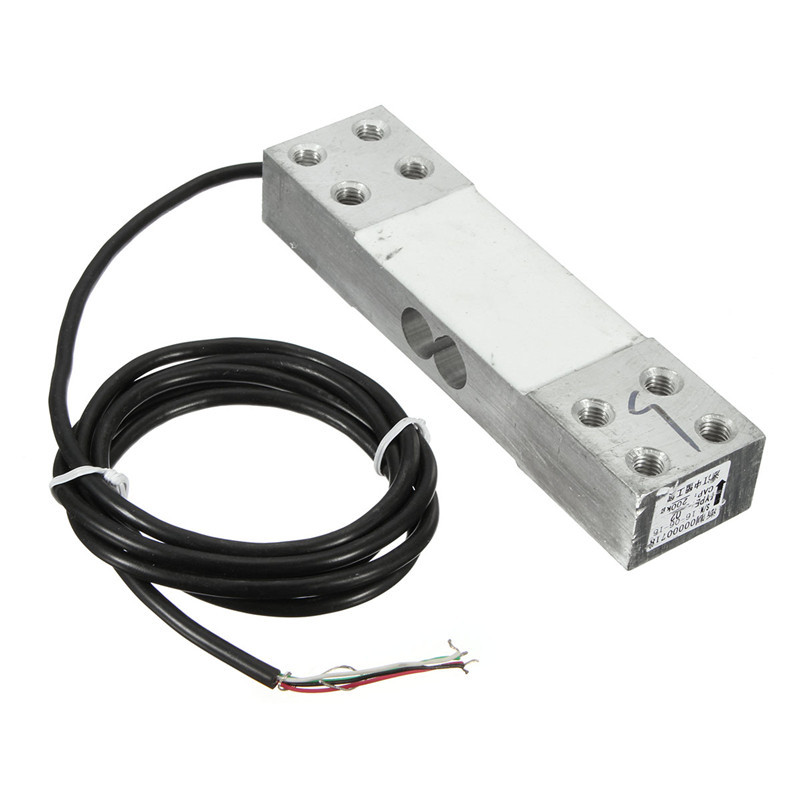
200KG Electronic Platform Scale Load Cell Pressure Balanced Cantilever Load Weight Sensor
5.077 ratingsThe 200KG Electronic Platform Scale Load Cell Pressure Balanced Cantilever Load Weight Sensor by Pricio is a mid-range electronics designed for everyday users. Customers praise its excellent build quality and great value for money. 100% of buyers rate it 4★ or above.
Available Offers
Free Delivery on this order. No minimum order value.
15-Day Easy Returns — hassle-free return & full refund.
Secure Payment — 100% safe checkout with UPI, Cards & Net Banking.
Available Offers
5% Cashback
Pay with UPI & get 5% cashback (up to ₹50) via Razorpay
No-Cost EMI
Available on select bank cards at checkout. 0% interest for 3 months.
Free Shipping
Free delivery on all orders. No minimum order value.
Cash on Delivery
COD available on orders up to ₹5,000 across India.
Ideal For
About This Product
The 200KG Electronic Platform Scale Load Cell Pressure Balanced Cantilever Load Weight Sensor by Pricio is a mid-range electronics designed for everyday users. Customers highlight its excellent build quality and great value for money.
Customer Verdict
100% of buyers rated this product 4 stars or above. The most appreciated qualities are: excellent build quality, great value for money, fast and responsive, accurate and reliable.
Why Buy from Pricio?
Pricio sources this product directly, cutting out multiple middlemen. Every order includes free shipping, a 15-day return policy, and secure payment via Razorpay.
Wiring
Black Power + , white Power - Red Signal + green signal -
The sensor is a precision parts, severe vibration, fall, collision, overload, overvoltage, etc. It's very likely to cause permanent damage to the sensor or affect the accuracy and linearity. After all, the resistance and capacitance transistors and other components compared to other electronic components to be more fragile. Resistance strain gauge pressure sensorMainly by the elastic body, the resistance strain gauge cable and other components, the internal circuit using Huygens bridge, when the elastic body is deformed under load. Resistance strain gauge ( conversion element ) film subjected to tensile or compressive strain deformation, its resistance will change (increase or decrease), so that the bridge out of balance, a corresponding differential signal for subsequent measurement circuit and handling.










.jpg)
