
1 / 8 · Click to enlarge
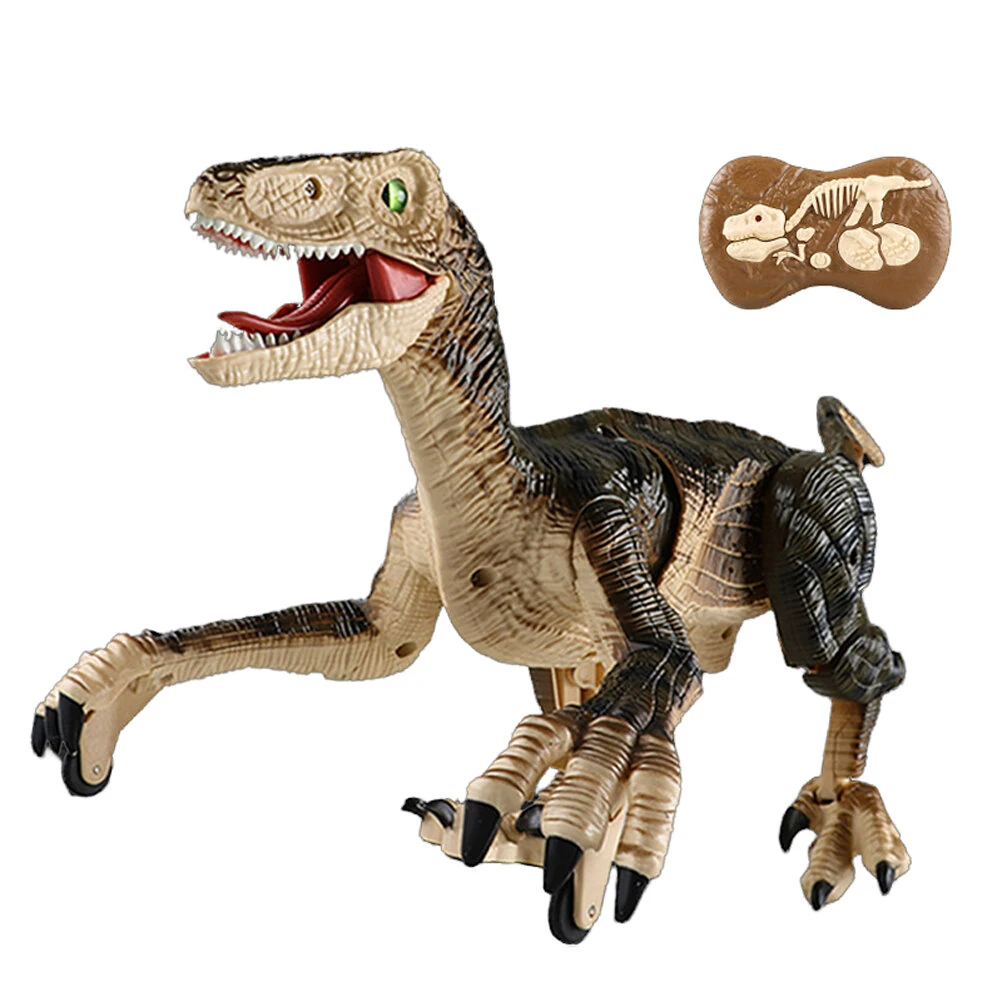
2.4G 5CH Remote Control Sound and Light Mechanical Dinosaur Simulation Velociraptor RC Toy for Chidren Gifts
The 2.4G 5CH Remote Control Sound and Light Mechanical Dinosaur Simulation Velociraptor RC Toy for Chidren Gifts is a mid-range product designed for everyday users.
Available Offers
Free Delivery on this order. No minimum order value.
15-Day Easy Returns — hassle-free return & full refund.
Secure Payment — 100% safe checkout with UPI, Cards & Net Banking.
Price: ₹4,561
Available Offers
5% Cashback
Pay with UPI & get 5% cashback (up to ₹50) via Razorpay
No-Cost EMI
Available on select bank cards at checkout. 0% interest for 3 months.
Free Shipping
Free delivery on all orders. No minimum order value.
Cash on Delivery
COD available on orders up to ₹5,000 across India.
Ideal For
About This Product
The 2.4G 5CH Remote Control Sound and Light Mechanical Dinosaur Simulation Velociraptor RC Toy for Chidren Gifts is a mid-range designed for everyday users. It delivers reliable performance at an accessible price.
Why Buy from Pricio?
Pricio sources this product directly, cutting out multiple middlemen. Every order includes free shipping, a 15-day return policy, and secure payment via Razorpay.
Note:
It package in the small box version, the feet must be disassembled before placing them into the box.
Specifications:
Item Name: Remote Control Sound and Light Mechanical Dinosaur
Color: Brown / Blue
Remote Control Mode: 2.4G 5CH
Remote Control Distance: 40-60 meters
Remote Control Battery: 2*1.5V AA (Not included)
Battery: 3.7V 1200mAh
Usage Time: Approximately 60 minutes
Charging Time: Approximately 2-3 hours
For Age: 6+
Size: As Shown
Product Functions:
1. Forward, backward, body swaying left and right, one-button demonstration with remote control, roar, sleep mode, synchronized sound and footsteps, simulated 3D eyes
2. One-button head control for sleep/wake-up, displaying swaying steps, sound, and lights;
3. 1-minute standby time; body sways once every 20 seconds with lights and sleep music;
4. 5-minute automatic sleep mode.
Feature:
Realistic Dinosaur Movements: Simulates walking with head swivels, tail actions, and joint articulation for a true prehistoric experience.
Interactive Sound & LED Display: Emits synchronized roars paired with glowing lights to enhance play immersion and excitement.
One-Click Demonstration: Remote control effortlessly triggers preset actions for easy operation.
3D Dynamic Eye Design: Realistic 3D eyes enhance the dinosaur’s vivid expressions for a captivating look.
Long Battery Runtime: Features a 3.7V 1200mAh battery providing up to 60 minutes of uninterrupted play on a 2-3 hour charge.
Package included:
1 x Remote Control Sound and Light Mechanical Dinosaur
1 x Remote Controller
1 x Battery
1 x USB Charging Cable
1 x Manual


