
1 / 6 · Click to enlarge
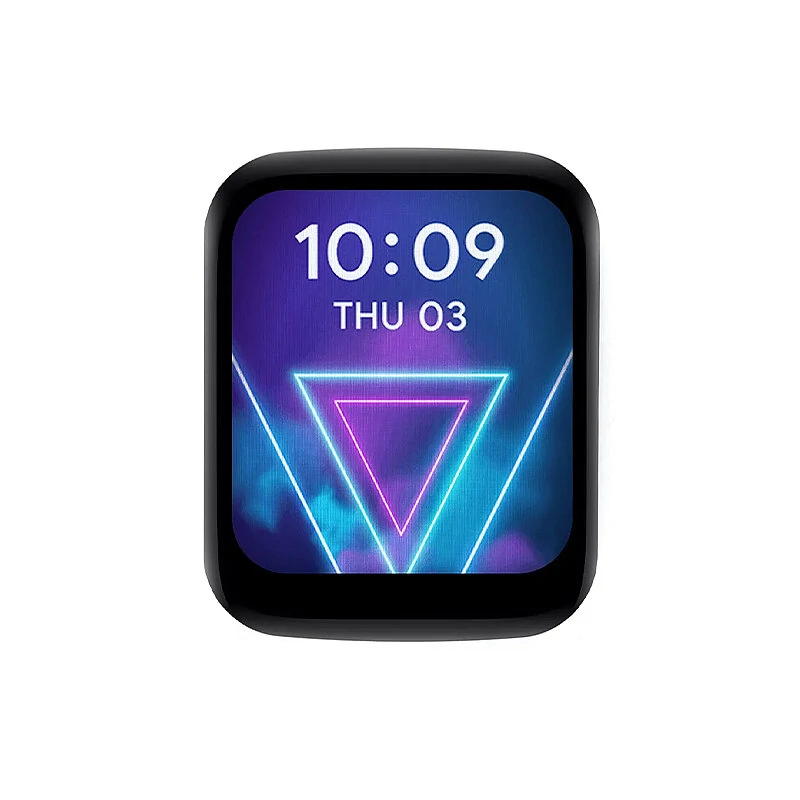
1.69inch LCD Touch Screen Display 240×280 ST7789 for Raspberry Pi /ESP32S3 /Pico /STM32
The 1.69inch LCD Touch Screen Display 240×280 ST7789 for Raspberry Pi /ESP32S3 /Pico /STM32 is a mid-range product designed for everyday users. It features 1.69inch Touch LCD Module: Paspberry Pi(BCM) and VCC: 3.3V.
Available Offers
Free Delivery on this order. No minimum order value.
15-Day Easy Returns — hassle-free return & full refund.
Secure Payment — 100% safe checkout with UPI, Cards & Net Banking.
Available Offers
5% Cashback
Pay with UPI & get 5% cashback (up to ₹50) via Razorpay
No-Cost EMI
Available on select bank cards at checkout. 0% interest for 3 months.
Free Shipping
Free delivery on all orders. No minimum order value.
Cash on Delivery
COD available on orders up to ₹5,000 across India.
Quick Specs
Ideal For
About This Product
The 1.69inch LCD Touch Screen Display 240×280 ST7789 for Raspberry Pi /ESP32S3 /Pico /STM32 is a mid-range designed for everyday users. It delivers reliable performance at an accessible price.
Key Specifications
- 1.69inch Touch LCD Module: Paspberry Pi(BCM)
- VCC: 3.3V
- GND: GND
- LCD_DIN: 10
- LCD_CLK: 11
- LCD_CS: 8
- LCD_DC: 25
- LCD_RST: 27
Why Buy from Pricio?
Pricio sources this product directly, cutting out multiple middlemen. Every order includes free shipping, a 15-day return policy, and secure payment via Razorpay.
Description:
1.69-inch touch LCD with expansion board built-in ST7789V2 driver chip and CST816T capacitive touch chip provides routine data such asArduino, Raspberry Pie, ESP32S3, Pico and STM32.
Specifications:
Working voltage: 3.3V/5V
Resolution: 240 × 280 pixels
Display chip: ST7789V2
Touch chip: CST816T
Display interface: 4-wire SPI
Touch interface: I2C
Display panel: IPS
Touch type: capacitive induction type
Display size: 27.972× 32.634 mm
Pixel size: 0.11655× 0.11655 mm
Product size: 33.13× 41.13mm
Features:
1. 240 × 280 resolution, 262K color, can clearly display color pictures.
2. The touch screen has high transmittance, fast responsing and long service life.
3. Built-in ST7789V2 driver chip and CST816T capacitive touch chip, which communicate with SPI and I2C interfaces respectively, do not occupy too many interface pin resources, and can be connected to main control boards such as Raspberry PI/ESP32S3/Pico/ArduinoSTM 32.
4. Provide routine information such as Raspberry Pie, ESP32S3, Pico, Arduinoand STM32.
Package Include:
1x 1.69inch Touch LCD Module
1x GH1.25 12PIN Cable
Pin Description:
Built-in ST7789V2 driver chip and CST816T capacitive touch chip.
VCC: Power supply positive (3.3V/5V power supply input)
GND: power ground
LCD_DIN: SPI communication MOSIpin
LCD_CLK: SPI communication clk pin
LCD_CS: Chip selection pin of LCD, active low.
LCD_DC: data/command pin of LCD, with low level indicating command and high level indicating data.
LCD_RST: reset pin of LCD, active low.
LCD_BL: backlight pin of LCD
TP_SDA: data pin of TP.
TP_SCL: clock pin of TP
TP_ RST: reset pin of TP, active low.
TP_IRQ: interrupt pin of TP.
Pin Connection Reference:


